
Bista MCP for Odoo: Secure AI Access to Live ERP Data
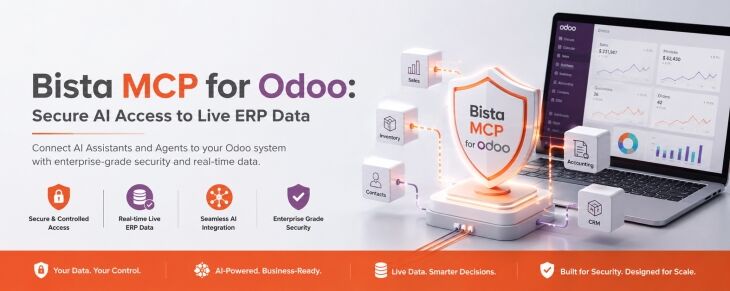
 by Uzlifat Mir
Bista MCP for Odoo: Secure AI Access to Live ERP Data
Artificial intelligence gives businesses a new way to interact with their ERP. Instead of navigating multiple menus or building reports manually, users can ask questions in natural language and receive answers based on the information stored in Odoo.
For that to work, AI needs secure access to live business data.
Bista MCP for Odoo provides that connection. It enables AI applications to work directly with live Odoo data through a single secure endpoint while respecting the permissions and controls already defined within Odoo.
What is Bista MCP?
Bista MCP is an Odoo add-on that allows AI applications to communicate with live Odoo data. The module runs inside Odoo, so there is no separate infrastructure to deploy or maintain.
Users interact with Odoo using natural language instead of manually searching through records or exporting data. The guide includes examples such as:
- How many invoices are overdue?
- Analyze sales trends by product line.
- Export last quarter’s sales by region.
- Summarize stalled projects.
The responses are based on live Odoo records rather than static reports or previously exported data.
Why Live ERP Data Matters
Odoo stores information across accounting, sales, purchasing, inventory, manufacturing, projects, CRM, and other business functions. Keeping that information current is one of the reasons organizations invest in an ERP platform.
 When AI is connected to live ERP data, users can ask questions against current business information instead of relying on spreadsheets or reports that may no longer reflect the latest activity.
Bista MCP is designed to provide secure access to that live data while maintaining the controls already established within Odoo.
Security and Access Controls
Security is a core part of the design.
Every connection runs as an authenticated Odoo user. AI inherits that user’s permissions and cannot access information beyond what the user is already authorised to view. Administrators also determine which data is available through Bista MCP. According to the guide, each layer of control can only narrow access, never widen it.
The guide highlights several controls that support this approach.
Real User Permissions
Every request is made using the authenticated user’s existing Odoo permissions. If a user cannot access a record inside Odoo, the AI cannot access it either.
Administrator Allowlist
Administrators decide which information is available through Bista MCP using an allowlist. This adds another layer of governance alongside Odoo’s standard security model.
Audit Logs
Every request is logged, including who submitted it, what was requested, when it occurred, how long it took, and where it originated. Managers can review activity, and logs can be cleared automatically based on the schedule defined by the organisation.
One-Click Revocation
Keys, user access, and download links can all be revoked immediately. According to the guide, previously shared links also stop working once they have been revoked.
Reducing Data Processing
The guide explains that Bista MCP retrieves only the information required to answer a question, such as counts, totals, or summaries, instead of passing complete record sets through the AI. This helps reduce AI processing costs while still returning meaningful results.
When larger exports or business documents are required, they are provided as secure download links instead of being sent through the AI model. This allows large datasets to remain outside the model while still making them available to authorised users.
Support for Customized Odoo Environments
Many Odoo implementations include custom modules, additional fields, and business-specific workflows.
According to the guide, Bista MCP can summarise information across modules while also reading plain language notes about custom models. This helps the AI select the appropriate data instead of guessing.
This approach allows AI to work with Odoo environments that extend beyond the standard application set.
Connecting AI with Live Odoo Data
The value of AI depends on the quality, accuracy, and relevance of the information it can access.
Bista MCP provides a governed connection between AI clients and live Odoo data while maintaining real user permissions, administrator controls, audit logs, and immediate access revocation. It allows organisations to work with the information already stored in Odoo instead of creating separate copies of business data.
Setup in Four Steps
Getting started with Bista MCP is straightforward. For web-based AI clients such as ChatGPT and Claude, the connection can be completed in just four steps:

- Copy the MCP server URL from the Bista MCP application in Odoo.
- Add a custom connector in your AI client, such as ChatGPT or Claude, and paste the MCP server URL.
- Sign in with your Odoo credentials and approve the access request.
- Start asking questions using live Odoo data, with the AI operating within your existing Odoo permissions.
Since Bista MCP runs inside Odoo, there is no separate infrastructure to deploy or maintain, allowing teams to begin working with live ERP data quickly.
Speak with a Bista Solutions Expert
Every Odoo implementation is unique. The applications you use, the customisations you’ve introduced, and your internal security requirements all influence how AI should interact with your ERP.
If you’re interested in learning more about Bista MCP or discussing how it could fit into your Odoo environment, the team at Bista Solutions can help. We can answer your questions, explain how Bista MCP works, and discuss how it aligns with your business requirements.
Contact our team to start the conversation: https://www.bistasolutions.com/contact-us/