Managing Multi-Level BOMs in Odoo – Boost Efficiency and Control

Production manager viewing Odoo BOM dashboard

Juggling component lists across multiple production lines can quickly overwhelm even the most organized operations manager. With growing market demands in Texas, keeping every assembly and subassembly in sync often feels impossible without the right digital tools. Odoo’s multi-level bill of materials (BOM) management brings clarity and control, delivering accurate demand calculations and deeper visibility to strengthen purchasing, scheduling, and cost control across complex manufacturing ecosystems.

Table of Contents

Key Takeaways

Point Details
Multi-Level BOMs Enhance Production Visibility Multi-level BOMs in Odoo provide a comprehensive view of production components, improving tracking and inventory management.
Diverse BOM Structures Cater to Different Needs Selecting the appropriate BOM structure is crucial for effectively managing complex product configurations and operational efficiency.
Odoo Offers Robust BOM Management Features Odoo’s BOM management includes real-time inventory integration, cost tracking, and version control, enhancing production workflows.
Regular Audits Help Maintain BOM Accuracy Conducting regular audits of BOM structures minimizes errors and ensures that product designs align with current manufacturing processes.

Defining Multi-Level BOMs in Odoo

A multi-level bill of materials (BOM) represents a complex hierarchical structure that details the components, subassemblies, and raw materials required to manufacture a finished product. In Odoo manufacturing, these multi-level BOMs provide critical visibility into the entire production ecosystem, enabling precise tracking from the top-level product down to the most granular component.

Unlike simple single-level BOMs that list only immediate components, multi-level BOMs in Odoo create an intricate mapping of product relationships. This approach allows manufacturers to understand precise material requirements, calculate accurate production costs, and optimize inventory management. For instance, when producing a complex machine, a multi-level BOM might reveal that a specific subassembly requires multiple intermediate components, each with their own detailed material specifications.

The core functionality of multi-level BOMs in Odoo involves systematic demand calculation across different production levels. By integrating advanced manufacturing parameters, the system can automatically trace material requirements from finished products through intermediate assemblies down to raw materials. This process involves several key mechanisms:

  • Automatic inventory demand tracking
  • Real-time material requirement calculations
  • Support for product variant-specific parameters
  • Ability to generate purchase or manufacturing orders based on demand

The MRP Multi-Level module enables manufacturers to transform complex production scenarios into manageable, transparent workflows. It supports both manual and scheduled demand calculations, giving production managers granular control over procurement strategies.

Pro tip: Leverage Odoo’s multi-level BOM features by regularly reviewing and updating your component hierarchies to maintain accurate production forecasting and minimize inventory holding costs.

Request A Free No-Obligation Demo

    Types of BOM Structures Used in Manufacturing

    Manufacturing organizations utilize various bill of materials (BOM) structures to map out complex product configurations, each designed to address specific operational requirements. These structural variations enable companies to efficiently track, manage, and visualize the intricate relationships between components, assemblies, and finished products across different stages of production.

    The most common BOM structures include Single-Level, Multi-Level (Indented), and Summarized configurations. Single-Level BOMs represent the most basic approach, listing immediate components required for a product’s assembly. Production planning in manufacturing becomes significantly more sophisticated with Multi-Level BOMs, which provide a hierarchical view showing how components interconnect across multiple assembly levels. This allows manufacturers to understand complex product dependencies and trace material requirements from finished goods down to raw materials.

    Each BOM structure serves unique purposes in the manufacturing ecosystem:

    • Engineering BOM (EBOM): Focuses on product design and component specifications
    • Manufacturing BOM (MBOM): Details precise manufacturing process requirements
    • Sales BOM (SBOM): Represents product configurations from a customer-facing perspective
    • Service BOM: Tracks components and replacement parts for maintenance and repair

    The selection of an appropriate BOM structure depends on factors like product complexity, manufacturing process, and organizational reporting needs. Manufacturers must carefully evaluate their specific requirements to choose the most effective representation that balances detailed information with operational efficiency.

    Here’s how common BOM structures compare in manufacturing:

    BOM Structure Complexity Level Primary Use Case Information Detail Level
    Single-Level Low Basic assemblies Immediate components only
    Multi-Level High Complex, nested products Complete hierarchy tracked
    Summarized Moderate Reporting and cost roll-ups Aggregated by component
    Engineering (EBOM) Moderate to High Product design optimization Design-focused, technical
    Manufacturing (MBOM) High Shop floor instructions Manufacturing processes

    Pro tip: Regularly audit and update your BOM structures to ensure they accurately reflect current product designs and manufacturing processes, preventing potential miscommunication and production errors.


    Request A Free Demo

      Key Features of Odoo’s BOM Management

      Odoo’s bill of materials (BOM) management system offers a comprehensive suite of advanced manufacturing capabilities designed to streamline complex production workflows. The platform provides manufacturers with an integrated approach to managing product structures, enabling precise tracking of components, subassemblies, and material requirements across entire production ecosystems.

      Engineer reviewing printed and digital BOMs

      The core strength of Odoo’s BOM management lies in its modular and flexible architecture. Warehouse inventory tracking becomes seamlessly integrated with BOM functionalities, allowing real-time visibility into material availability, production requirements, and potential supply chain constraints. This dynamic approach enables manufacturers to make informed decisions about procurement, production scheduling, and resource allocation with unprecedented accuracy.

      Key features of Odoo’s BOM management include:

      • Hierarchical BOM Structures: Support for complex multi-level bill of materials
      • Real-Time Inventory Integration: Automatic synchronization of material requirements
      • Variant Management: Configurable product variations within BOM frameworks
      • Cost Tracking: Detailed component and assembly cost calculations
      • Version Control: Ability to manage and track different BOM versions

      The platform’s open-source nature allows for extensive customization, enabling manufacturers to adapt the BOM management system to their unique operational requirements. From small batch productions to large-scale manufacturing environments, Odoo provides a scalable solution that grows alongside the organization’s evolving complexity.

      Pro tip: Leverage Odoo’s BOM version control features to maintain a comprehensive history of product configurations, facilitating easier traceability and more effective engineering change management.

      Optimizing Production Planning and Cost Control

      Production planning and cost control represent critical strategic processes that transform manufacturing operations from reactive to proactively managed systems. By leveraging advanced computational modeling and real-time data integration, manufacturers can create robust frameworks that minimize waste, optimize resource allocation, and drive operational efficiency across complex production environments.

      Odoo’s comprehensive manufacturing module enables sophisticated production planning through advanced forecasting and vendor lead time calculation techniques. The platform’s integrated approach allows manufacturers to develop dynamic production strategies that adapt to changing market demands, supply chain fluctuations, and internal resource constraints. This flexibility ensures organizations can maintain optimal production schedules while maintaining strict cost control mechanisms.

      Key strategies for optimizing production planning and cost control include:

      • Demand Forecasting: Utilizing predictive analytics to anticipate production requirements
      • Resource Allocation: Strategically mapping workforce, machinery, and material capabilities
      • Inventory Optimization: Implementing just-in-time inventory management principles
      • Cost Tracking: Detailed component-level expense monitoring
      • Performance Benchmarking: Continuous evaluation of production efficiency metrics

      The interconnected nature of Odoo’s manufacturing modules enables manufacturers to break down traditional silos between planning, production, and financial departments. By creating a unified ecosystem of information, organizations can make data-driven decisions that balance operational efficiency with financial prudence, ultimately driving sustainable competitive advantages.
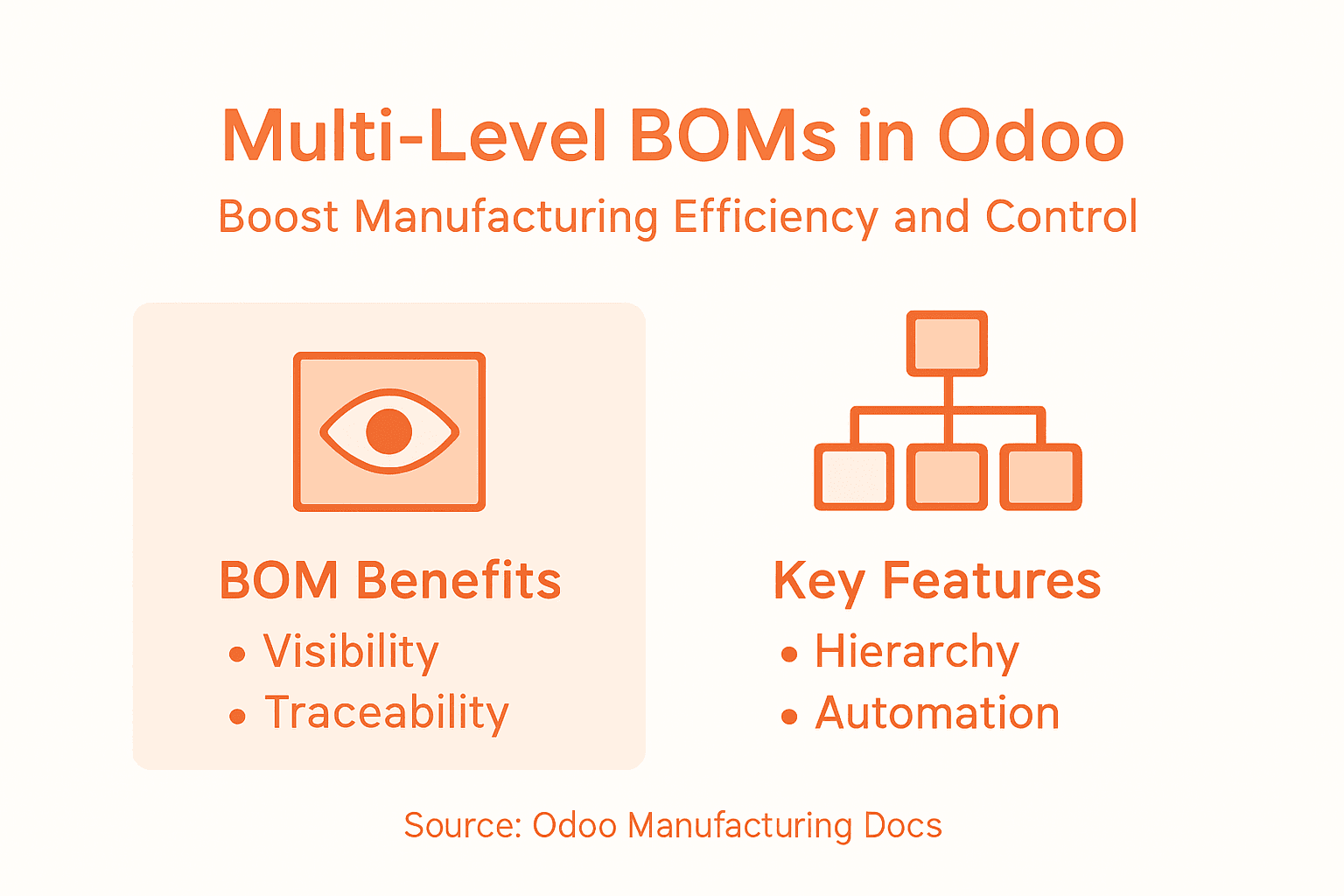
      Infographic on multi-level BOM benefits and features

      Pro tip: Implement weekly cross-functional reviews of production planning metrics to identify potential bottlenecks and optimize resource utilization before they impact overall manufacturing performance.

      Common Pitfalls and Solutions in Multi-Level BOMs

      Multi-level bill of materials (BOM) management presents complex challenges that can significantly disrupt manufacturing efficiency if not addressed strategically. Manufacturers often encounter intricate problems that stem from ineffective BOM design, data management, and integration, which can lead to cascading operational inefficiencies across production ecosystems.

      The most prevalent issues emerge from component complexity and data inconsistency. Instant quoting software for manufacturing highlights how fragmented BOM structures can create significant pricing and procurement challenges. Organizations frequently struggle with problems such as redundant component listings, version control difficulties, and limited visibility across different hierarchical levels of product structures.

      Common multi-level BOM pitfalls include:

      • Component Duplication: Repeated listings of identical parts across different assembly levels
      • Version Control Challenges: Difficulty tracking and managing multiple BOM iterations
      • Visibility Limitations: Poor cross-referencing between hierarchical BOM levels
      • Data Standardization: Inconsistent formatting and documentation practices
      • Communication Gaps: Misalignment between engineering and manufacturing teams

      Odoo’s advanced BOM management system provides robust solutions to these challenges by creating an integrated platform that standardizes data, ensures real-time synchronization, and provides comprehensive visibility across all production levels. The platform’s modular approach allows manufacturers to implement granular controls that mitigate risks associated with complex multi-level product structures.

      Below is a summary of common pitfalls and solutions for multi-level BOMs:

      Pitfall Impact on Operations Odoo Solution Approach
      Component duplication Excess inventory costs Centralized component libraries
      Version management errors Production delays Built-in BOM version control tools
      Data inconsistency Misaligned procurement Standardized BOM formatting
      Limited BOM visibility Missed dependencies Hierarchical BOM visualization
      Communication gaps Engineering-manufacturing errors Integrated collaboration features

      Pro tip: Conduct quarterly comprehensive BOM audits to identify and eliminate component redundancies, ensuring your multi-level bill of materials remains lean, accurate, and operationally efficient.

      Enhance Your Multi-Level BOM Management with Expert Odoo Implementation

      Managing complex multi-level BOMs in Odoo requires precise control over hierarchical product structures, real-time inventory synchronization, and seamless version tracking. If you face challenges like component duplication, visibility gaps, or production delays due to ineffective BOM management, you are not alone. Many manufacturers strive to optimize their manufacturing workflows, reduce waste, and improve cost control, but need tailored strategies and expert guidance to do so successfully.

      Bista Solutions is the largest Odoo ERP implementer in North America and a trusted Odoo Gold Partner recognized across multiple years for excellence. Our specialized team offers end-to-end Odoo manufacturing consulting that aligns perfectly with concepts like demand forecasting, variant management, and BOM version control discussed in this article. Whether you want to leverage automated demand calculations or improve your production planning and cost tracking, we provide scalable solutions designed to meet your unique operational needs.

      Discover how our expertise can transform your manufacturing processes starting today. Visit contact us to schedule a consultation and gain the competitive advantage your business deserves. Act now to harness advanced Odoo features and eliminate costly BOM pitfalls with Bista Solutions’ dedicated support and proven ERP implementations.

      Schedule A Free Demo


        Frequently Asked Questions

        What is a multi-level BOM in Odoo, and why is it important?

        A multi-level bill of materials (BOM) in Odoo outlines a hierarchical structure of components, subassemblies, and raw materials needed to create a finished product. It is important as it provides visibility into material requirements and helps optimize inventory management and production costs.

        How can I optimize my multi-level BOM in Odoo?

        To optimize your multi-level BOM in Odoo, regularly review and update your component hierarchies, leverage automatic inventory tracking, and utilize Odoo’s features such as version control to maintain accurate and efficient BOM structures.

        What are the common pitfalls when managing multi-level BOMs?

        Common pitfalls include component duplication, version control challenges, data inconsistency, limited visibility across BOM levels, and communication gaps between engineering and manufacturing teams. Identifying these issues early can help prevent operational disruptions.

        Odoo integrates real-time inventory tracking with BOM management, allowing manufacturers to synchronize material requirements automatically. This ensures that any changes in the BOM reflect accurately in inventory status, aiding in effective resource allocation.


        7 Steps to Master Odoo 19 Accounting Module Explained

        Accountant using Odoo 19 at bright office desk

        Setting up accounting processes for your retail business can often feel overwhelming, especially when you need to juggle everything from taxes to vendor bills. Choosing the right accounting practices is not just about compliance—it lays the groundwork for financial clarity and smarter decision-making in your day-to-day operations. With so many moving parts, it helps to know exactly where to start and which actions will give you the strongest foundation.

        This list breaks down the most practical Odoo 19 accounting strategies that address the unique needs of retail. You will discover hands-on steps for creating a chart of accounts, configuring fiscal positions, and managing everyday tasks like invoices and reconciliation. Get ready to find the insights that can transform your routine into a more efficient, reliable process and set your retail business on a path to confident financial management.

        Table of Contents

        Quick Summary

        Key Insight Explanation
        1. Establish a Well-Structured Chart of Accounts A solid Chart of Accounts is essential for accurate financial tracking and strategic insights tailored to your retail business model.
        2. Configure Taxes for Compliance and Efficiency Set up fiscal positions in Odoo to automate tax applications based on business rules, enhancing accuracy and reducing manual workload.
        3. Automate Invoicing and Payments Leverage Odoo’s features for automatic invoice generation and payment tracking to improve cash flow management and operational efficiency.
        4. Streamline Vendor Bill Management Use automated tools for capturing and categorizing vendor bills to maintain financial control and minimize manual errors in expense tracking.
        5. Regularly Audit and Adjust Financial Configurations Continuously review your financial setups in Odoo, including the Chart of Accounts and fiscal positions, to ensure they reflect current business needs and compliance.

        1. Setting Up a Chart of Accounts for Retail Businesses

        Establishing a robust Chart of Accounts is the critical foundation for accurate financial tracking in your retail business. Your Chart of Accounts serves as the organizational framework that categorizes all financial transactions, enabling precise income, expense, asset, and liability management within the Odoo accounting system.

        In retail businesses, a well-structured Chart of Accounts goes beyond simple bookkeeping. It provides strategic insights into your financial performance by creating logical categories that reflect your specific business model. This means designing account categories that align with your retail operations such as product sales, cost of goods sold, inventory expenses, retail overhead, and marketing expenditures.

        To create an effective Chart of Accounts for a retail business, start by mapping out your primary financial categories:

        Key Categories Include:

        • Income Accounts: Separate revenue streams like product sales, service income, and merchandise returns
        • Cost of Goods Sold: Track direct product costs, shipping expenses, and procurement expenditures
        • Operating Expenses: Categorize rent, utilities, payroll, marketing, and administrative costs
        • Asset Accounts: Track inventory, equipment, store fixtures, and technology investments
        • Liability Accounts: Record accounts payable, taxes, loans, and vendor credits

        Odoo 19 Accounting Module provides remarkable flexibility in customizing your Chart of Accounts. You can create detailed subcategories that match your specific retail business model, whether you operate an online store, a brick-and-mortar location, or an omnichannel retail environment.

        When configuring your accounts, maintain a balance between granularity and simplicity. Too many accounts create complexity, while too few obscure important financial details. Aim for a structure that provides clear visibility into your financial performance without overwhelming your accounting team.

        Pro Tip: Regularly review and refine your Chart of Accounts to ensure it continues reflecting your business’s evolving financial landscape and reporting requirements.

        2. Configuring Taxes and Fiscal Positions in Odoo 19

        Configuring taxes and fiscal positions is a fundamental aspect of setting up your financial ecosystem in Odoo 19, ensuring accurate financial reporting and compliance across diverse business scenarios. The Odoo accounting module provides robust tools for managing complex tax calculations and tax calculation strategies.

        Fiscal positions in Odoo represent a powerful mechanism for automatically mapping taxes and accounts based on specific business rules and customer localization. Think of fiscal positions as intelligent templates that dynamically adjust tax treatments during transactions, reducing manual intervention and minimizing potential errors.

        Key Components of Tax Configuration:

        • Tax Types: Standard rate, reduced rate, zero rate, and exempt status
        • Tax Scopes: Sales taxes, purchase taxes, and international tax scenarios
        • Mapping Rules: Automatic tax and account replacements based on predefined conditions

        When configuring fiscal positions, retailers must consider multiple factors such as customer location, business type, and specific regulatory requirements. Odoo 19 allows you to create complex fiscal position rules that can automatically apply different tax treatments for various transaction types.

        To effectively set up fiscal positions, start by identifying your primary tax scenarios. For example, a retail business might need different tax configurations for local sales, interstate transactions, and international purchases. Odoo enables you to create specific rules that handle these variations seamlessly.

        The process involves defining tax groups, setting up tax mappings, and establishing clear replacement rules that align with your business operations. You can configure these settings to automatically adjust tax calculations based on customer addresses, business categories, or specific product classifications.

        Pro Tip: Regularly audit and update your fiscal position configurations to ensure ongoing compliance with changing tax regulations and maintain accurate financial reporting.

        3. Managing Customer Invoices and Payments Efficiently

        Effective invoice and payment management is the financial lifeline of any retail business, and Odoo 19’s Accounting Module provides powerful tools to streamline these critical processes. Understanding how to leverage Odoo invoicing features can dramatically improve your financial workflow and cash flow management.

        The Odoo Accounting Module offers comprehensive invoice management capabilities that go beyond simple record keeping. These features enable you to create professional invoices, track payment status, automate reminder workflows, and generate detailed financial reports with minimal manual intervention.

        Key Invoice Management Strategies:

        • Automated Invoice Generation: Create invoices directly from sales orders
        • Customizable Invoice Templates: Design professional templates matching your brand
        • Payment Tracking: Real-time monitoring of invoice status and payment timelines
        • Multi-Currency Support: Handle international transactions seamlessly

        To maximize efficiency, configure your invoice workflows to match your specific business processes. Odoo allows you to set up automatic invoice sequences, define payment terms, and establish default tax configurations that align with your retail operations.

        Payment reconciliation becomes significantly easier with Odoo 19. The system can automatically match incoming payments with corresponding invoices, reducing administrative overhead and minimizing human error. You can set up multiple payment methods, including credit cards, bank transfers, and digital payment platforms, to provide flexibility for your customers.

        Additionally, the module provides robust reporting tools that give you instant visibility into your accounts receivable. Generate aging reports, track outstanding balances, and identify potential collection risks before they impact your cash flow.

        Pro Tip: Configure automatic payment reminder emails in Odoo to maintain professional communication and improve your accounts receivable performance without manual follow-up.

        4. Handling Vendor Bills and Expenses Easily

        Managing vendor bills and expenses efficiently is crucial for maintaining financial health and operational transparency in any retail business. Odoo 19’s Accounting Module provides comprehensive tools to streamline vendor bill management with unprecedented accuracy and ease.

        The vendor bill management process in Odoo goes beyond simple record-keeping. It transforms expense tracking from a tedious administrative task into a strategic financial management tool that provides real-time insights and control over your business expenditures.

        Key Vendor Bill Management Features:

        • Automated Bill Capture: Scan and digitize vendor invoices automatically
        • Multi-Currency Support: Handle international vendor transactions seamlessly
        • Expense Categorization: Automatically classify expenses by department or project
        • Approval Workflows: Create customizable multi-level approval processes
        • Integration with Purchasing: Direct link between purchase orders and vendor bills

        Odoo 19 enables you to establish intelligent expense workflows that minimize manual data entry and reduce the potential for human error. You can set up automatic matching between purchase orders, received goods, and vendor invoices to ensure complete accuracy in your financial records.

        The system provides granular control over expense tracking. Create custom expense categories, set spending limits for different departments, and generate comprehensive reports that offer deep insights into your company’s financial patterns. This allows you to identify potential cost-saving opportunities and optimize your spending strategies.

        Additionally, Odoo supports multiple payment methods and provides advanced reconciliation tools. You can schedule payments, track outstanding bills, and maintain a clear audit trail of all vendor transactions with minimal administrative overhead.

        Pro Tip: Configure automated vendor bill reminders and payment schedules to maintain strong vendor relationships and avoid late payment penalties.

        5. Reconciling Bank Statements for Accurate Records

        Bank statement reconciliation is the critical financial process that ensures your accounting records precisely match your actual bank transactions. Odoo 19’s Accounting Module provides robust bank reconciliation tools that transform this traditionally time-consuming task into a streamlined and accurate workflow.

        Reconciliation is more than just matching numbers; it is about maintaining financial integrity and identifying potential discrepancies before they become significant problems. The Odoo system automates most of the complex matching processes, reducing human error and saving substantial administrative time.

        Key Bank Reconciliation Strategies:

        • Automatic Transaction Matching: Link bank statements with accounting entries
        • Multiple Bank Account Support: Reconcile transactions across different accounts
        • Real Time Synchronization: Instant updates from connected bank feeds
        • Comprehensive Reporting: Generate detailed reconciliation reports
        • Exception Handling: Flag and investigate unmatched transactions

        The reconciliation process in Odoo allows you to import bank statements directly from your financial institutions. The system uses intelligent algorithms to automatically match most transactions with existing accounting entries, dramatically reducing manual intervention.

        For transactions that cannot be automatically matched, Odoo provides an intuitive interface to manually review and reconcile entries. You can easily view transaction details, compare them with your accounting records, and make precise adjustments with just a few clicks.

        Additionally, the module offers advanced filtering and search capabilities. This means you can quickly locate specific transactions, understand their origins, and ensure every financial movement is accurately recorded and categorized.

        Pro Tip: Schedule weekly reconciliation sessions to maintain ongoing financial accuracy and quickly identify any potential discrepancies or unauthorized transactions.

        6. Generating Key Financial Reports for Growth

        Generating strategic financial reports is more than a compliance requirement; it is a powerful tool for driving business growth and making informed decisions. Odoo 19’s Accounting Module offers sophisticated reporting capabilities that transform raw financial data into actionable business intelligence insights.

        Financial reporting in Odoo goes beyond traditional spreadsheet generation. The module provides dynamic, customizable reports that offer real-time visibility into your company’s financial health, enabling proactive strategic planning and identifying potential growth opportunities.

        Essential Financial Reports to Generate:

        • Profit and Loss Statement: Track revenue, expenses, and net income
        • Balance Sheet: Understand asset, liability, and equity positions
        • Cash Flow Statement: Monitor cash movement and liquidity
        • Aged Receivables Report: Track outstanding customer payments
        • Comparative Financial Statements: Analyze performance across different periods

        Odoo 19 allows you to customize these reports with advanced filtering options. You can drill down into specific time frames, compare performance across different business units, and generate visual representations that make complex financial data easily understandable.

        The reporting module supports multiple currencies and provides granular analysis capabilities. This means you can generate reports that reflect your international business operations, breaking down financial performance by region, product line, or department with unprecedented precision.

        Additionally, Odoo enables you to schedule automated report generation and distribution. Set up monthly or quarterly reports to be automatically sent to key stakeholders, ensuring everyone stays informed about the company’s financial performance without manual intervention.

        Pro Tip: Configure report templates that highlight key performance indicators and set up automatic email distribution to keep management informed without additional administrative work.

        7. Automating Recurring Transactions to Save Time

        Automating recurring transactions represents a strategic approach to reducing administrative overhead and minimizing human error in financial management. Odoo 19’s Accounting Module provides powerful transaction automation tools that transform repetitive financial tasks into efficient, seamless processes.

        Recurring transactions are the backbone of predictable business operations, encompassing regular expenses, subscription payments, monthly invoices, and standard payroll processes. By implementing automated workflows, businesses can dramatically reduce manual data entry and allocate human resources to more strategic activities.

        Key Recurring Transaction Automation Features:

        • Scheduled Invoice Generation: Create automatic invoices for subscription services
        • Recurring Vendor Payments: Set up automatic bill payments for regular expenses
        • Automatic Bank Reconciliation: Match recurring transactions automatically
        • Predefined Accounting Entries: Create templates for standard financial movements
        • Customizable Recurrence Patterns: Define weekly, monthly, quarterly schedules

        Odoo 19 allows you to establish complex recurring transaction rules with remarkable flexibility. You can configure transactions to occur at specific intervals, automatically adjust for variations, and set up intelligent rules that adapt to your unique business requirements.

        The automation process extends beyond simple scheduling. The system can intelligently handle variations such as slight price changes, apply specific tax treatments, and generate appropriate accounting entries without manual intervention. This means your financial records remain accurate and up to date with minimal administrative effort.

        Additionally, the module provides comprehensive tracking and reporting capabilities for automated transactions. You can monitor the status of recurring entries, receive notifications for upcoming or missed transactions, and maintain complete visibility into your automated financial workflows.

        Pro Tip: Regularly audit your recurring transaction templates to ensure they remain aligned with current business practices and adjust automation rules as your operational needs evolve.

        Below is a comprehensive table summarizing the key topics and strategies described in the article for effectively managing and enhancing various aspects of financial operations in a retail business using the Odoo 19 Accounting Module.

        Topic Description Key Takeaways
        Setting Up the Chart of Accounts Establish a structured framework to categorize financial transactions. Enables precise income, expense, and asset management while offering strategic insights.
        Configuring Taxes and Fiscal Positions Set up customizable tax structures and fiscal positions. Ensures compliance with tax regulations and enhances transactional accuracy.
        Managing Customer Invoices and Payments Streamline invoicing and payment processes using automation and tracking. Improves cash flow and reduces administrative effort.
        Handling Vendor Bills and Expenses Efficiently manage vendor bills and categorize expenses accurately. Enhances financial oversight and operational understanding.
        Reconciling Bank Statements Regularly match accounting records to bank transactions for accuracy. Maintains financial integrity and identifies discrepancies promptly.
        Generating Financial Reports Utilize advanced reporting tools to analyze business performance. Supports informed decision-making and identifies growth opportunities.
        Automating Recurring Transactions Configure and manage recurring financial transactions automatically. Reduces administrative workload and minimizes human error.

        Unlock the Full Potential of Odoo 19 Accounting with Expert Guidance

        Mastering the complex steps of the Odoo 19 Accounting Module can feel overwhelming, especially when managing critical tasks like setting up your Chart of Accounts, configuring fiscal positions, and automating recurring transactions. These challenges often lead to errors, inefficient workflows, and missed financial insights that hold back retail businesses from true growth. Whether you need help streamlining your invoice and payment processes or ensuring precise bank statement reconciliation, staying ahead requires a trusted partner who understands your unique business needs.

        Bista Solutions is proud to be the largest Odoo ERP implementer in North America and a recognized Odoo Gold Partner. Our expert team specializes in tailoring ERP solutions that simplify your financial operations and drive accuracy across all six accounting modules discussed in the article. From configuring automated invoice workflows to generating insightful financial reports, we help you reduce manual overhead, maintain compliance, and boost cash flow effectively.

        Request A Free Demo


          Ready to transform your financial management? Contact Bista Solutions today and experience personalized support from over 300 dedicated ERP consultants. Discover how our end-to-end Odoo accounting implementation and ongoing support services can empower your retail business to achieve seamless financial control and sustained growth. Don’t wait—optimize your Odoo 19 accounting system now with trusted expertise at your side.

          Explore more on Odoo invoicing features and vendor bill management to see how we streamline key retail financial processes.

          Frequently Asked Questions

          What are the key components of setting up a Chart of Accounts in Odoo 19?

          Setting up a Chart of Accounts in Odoo 19 includes categorizing income, expenses, assets, and liabilities. Start by mapping out your primary financial categories like income accounts, cost of goods sold, and operating expenses to tailor the account structure to your retail business needs.

          How can I configure taxes and fiscal positions in Odoo 19 for my business?

          To configure taxes and fiscal positions in Odoo 19, identify your primary tax scenarios, such as local and international sales. Create mapping rules that automatically adjust tax treatments during transactions to streamline compliance and enhance accuracy in financial reporting.

          What steps should I follow to manage customer invoices efficiently in Odoo 19?

          To manage customer invoices efficiently in Odoo 19, automate invoice generation from sales orders and track payment statuses in real time. Set up payment reminder emails to improve accounts receivable performance and reduce manual follow-up efforts.

          How do I handle vendor bills and expenses in Odoo 19?

          You can handle vendor bills and expenses in Odoo 19 by utilizing automated bill capture and categorizing expenses by department or project. Create customizable approval workflows to enhance oversight and ensure timely payments to maintain good vendor relationships.

          What is the process to reconcile bank statements in Odoo 19?

          The process to reconcile bank statements in Odoo 19 involves importing statements from your financial institutions and using the system’s automatic transaction matching feature. Schedule weekly reconciliation sessions to quickly identify discrepancies and maintain accurate financial records.

          How can I generate key financial reports in Odoo 19 for growth?

          To generate key financial reports in Odoo 19, use customizable reporting features to create essential documents like profit and loss statements and cash flow statements. Set up automated report generation and distribution to keep stakeholders informed of the company’s financial performance.

          Shopify + Odoo ERP: Transforming B2B Commerce Efficiency

          Business team meeting in glass corner office
          • by Uzlifat Mir
          • Jan 16, 2026
          • 0
          • Category:

          Over 60 percent of American B2B businesses report that mismatched systems drain time and money each year. For Texas business owners managing mid-sized companies, aligning Shopify and Odoo ERP means faster order processing and fewer costly errors. This guide demystifies technical requirements and highlights how integration delivers real-time data, smooth workflows, and scalable growth for modern commerce.

          Table of Contents

          Key Takeaways

          Point Details
          Seamless Integration Benefits Shopify and Odoo ERP integration enhances operational efficiency by automating workflows and providing real-time visibility into business functions.
          Customization and Scalability Odoo’s modular architecture allows B2B companies to tailor their ERP solutions to specific needs, ensuring optimal resource management.
          Efficient Workflow Automation The integration streamlines complex workflows, reducing manual interventions and enabling faster response to market demands.
          Proactive Challenge Mitigation Organizations should address common integration challenges with robust data governance and comprehensive training programs for staff to ensure smooth adoption.

          Shopify and Odoo ERP Integration Explained

          B2B businesses in North America increasingly seek seamless technology solutions that connect their e-commerce platforms with comprehensive enterprise resource planning (ERP) systems. Shopify and Odoo ERP integration represents a powerful approach to achieving operational efficiency, enabling companies to synchronize critical business functions across multiple channels.

          The integration combines Shopify’s robust e-commerce capabilities with Odoo’s modular business management architecture. By connecting these platforms, businesses can automate complex workflows, reduce manual data entry, and gain real-time visibility into inventory, sales, and customer interactions. Odoo e-commerce integration allows companies to centralize their operational data, creating a unified system that supports rapid decision-making and scalable growth.

          Here’s a quick comparison of Shopify and Odoo ERP capabilities as they relate to B2B integration:

          Aspect Shopify Odoo ERP Integration Value
          Specialization E-commerce platform Modular ERP system Unified commerce operations
          Data Management Product & order data Inventory, finance, CRM End-to-end process visibility
          Customization Limited Highly adaptable Tailored workflows
          Automation Order/checkout Inventory, accounting, production Full process automation
          Reporting Sales analytics Multi-department financials Comprehensive business insight

          Key integration benefits include:

          • Automatic product synchronization between Shopify and Odoo
          • Real-time inventory tracking across multiple sales channels
          • Seamless order management and fulfillment processes
          • Centralized customer data and interaction tracking
          • Streamlined financial reporting and accounting

          The technical architecture of Shopify and Odoo integration relies on robust API connections that enable bidirectional data exchange. This means information flows smoothly between your e-commerce platform and ERP system, eliminating data silos and reducing potential errors associated with manual data management.

          Pro tip: Before implementing the integration, conduct a comprehensive workflow audit to identify specific data points and processes you want to synchronize between Shopify and Odoo.

          Key Features Benefiting B2B Companies

          Odoo ERP delivers a comprehensive suite of features specifically designed to address the complex operational challenges faced by B2B companies. The platform’s modular architecture enables businesses to customize and scale their technological infrastructure precisely to their unique requirements, providing unprecedented flexibility in enterprise resource management.

          Key operational features that distinguish Odoo for B2B enterprises include:

          • Advanced inventory management with real-time tracking
          • Integrated procurement and supply chain controls
          • Sophisticated sales pipeline and customer relationship management
          • Comprehensive financial reporting and accounting modules
          • Customizable manufacturing and production planning tools

          The platform’s open-source nature allows for seamless business insights automation across multiple departments. By integrating data from sales, inventory, finance, and customer interactions, B2B companies can create a unified operational ecosystem that supports rapid decision-making and strategic planning.

          Operations manager using ERP and Shopify dashboards

          Unlike traditional monolithic ERP systems, Odoo provides granular control and adaptability. Its modular design means businesses can start with core functionalities and progressively add specialized modules as their operational complexity grows. This approach ensures that companies invest only in the tools they genuinely need, optimizing both technological investment and operational efficiency.

          Pro tip: Conduct a thorough internal audit of your current business processes before implementing Odoo to identify which specific modules will provide the most immediate and impactful benefits.

          How Integration Simplifies B2B Workflows

          The integration of Shopify and Odoo ERP transforms complex B2B workflows by creating a unified technological ecosystem that eliminates traditional operational bottlenecks. Workflow automation becomes a strategic advantage, enabling businesses to streamline processes that previously required multiple manual interventions and disparate system management.

          Key workflow simplification mechanisms include:

          • Automatic order processing across sales channels
          • Real-time inventory synchronization
          • Centralized customer data management
          • Seamless financial transaction tracking
          • Integrated customer communication workflows

          With AI-powered ERP solutions, B2B companies can significantly reduce administrative overhead. The integration enables intelligent routing of information, automatically triggering actions like purchase orders, inventory updates, and customer communication without requiring manual input. This approach dramatically reduces human error and accelerates overall business responsiveness.

          The most transformative aspect of Shopify and Odoo integration lies in its ability to create a holistic view of business operations. By breaking down traditional departmental silos, the system allows sales, finance, inventory, and customer service teams to access real-time, synchronized information. This means decision-makers can respond more quickly to market changes, customer needs, and operational challenges with unprecedented agility and precision.

          Pro tip: Map out your existing business processes in detail before integration to identify specific workflow bottlenecks that Shopify and Odoo can most effectively address.

          Implementation Steps and Technical Requirements

          Successful integration of Shopify and Odoo ERP requires a methodical approach that balances technical precision with strategic business alignment. Implementation planning serves as the critical foundation, ensuring that the technological integration meets both immediate operational needs and long-term scalability objectives.

          Core implementation steps include:

          • Comprehensive business process mapping
          • Technical infrastructure assessment
          • API compatibility verification
          • Data migration strategy development
          • Security and authentication configuration
          • User access and permission management

          Companies must carefully evaluate their ERP implementation phases to ensure smooth system integration. The technical requirements demand robust API connections using protocols like REST or JSON-RPC, which enable seamless bidirectional data exchange between Shopify and Odoo. This involves configuring authentication mechanisms, establishing secure communication channels, and developing synchronization logic that can handle complex data transformations.

          The implementation process typically involves three primary technical domains: data integration, workflow automation, and system compatibility. Each domain requires meticulous planning to ensure that product catalogs, inventory levels, customer information, and financial transactions flow smoothly between platforms without manual intervention. Successful integration hinges on creating a unified data model that can translate and map information across different system architectures while maintaining data integrity and real-time accuracy.

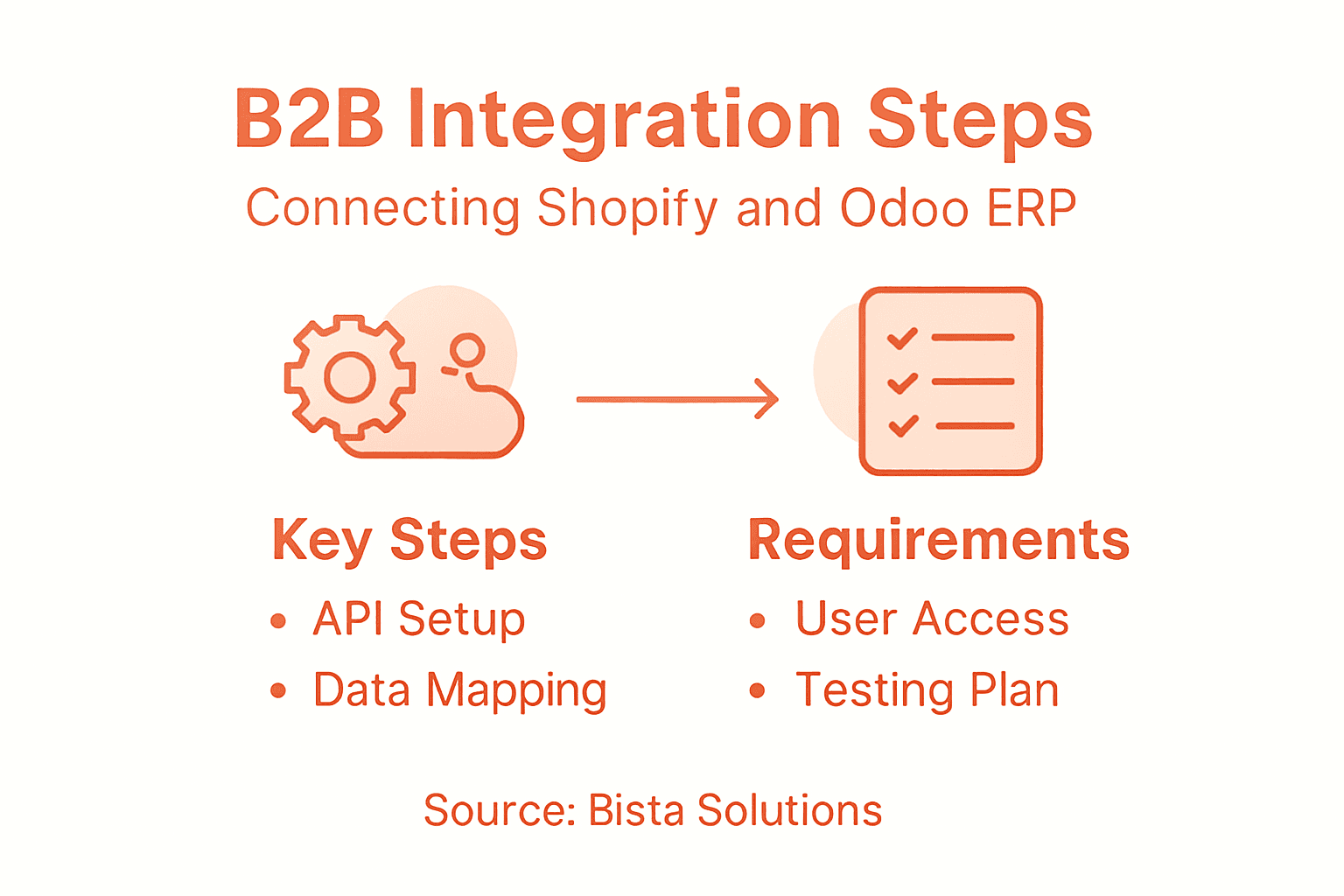
          Infographic on key integration steps and requirements

          Pro tip: Engage a specialized integration partner who understands both Shopify and Odoo ecosystems to minimize potential technical challenges during the implementation process.

          Common Integration Challenges and Solutions

          Integrating Shopify and Odoo ERP presents several complex technical and organizational challenges that require strategic planning and sophisticated problem-solving approaches. Digital transformation demands a nuanced understanding of potential roadblocks and proactive mitigation strategies to ensure smooth system connectivity and operational efficiency.

          Key integration challenges include:

          • Data synchronization inconsistencies
          • Incompatible system architectures
          • Authentication and security complexities
          • Performance bottlenecks
          • User adoption and training barriers
          • Customization limitations

          Digital transformation strategies play a crucial role in addressing these challenges. Organizations must implement robust data governance frameworks that establish standardized data formats, validate information integrity, and create comprehensive mapping protocols between Shopify and Odoo systems. This approach minimizes potential synchronization errors and ensures consistent, reliable data exchange across platforms.

          Addressing organizational resistance requires a multifaceted approach that combines technical solutions with strategic change management. Companies need to develop comprehensive training programs, create transparent communication channels, and demonstrate the tangible benefits of integration. Technical solutions must be complemented by user-centric design principles that prioritize intuitive interfaces and seamless workflow transitions, thereby reducing friction during system adoption.

          This table summarizes common integration challenges and best-practice solutions:

          Challenge Recommended Solution Organizational Benefit
          Data mismatches Data standardization & mapping Reliable information flow
          Security gaps Robust authentication protocols Reduced risk exposure
          User resistance Targeted training programs Smoother team adoption

          Pro tip: Conduct periodic integration audits and maintain open communication channels between IT teams and end-users to quickly identify and resolve potential system compatibility issues.

          Unlock Seamless B2B Growth with Expert Shopify and Odoo ERP Integration

          Are you struggling with complex workflows, data mismatches, and operational bottlenecks between your Shopify e-commerce platform and Odoo ERP system? The article highlights critical pain points like real-time inventory tracking, order automation, and unified data management that many B2B companies face when trying to scale efficiently. Integrating these powerful systems requires deep technical knowledge and strategic planning to eliminate data silos, improve automation, and enhance cross-department collaboration.

          At Bista Solutions, we understand these challenges and specialize in delivering customized, scalable ERP implementations tailored specifically for B2B businesses. As the largest Odoo ERP implementer in North America and a multiple-time Odoo Best Partner, our team of over 300 experts provides comprehensive support to automate your business insights, streamline workflows, and unlock real-time operational visibility with Shopify and Odoo.

          Leverage our proven expertise to overcome integration hurdles like data synchronization inconsistencies and user adoption barriers. Let us help you create a unified technology ecosystem that drives business agility and rapid growth.

          Discover how our tailored Odoo ERP implementations can transform your Shopify-powered commerce by contacting us today.

          Request A Free Demo


            Ready to take your B2B operations to the next level? Reach out to Bista Solutions now through our contact page and start your journey toward seamless Shopify and Odoo integration. Don’t wait to experience the full potential of end-to-end process automation and business insight that only expert Odoo implementation can provide. Visit Bista Solutions to connect with a dedicated team poised to empower your digital transformation.

            Frequently Asked Questions

            What are the benefits of integrating Shopify with Odoo ERP for B2B businesses?

            Integrating Shopify with Odoo ERP provides several benefits, including automatic product synchronization, real-time inventory tracking, streamlined order management and fulfillment processes, centralized customer data management, and enhanced financial reporting capabilities.

            How does the Shopify and Odoo integration automate workflows?

            The integration automates workflows by enabling automatic order processing across sales channels, real-time inventory synchronization, and centralized data management. This reduces manual interventions and errors, resulting in faster and more efficient business operations.

            What are the key features of Odoo ERP that benefit B2B companies?

            Odoo ERP offers advanced inventory management, integrated procurement and supply chain controls, sophisticated sales pipeline and customer relationship management, comprehensive financial reporting, and customizable production planning tools, all tailored for B2B enterprises.

            What are the common challenges when integrating Shopify and Odoo ERP?

            Common challenges include data synchronization inconsistencies, incompatible system architectures, authentication and security issues, performance bottlenecks, and user resistance to new systems. It’s essential to develop strategies to tackle these challenges effectively.

            Discrete Manufacturing ERP: Boosting Production Precision

            Factory manager reviews production schedule at desk

            Most American and Canadian mid-sized manufacturers spend nearly 30 percent of their annual budget trying to fix inefficiencies that slow production and waste resources. Staying competitive demands more than hard work and intuition. Choosing the right discrete manufacturing ERP system can help business owners gain real-time control, reduce costly errors, and keep every aspect of their operations running smoothly.

            Table of Contents

            Key Takeaways

            Point Details
            Specialized ERP Systems Discrete manufacturing requires tailored ERP systems that address the unique challenges of producing customizable products with complex assembly processes.
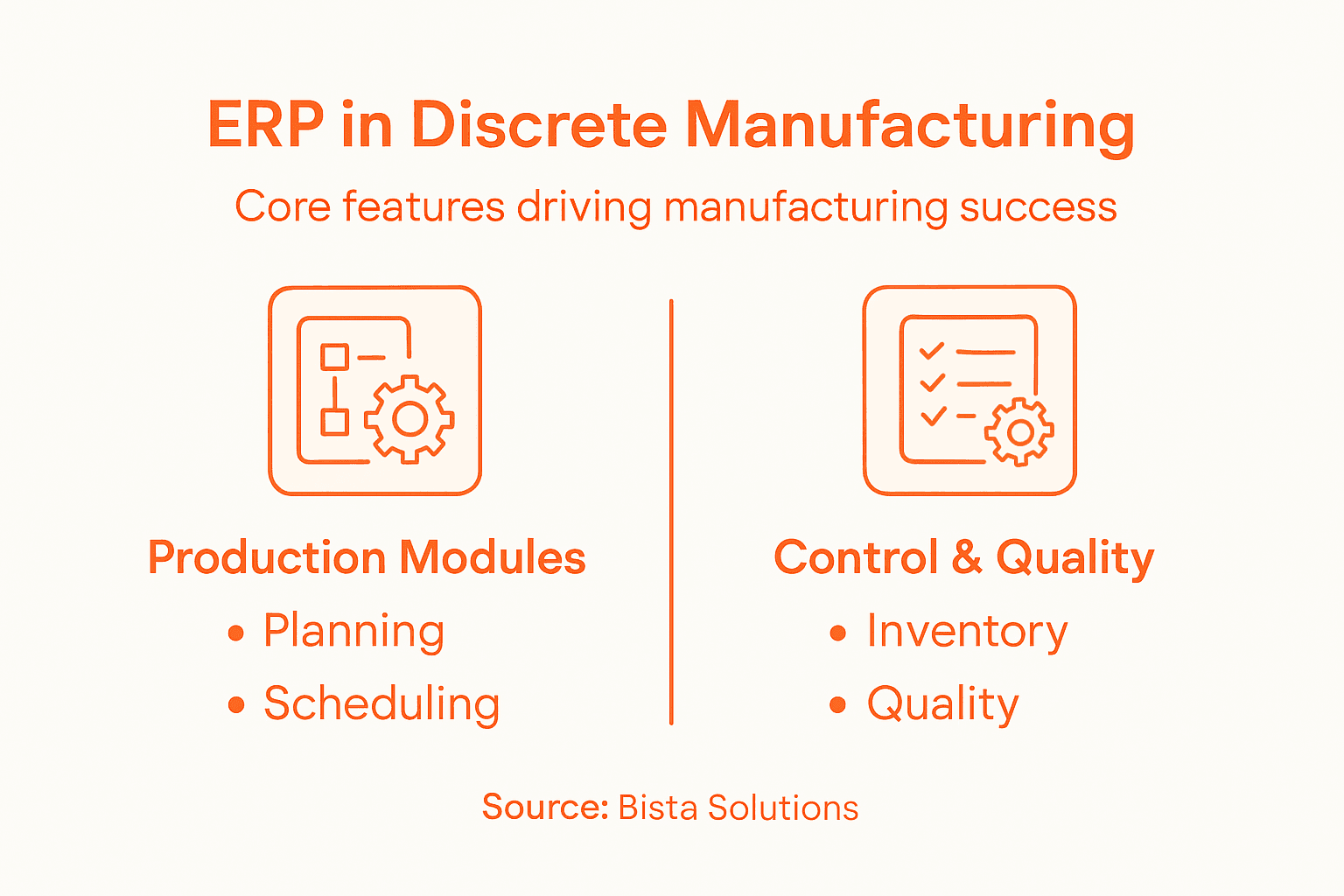
            Core Features Key features include advanced inventory tracking, production scheduling, and integrated quality control to enhance operational efficiency.
            Implementation Challenges Common challenges include high initial costs, complex integration needs, and employee resistance; effective change management strategies are crucial.
            ROI Assessment Evaluating ROI for ERP solutions should go beyond cost savings, considering improvements in efficiency, decision-making speed, and customer satisfaction.

            Defining Discrete Manufacturing ERP Systems

            A discrete manufacturing ERP system is a specialized software platform designed to manage the complex operational requirements of businesses that produce distinct, countable items through specific assembly processes. Unlike process manufacturing, which deals with bulk or continuous production, discrete manufacturing focuses on creating individual, identifiable products such as automobiles, electronics, machinery, and consumer goods.

            These advanced software solutions integrate multiple critical business functions into a centralized digital environment, enabling manufacturers to track every component, manage intricate production workflows, and maintain precise inventory control. By consolidating data from departments like procurement, production planning, quality control, and shipping, discrete manufacturing ERP solutions provide real-time visibility and actionable insights that drive operational efficiency.

            The core capabilities of discrete manufacturing ERP systems typically include:

            • Comprehensive bill of materials (BOM) management
            • Advanced production scheduling
            • Inventory tracking and optimization
            • Quality control monitoring
            • Supply chain coordination
            • Financial reporting and cost analysis

            Unlike generic enterprise resource planning platforms, discrete manufacturing ERP systems are purpose-built to handle the unique challenges of producing complex, configurable products with multiple components and assembly stages. They offer granular tracking mechanisms that allow manufacturers to monitor individual product lifecycles, trace manufacturing lineage, and quickly identify potential bottlenecks or quality issues.

            Pro Tip: When evaluating discrete manufacturing ERP solutions, prioritize systems that offer robust customization options and seamless integration with your existing technology infrastructure.

            Distinct ERP Needs in Discrete Manufacturing

            Discrete manufacturing requires specialized enterprise resource planning (ERP) systems that dramatically differ from traditional manufacturing software platforms. These unique technological requirements stem from the complex, customizable nature of producing individual, configurable products with multiple assembly stages and intricate supply chain dependencies. Production planning and scheduling become exponentially more challenging when each product represents a distinct configuration with unique specifications.

            The primary distinctions in discrete manufacturing ERP systems center on their need for extraordinary flexibility and real-time adaptability. Unlike continuous or process manufacturing environments, discrete manufacturers must rapidly respond to volatile market demands, manage highly personalized customer orders, and maintain granular control over complex production workflows. These systems must support advanced capabilities such as:

            • Dynamic bill of materials (BOM) management
            • Configurable product lifecycle tracking
            • Precise inventory optimization
            • Agile production scheduling
            • Integrated quality control mechanisms
            • Comprehensive supply chain coordination

            Global manufacturing networks further amplify the complexity of discrete manufacturing ERP requirements. Manufacturers must synchronize operations across distributed production facilities, manage intricate resource constraints, and enable seamless collaboration between design, engineering, procurement, and production teams. The ERP system essentially becomes the technological nervous system that coordinates these multifaceted operational interactions, transforming raw data into actionable strategic insights.

            Modern discrete manufacturing demands technological platforms that transcend traditional data management. These ERP solutions must incorporate smart manufacturing technologies, support mass personalization strategies, and provide predictive analytics that enable proactive decision-making. By integrating advanced data exchange capabilities and machine learning algorithms, manufacturers can create more resilient, responsive production ecosystems.

            Pro Tip: When selecting a discrete manufacturing ERP system, prioritize solutions offering robust customization options, seamless cross-departmental integration, and scalable architecture that can evolve with your business.

            Here’s a quick comparison of discrete vs. process manufacturing ERP system requirements:

            Aspect Discrete Manufacturing ERP Process Manufacturing ERP
            Product Type Individual, countable items Bulk or continuous products
            Production Workflow Complex, multi-stage assembly Streamlined, formula-driven
            Inventory Tracking Component-level, precise Batch or volume level
            Customization Needs High, based on configurations Low, standard recipes
            Quality Control Approach Item-level inspections Batch-level sampling

            Core Features and Process Automation

            Discrete manufacturing ERP systems represent a transformative technological solution that goes far beyond traditional data management. Intelligent automation technologies have revolutionized how manufacturers approach complex production processes, enabling unprecedented levels of efficiency, precision, and operational control. These advanced platforms integrate multiple critical business functions into a unified technological ecosystem that dramatically reduces manual intervention and minimizes human error.

            The core features of discrete manufacturing ERP systems typically encompass a comprehensive suite of sophisticated capabilities designed to address the intricate challenges of modern production environments:

            • Advanced inventory management and tracking
            • Real-time production scheduling and optimization
            • Automated bill of materials (BOM) management
            • Integrated quality control mechanisms
            • Predictive maintenance monitoring
            • Comprehensive supply chain coordination
            • Detailed financial and operational reporting

            Process automation stands at the heart of these technological solutions, transforming routine manufacturing tasks through intelligent workflow management. By automating critical sequences such as order processing, materials procurement, production planning, and performance tracking, ERP systems enable manufacturers to redirect human resources toward more strategic, value-added activities. This shift not only reduces operational costs but also significantly enhances overall organizational agility and responsiveness.

            Modern discrete manufacturing ERP platforms leverage advanced technologies like artificial intelligence and machine learning to create dynamic, self-optimizing production environments. These systems can predict potential bottlenecks, recommend process improvements, and provide real-time insights that enable proactive decision-making. By continuously analyzing vast streams of operational data, manufacturers can develop more resilient, adaptive production strategies that respond instantaneously to changing market demands and internal performance metrics.

            Pro Tip: Prioritize ERP solutions that offer seamless integration capabilities, scalable architecture, and robust customization options to ensure long-term technological adaptability.

            Common Challenges and Implementation Pitfalls

            Implementing discrete manufacturing ERP systems presents a complex landscape of technological and organizational challenges that can quickly derail even the most well-intentioned digital transformation efforts. Workflow management strategies become critical in navigating the intricate process of system integration, where manufacturers must balance technological capabilities with existing operational infrastructures.

            The most prevalent challenges in discrete manufacturing ERP implementation typically include:

            • Substantial initial investment costs
            • Complex system integration requirements
            • Prolonged adoption and training timelines
            • Resistance to technological change from employees
            • Risk of over-customization
            • Data migration and system compatibility issues
            • Maintaining system flexibility while preserving core functionality

            Customization represents a particularly nuanced challenge for discrete manufacturers. While tailoring ERP systems to specific operational needs seems advantageous, excessive modifications can create long-term maintenance nightmares. Each customization introduces potential complexity that might compromise system stability, increase upgrade difficulties, and generate unexpected technical debt. Manufacturers must carefully evaluate each proposed modification against its potential long-term implications, ensuring that technological solutions enhance rather than complicate existing workflows.

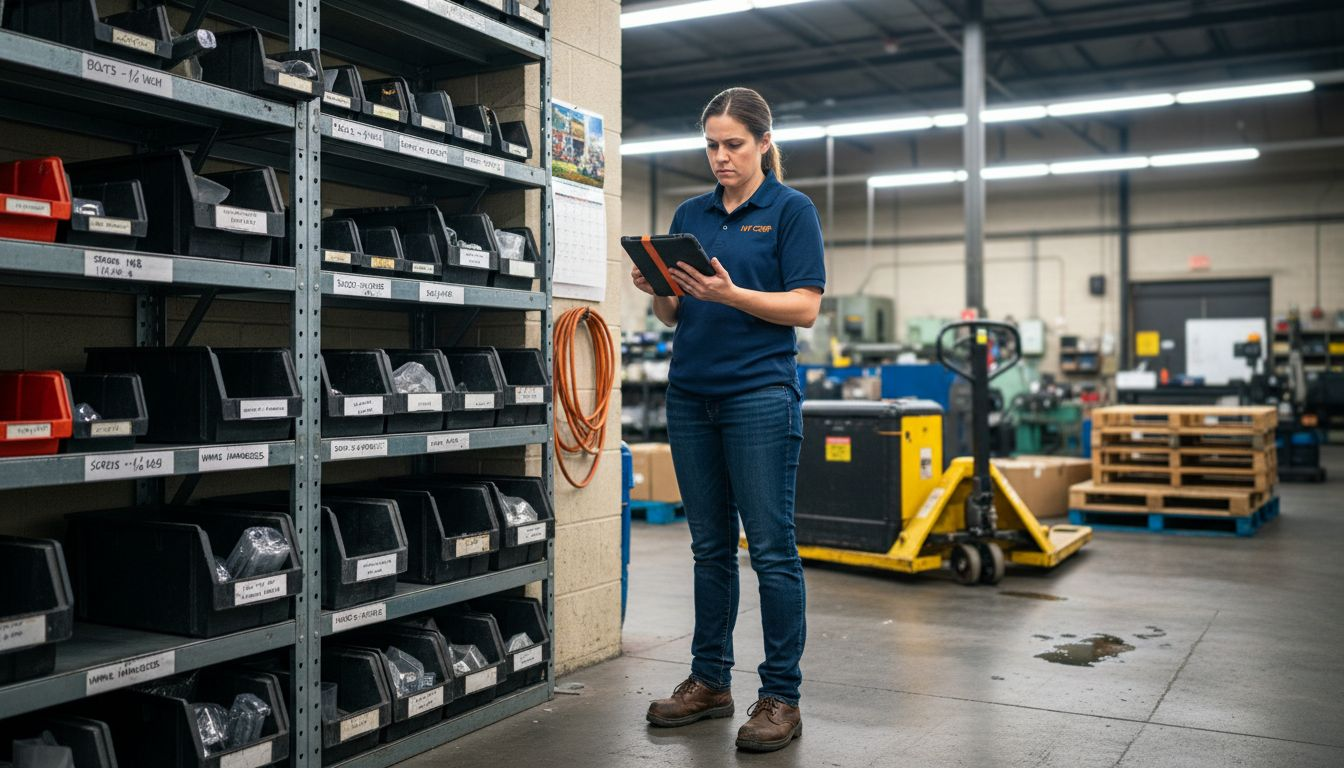
            Technician updates ERP system inventory on floor

            Successful ERP implementation demands a holistic approach that transcends mere technological deployment. Organizations must develop comprehensive change management strategies, invest in thorough employee training, and create a culture of continuous learning and adaptation. This means developing robust communication channels, providing ongoing support mechanisms, and establishing clear expectations about how the new technological platform will transform existing business processes. Strategic planning, stakeholder engagement, and a commitment to incremental implementation can significantly mitigate the risks associated with complex ERP system transformations.

            Pro Tip: Conduct a thorough organizational readiness assessment and develop a phased implementation strategy that allows for gradual system integration and continuous feedback.

            The table below summarizes common ERP implementation challenges and practical mitigation strategies:

            Challenge Impact on Organization Mitigation Strategy
            High initial investment Strains budgets, delays ROI Phase rollout, budget planning
            Integration complexity Data silos, workflow breaks Use experienced consultants
            Employee resistance Low adoption, morale issues Invest in training, education
            Over-customization Upgrade difficulties, instability Limit modifications, validate
            Data migration issues Lost data, productivity loss Clean/validate data first

            Evaluating ROI and Comparing Alternatives

            Understanding the return on investment (ROI) for discrete manufacturing ERP systems requires a comprehensive approach that goes beyond traditional financial calculations. AI-powered ERP solutions have transformed how manufacturers assess technological investments, introducing more nuanced metrics that capture both tangible and intangible value propositions. The evaluation process must consider multiple dimensions of potential organizational impact.

            Key ROI assessment metrics for discrete manufacturing ERP implementations typically include:

            • Direct cost savings from process optimization
            • Reduction in operational errors and waste
            • Improved inventory management efficiency
            • Enhanced production scheduling accuracy
            • Decreased labor hours for administrative tasks
            • Faster decision-making capabilities
            • Improved customer satisfaction and response times

            Comparing alternative ERP solutions demands a strategic approach that transcends surface-level price comparisons. Manufacturers must conduct thorough evaluations that examine technological compatibility, scalability, customization potential, and long-term alignment with organizational goals. This means looking beyond immediate implementation costs and analyzing how different platforms can support future growth, adapt to evolving market demands, and integrate emerging technologies like artificial intelligence and machine learning.

            The most sophisticated ROI assessments incorporate both quantitative and qualitative analysis, recognizing that technological investments generate value through complex, interconnected improvements. Advanced manufacturers are shifting from traditional cost-saving metrics to more holistic evaluations that consider factors like operational agility, innovation potential, and competitive positioning. This approach requires developing comprehensive measurement frameworks that capture the multifaceted impact of digital transformation initiatives across production environments.

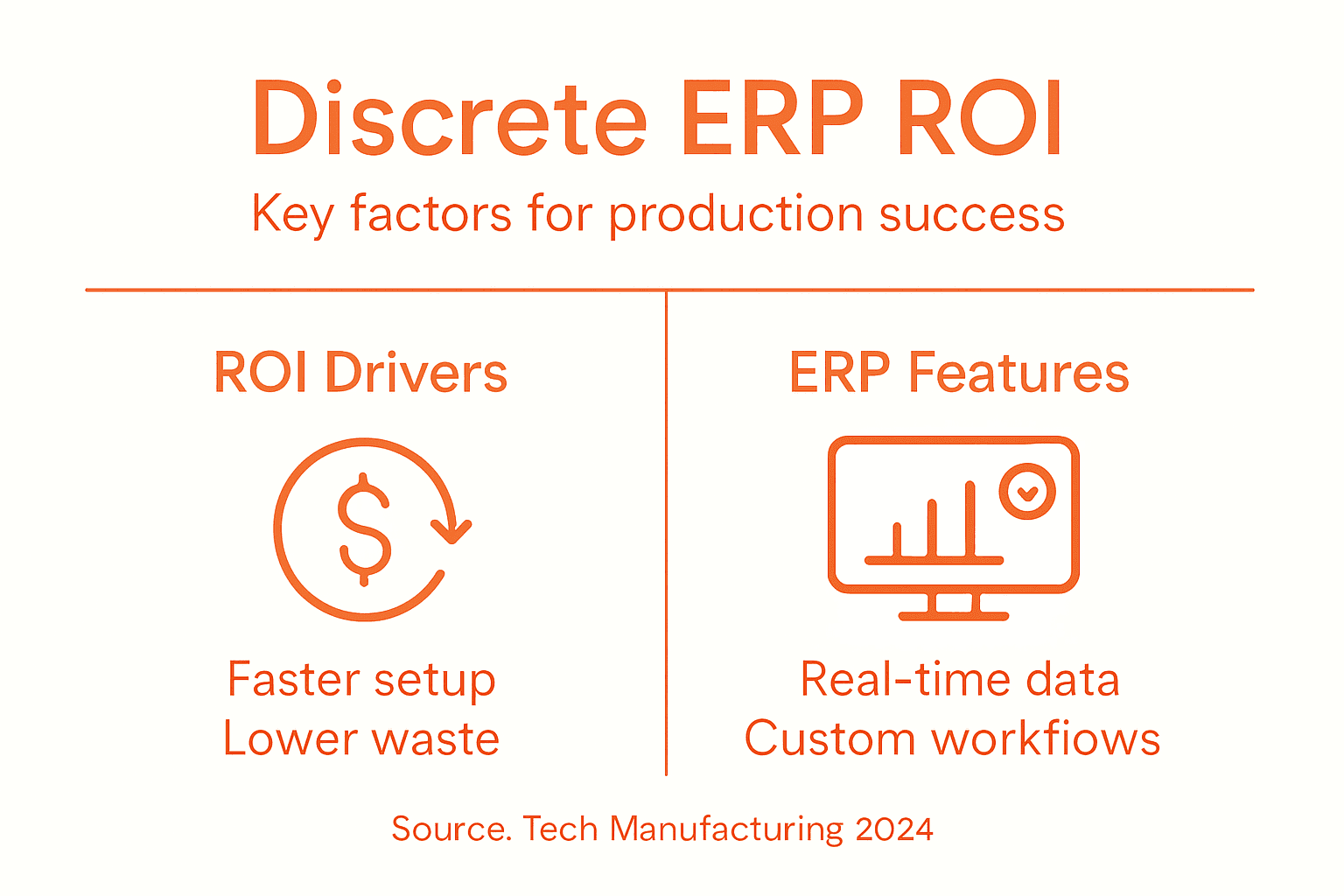
            Infographic on ERP ROI drivers and features

            Pro Tip: Create a detailed scorecard with weighted criteria that evaluates ERP solutions across technical capabilities, implementation complexity, and strategic alignment, rather than relying solely on upfront cost considerations.

            Elevate Your Production Precision with Expert Discrete Manufacturing ERP Solutions

            Managing the complexities of discrete manufacturing requires an ERP system that delivers real-time adaptability, precise inventory tracking, and agile production scheduling. This article highlights common challenges like over-customization, integration complexities, and employee resistance—all critical hurdles that can slow down your digital transformation journey. At Bista Solutions, we understand these pain points and specialize in implementing tailored Odoo ERP platforms designed specifically to optimize your unique discrete manufacturing workflows.

            Partnering with us means gaining access to over 350 successful ERP implementations backed by a dedicated team of 300+ experts committed to delivering scalable, intelligent automation technologies. Our solutions empower you to reduce operational errors, improve production accuracy, and unlock actionable insights that elevate your manufacturing precision.

            Ready to transform challenges into competitive advantages? Learn how our customized ERP services can accelerate your discrete manufacturing efficiency.

            Request A Free Demo


              Take the next step toward seamless production excellence. Contact our team today to explore how Bista Solutions can tailor a scalable ERP system to fit your specific needs. Reach out now through our contact page and discover why we are the largest Odoo ERP implementer in North America. Don’t wait to enhance your operational agility with proven, award-winning expertise.

              Frequently Asked Questions

              What is a discrete manufacturing ERP system?

              A discrete manufacturing ERP system is specialized software that helps businesses manage operations for producing distinct, countable items, such as automobiles or electronics, by integrating various business functions into a centralized platform.

              How does discrete manufacturing ERP differ from process manufacturing ERP?

              Discrete manufacturing ERP systems cater specifically to producing individual, identifiable products with complex assembly workflows, requiring high customization and precise inventory tracking, while process manufacturing ERP focuses on bulk or continuous production with standardized recipes.

              What are the core features of discrete manufacturing ERP systems?

              Core features typically include advanced inventory management, real-time production scheduling, automated bill of materials management, integrated quality control mechanisms, predictive maintenance monitoring, and comprehensive supply chain coordination.

              What challenges can arise during the implementation of a discrete manufacturing ERP system?

              Implementation challenges may include high initial costs, complex integration requirements, lengthy training timelines, resistance to change from employees, and data migration issues. It’s crucial to develop a solid change management strategy to address these challenges.


              How ERP Improves Production Planning in Discrete Manufacturing

              Factory manager reviewing discrete manufacturing schedules

              More than 70 percent of American manufacturing leaders struggle to maintain real-time visibility across their production lines. Staying ahead in the competitive American market hinges on pinpointing workflow challenges before they drain resources or slow delivery. For operations managers seeking practical solutions, this guide shows how Odoo ERP can uncover hidden inefficiencies and lay a foundation for smoother, more profitable production planning.

              Table of Contents

              Quick Summary

              Key Insight Explanation
              1. Evaluate Existing Workflows Analyze current production planning to identify inefficiencies and opportunities for improvement.
              2. Integrate Odoo ERP Modules Choose and configure Odoo modules that enhance manufacturing efficiency and include real-time insights.
              3. Configure Production Parameters Establish precise settings for resources and production to maximize operational flexibility and efficiency.
              4. Automate Scheduling Use automation to dynamically manage scheduling and material requirements, improving responsiveness to changes.
              5. Monitor Performance Continuously Implement tracking systems to gather operational metrics and facilitate ongoing optimization of manufacturing processes.

              Step 1: Evaluate existing production planning workflows

              Evaluating your discrete manufacturing production planning workflows requires a systematic approach to understand current operational inefficiencies and potential optimization opportunities. By carefully analyzing your existing processes, you can identify critical bottlenecks and design targeted improvements that enhance overall productivity.

              To effectively assess your production planning workflows, start by mapping out each step of your current manufacturing process. Document every stage from initial order receipt through final product delivery, paying special attention to resource allocation, scheduling constraints, and potential communication gaps. Collect detailed performance metrics such as cycle times, labor hours, material utilization rates, and production throughput. This comprehensive documentation will help you pinpoint specific areas where Odoo Manufacturing ERP solution can streamline operations and reduce inefficiencies.

              Review your existing workflow data through multiple lenses: operational efficiency, resource utilization, and cross-departmental collaboration. Look for recurring delays, manual intervention points, and processes that lack real-time visibility. Pay particular attention to how different production stages interact and where potential information silos might exist. Understanding these nuanced workflow dynamics will help you develop a more integrated and responsive production planning strategy.

              Pro Tip: Keep a detailed log of every workflow disruption and inefficiency you discover during your evaluation process, as this documentation will become invaluable when designing your future ERP implementation strategy.

              Step 2: Integrate Odoo ERP modules for discrete manufacturing

              Integrating Odoo ERP modules for discrete manufacturing requires a strategic approach that aligns your technology infrastructure with specific production requirements. Your goal is to create a seamless technological ecosystem that enhances operational efficiency and provides real-time insights across your manufacturing processes.

              Begin by identifying the core Odoo modules that directly support discrete manufacturing operations. Focus on key modules such as Manufacturing Resource Planning (MRP), Manufacturing Execution Systems, Inventory Management, and Procurement. Carefully map each module to your specific workflow needs, ensuring that they can communicate effectively and provide comprehensive visibility into your production environment. Pay special attention to how these modules interact with configuration settings that enable smooth data transfer and automated workflows.

              IT specialist integrating Odoo ERP modules

              When implementing these modules, ensure you have a comprehensive integration strategy that considers your unique manufacturing constraints. Configure each module to reflect your specific business rules, production schedules, and quality control requirements. Test integrations thoroughly before full deployment, paying close attention to data consistency, performance metrics, and cross-module communication. This careful approach will help you minimize disruptions and maximize the transformative potential of your Odoo ERP implementation.

              Pro Tip: Engage your operational teams during the module integration process and conduct multiple validation tests to ensure each module meets your specific discrete manufacturing requirements.

              Here’s an at-a-glance summary of key Odoo ERP modules and their primary benefits for discrete manufacturing:

              Odoo Module Key Functionality Business Impact
              MRP (Manufacturing Resource Planning) Plans production orders and component requirements Reduces bottlenecks and streamlines scheduling
              Manufacturing Execution System Tracks real-time shop floor activity Improves process visibility and control
              Inventory Management Manages stock levels and locations Prevents shortages and excess inventory
              Procurement Automates purchase orders and vendor management Ensures timely supply, optimizes costs

              Step 3: Configure production parameters and resources

              Configuring production parameters and resources in your Odoo ERP system is a critical step that directly impacts your manufacturing efficiency and operational flexibility. This process requires a detailed and strategic approach to ensure your system accurately reflects your discrete manufacturing environment and operational constraints.

              Start by establishing comprehensive resource configurations that capture the nuanced details of your production capabilities. Define work centers, machine capacities, labor skills, and operational shifts with precise accuracy. Production Planning & Scheduling modules provide powerful tools to map out these intricate resource parameters. Pay special attention to setting up work calendars that account for potential variations like maintenance windows, shift rotations, and expected downtime. Configure detailed routing information for each product line, specifying exact production sequences, required workstations, and estimated processing times.

              Implement granular parameter settings that enable dynamic resource allocation and real-time tracking. Set up quality control checkpoints, define material consumption rules, and establish precise inventory thresholds that trigger automatic reordering or production signals. Configure cost centers, labor rate calculations, and overhead allocations to ensure accurate financial tracking throughout your manufacturing processes. By meticulously configuring these parameters, you create a robust technological framework that supports intelligent decision making and maximizes operational efficiency.

              Pro Tip: Document your initial configuration settings comprehensively and schedule regular review sessions to refine and optimize your production parameters as your manufacturing processes evolve.

              Step 4: Automate scheduling and material requirements planning

              Automating scheduling and material requirements planning represents a transformative opportunity to optimize your discrete manufacturing operations. By leveraging advanced Odoo ERP capabilities, you can create a dynamic system that intelligently manages production resources and inventory requirements with unprecedented precision.

              Implement sophisticated scheduling algorithms that dynamically adjust production timelines based on real-time constraints. Configure your system to analyze multiple variables simultaneously, including machine availability, labor resources, material inventory levels, and customer demand forecasts. Auto Vendor Lead Time Calculation modules can help streamline procurement planning by automatically generating precise lead time estimates. Develop rule-based automation that enables intelligent decision-making, such as automatically generating purchase orders when inventory reaches predefined thresholds or rescheduling production runs in response to unexpected supply chain disruptions.

              Focus on creating a comprehensive material requirements planning framework that provides granular visibility into your entire production ecosystem. Configure advanced tracking mechanisms that monitor material consumption rates, predict potential bottlenecks, and generate proactive recommendations for inventory optimization. Integrate predictive analytics to help your team anticipate potential production challenges and develop strategic mitigation strategies well in advance. This approach transforms your material requirements planning from a reactive process to a strategic operational tool that drives continuous improvement and operational excellence.

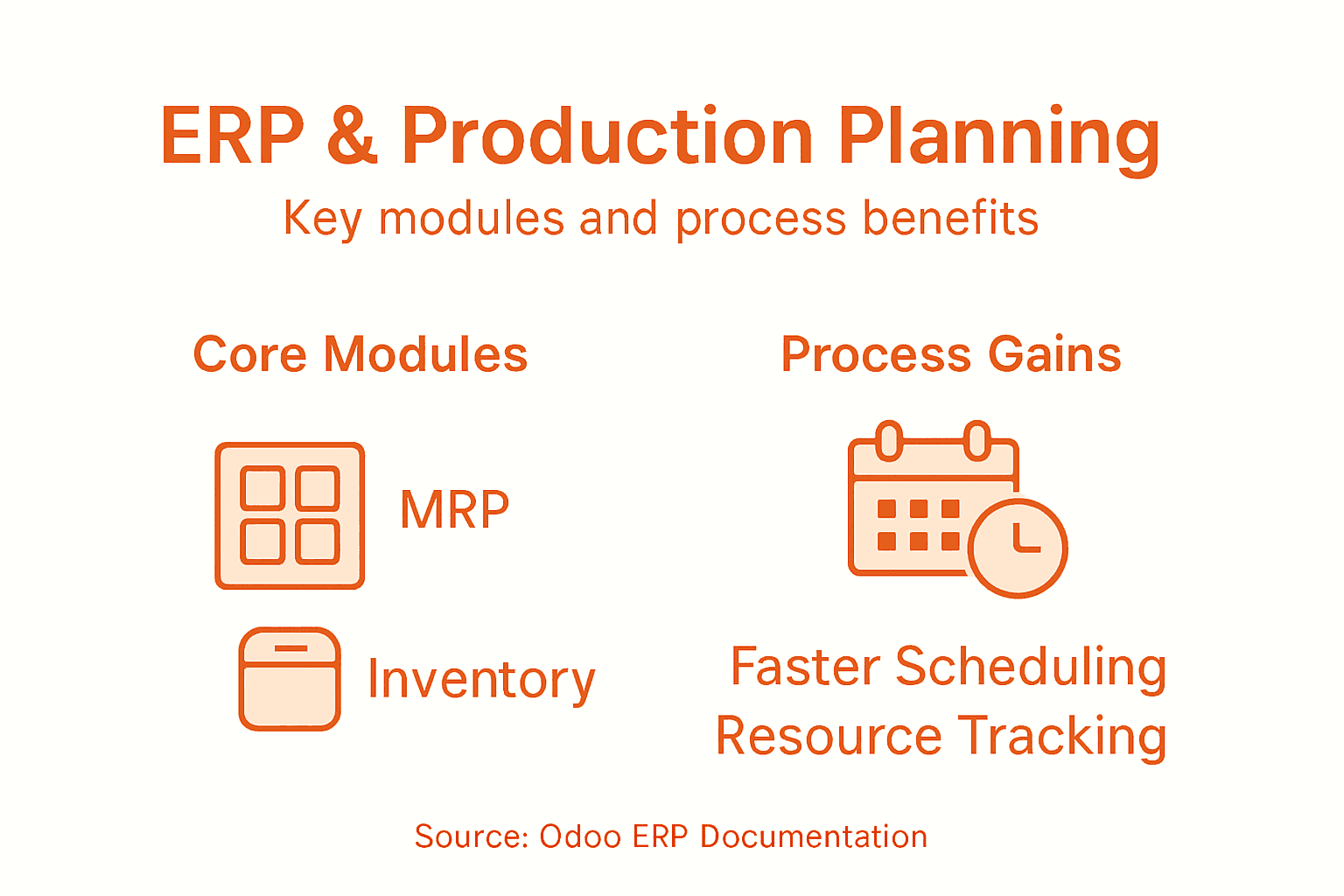
              Infographic ERP improves discrete manufacturing planning

              Pro Tip: Regularly validate and fine-tune your automation rules to ensure they accurately reflect your evolving manufacturing dynamics and maintain optimal system performance.

              Compare the advantages of manual vs. automated production planning in manufacturing environments:

              Aspect Manual Planning Automated Planning (with Odoo)
              Accuracy Prone to human error Consistent and precise
              Speed Slow and labor-intensive Fast, real-time calculations
              Adaptability Rigid, hard to adjust Dynamic, responds to changes
              Insight Limited data analysis Advanced analytics and predictions

              Step 5: Monitor performance and optimize planning processes

              Monitoring performance and optimizing production planning processes is a critical strategy for maintaining competitive edge in discrete manufacturing. By implementing sophisticated tracking and analysis mechanisms, you can transform raw operational data into actionable strategic insights that drive continuous improvement.

              Establish a comprehensive performance monitoring framework within your Odoo ERP system that captures real-time operational metrics across multiple dimensions. Configure dashboards that provide granular visibility into key performance indicators such as production efficiency, resource utilization, material consumption rates, and schedule adherence. Workflow Management Systems can help you develop robust tracking mechanisms that enable immediate identification of potential bottlenecks or performance deviations. Implement advanced analytics tools that not only report current performance but also generate predictive recommendations for process optimization.

              Develop a systematic approach to continuous improvement by establishing regular performance review cycles. Create comparative analysis frameworks that track historical performance trends, benchmark current operational metrics against industry standards, and highlight opportunities for strategic refinement. Integrate machine learning algorithms that can automatically suggest process improvements based on accumulated operational data. This proactive approach transforms your production planning from a reactive process to a dynamic strategic capability that consistently drives operational excellence and competitive advantage.

              Pro Tip: Schedule monthly performance review sessions that involve cross functional teams to ensure comprehensive insight and collaborative optimization strategies.

              Unlock Seamless Production Planning with Expert Odoo ERP Implementation

              Struggling to automate scheduling and optimize material requirements in your discrete manufacturing operations? You are not alone. Many manufacturers face inefficiencies caused by manual workflows, a lack of real-time visibility, and disconnected resource planning. This article highlights how integrating Odoo ERP modules and configuring production parameters can revolutionize your operations. At Bista Solutions, we specialize in transforming these complex challenges into streamlined, automated processes that boost accuracy and adaptability.


              Request A Free Demo

                Take control of your production planning today by partnering with the largest Odoo ERP implementer in North America. Our experienced team delivers tailored solutions specific to your manufacturing needs, ensuring dynamic scheduling, intelligent inventory management, and precise resource allocation. Don’t let bottlenecks or outdated workflows hold your business back. Contact Bista Solutions now to elevate your manufacturing efficiency and secure a competitive edge through expert ERP implementation. Visit Contact Us to get started or learn more about how our Manufacturing Execution Systems and Production Planning & Scheduling modules can empower your discrete manufacturing operations.

                Frequently Asked Questions

                How can ERP enhance production planning in discrete manufacturing?

                Improving production planning in discrete manufacturing with ERP systems allows for integrated workflows and resource management. Start by implementing modules that monitor and adjust production schedules and material needs in real time, reducing delays by approximately 25%.

                What steps should I take to evaluate my existing production planning workflows?

                Assessing your current workflows involves mapping out each manufacturing process from order receipt to delivery. Document key performance metrics and identify bottlenecks, then analyze this data to design improvements that can streamline operations.

                Which Odoo ERP modules are essential for discrete manufacturing?

                Core Odoo modules such as Manufacturing Resource Planning (MRP), Inventory Management, and Procurement are vital for discrete manufacturing. Focus on configuring these modules to reflect your unique processes, which can enhance efficiency and visibility across production stages.

                How do I automate scheduling in my ERP system for better efficiency?

                To automate scheduling, configure your ERP system to utilize advanced algorithms that respond to real-time constraints. Implement rule-based automation to manage inventory levels and production timelines dynamically, which can optimize resource allocation significantly.

                What metrics should I monitor to ensure optimal production planning performance?

                Establish key performance indicators such as production efficiency, resource utilization, and schedule adherence. Regularly review these metrics to identify areas for improvement and adopt predictive analytics to enhance decision-making processes.

                Top ERP Features Impacting Discrete Manufacturing Success

                Manager reviewing ERP dashboard in factory office

                Most American manufacturers lose as much as 20 percent of production capacity every year due to inefficient processes and compliance issues. For operations managers at mid-sized discrete manufacturing firms in Texas, the pressure to meet high standards while driving efficiency never lets up. Advanced ERP systems deliver the adaptability and real-time visibility needed to stay ahead, helping your team manage complexity and ensure regulatory compliance without missing a beat.

                Table of Contents

                Key Takeaways

                Point Details
                ERP Systems Support Discrete Manufacturing Modern ERP systems are essential for managing discrete manufacturing processes by providing real-time tracking, advanced inventory management, and comprehensive reporting capabilities.
                Integration of Key Modules Is Crucial Core ERP modules such as production planning, inventory management, and quality control work together to optimize manufacturing efficiency and enhance responsiveness to market demands.
                Importance of Compliance and Quality Management Integrating quality management processes within ERP systems is vital for maintaining compliance and enhancing product quality, which ultimately protects brand reputation.
                Mitigating Common Implementation Risks Strategic planning and thorough change management are necessary to avoid common ERP implementation challenges that can disrupt business operations.

                ERP Systems in Discrete Manufacturing Explained

                Discrete manufacturing demands precision, adaptability, and comprehensive operational visibility – requirements that modern Enterprise Resource Planning (ERP) systems are uniquely designed to address. Unlike process manufacturing with continuous production, discrete manufacturing involves creating distinct, countable products like automobiles, electronics, or machinery, which require intricate tracking, configuration, and production management.

                The following table compares discrete and process manufacturing to clarify why ERP needs differ across industries:

                Aspect Discrete Manufacturing Process Manufacturing
                Product Type Distinct, countable items Continuous or batch materials
                Example Output Automobiles, electronics Chemicals, beverages
                Production Flexibility Frequent configuration changes Standardized processes
                Inventory Tracking Lot/serial number focus Bulk, weight, or volume-based
                ERP Feature Emphasis Configuration, tracking, scheduling Recipe management, batch control

                At its core, an ERP system serves as the central nervous system for discrete manufacturers, integrating critical business functions from shop floor operations to supply chain management. The Odoo Manufacturing Module enables manufacturers to track production processes with granular detail, connecting inventory management, production planning, quality control, and financial reporting into a seamless ecosystem. National Institute of Standards and Technology (NIST) research highlights that modern ERP solutions facilitate data flow across product lifecycles, dramatically improving responsiveness and operational efficiency.

                Key features that distinguish high-performance discrete manufacturing ERP systems include:

                • Real-time production tracking and monitoring
                • Advanced inventory management with precise lot and serial number tracking
                • Comprehensive bill of materials (BOM) management
                • Integrated quality control processes
                • Flexible production scheduling capabilities
                • Accurate cost calculation and financial reporting

                Pro tip: When selecting an ERP system for discrete manufacturing, prioritize solutions offering modular flexibility and robust integration capabilities to accommodate your specific operational requirements.

                Core ERP Modules for Production Optimization

                Modern discrete manufacturing relies on comprehensive Enterprise Resource Planning (ERP) modules that transform complex production processes into streamlined, data-driven operations. These integrated systems provide manufacturers with unprecedented visibility and control across multiple critical business functions, enabling more responsive and efficient production strategies.

                The core ERP modules essential for production optimization encompass several interconnected functions. Production planning and scheduling represents a critical module that enables manufacturers to synchronize resource allocation, equipment utilization, and workforce management. This module allows companies to predict production bottlenecks, optimize workflow, and adjust manufacturing schedules in real-time to meet dynamic market demands.

                Key production optimization modules include:

                • Production Planning Module: Enables precise scheduling and resource allocation
                • Inventory Management Module: Tracks raw materials, work-in-progress, and finished goods
                • Quality Control Module: Monitors product standards and manages compliance
                • Supply Chain Management Module: Coordinates procurement, vendor relationships, and logistics
                • Shop Floor Control Module: Provides real-time tracking of manufacturing processes
                • Cost Management Module: Analyzes and controls production expenses

                These modules work synergistically to transform raw data into actionable insights, helping manufacturers make informed decisions that drive operational excellence and competitive advantage.

                Here is a summary of how key ERP modules directly impact manufacturing performance:

                ERP Module Key Benefit Example Impact
                Production Planning Optimized resource use Fewer bottlenecks, smoother deadlines
                Inventory Management Accurate stock tracking Lower shortages, reduced overstock
                Quality Control Consistent standards Early defect detection, fewer recalls
                Cost Management Detailed expense analysis Better budget control, higher margins

                Pro tip: When implementing ERP modules, prioritize solutions that offer seamless integration and customization to align precisely with your specific manufacturing workflow and business objectives.

                Integrating Shop Floor and Inventory Control

                Integrating shop floor operations with inventory control represents a critical strategic imperative for discrete manufacturers seeking to optimize production efficiency and minimize operational costs. Modern manufacturing demands real-time synchronization between production activities and material availability, transforming traditional inventory management into a dynamic, responsive system.

                Supervisor verifying inventory near shop floor bins

                The convergence of shop floor management and inventory control systems enables manufacturers to achieve unprecedented visibility and precision in production planning. Advanced technologies like barcode tracking, RFID sensors, and integrated ERP modules allow companies to monitor material consumption, predict potential shortages, and adjust production schedules instantaneously. This seamless integration reduces waste, minimizes downtime, and ensures that manufacturing processes remain fluid and responsive to changing market demands.

                Key benefits of integrated shop floor and inventory control include:

                • Real-time Material Tracking: Instant visibility into material availability and consumption
                • Automated Inventory Replenishment: Proactive stock management based on actual production needs
                • Reduced Production Delays: Minimized interruptions caused by material shortages
                • Accurate Demand Forecasting: Better prediction of material requirements
                • Cost Optimization: Reduced carrying costs and inventory holding expenses
                • Enhanced Production Planning: Dynamic scheduling based on current inventory levels

                These integrated systems transform raw data into actionable insights, enabling manufacturers to make informed decisions that drive operational excellence and competitive advantage in a rapidly evolving marketplace.

                Pro tip: Implement a robust ERP system that offers seamless integration between shop floor operations and inventory management to create a unified, data-driven manufacturing ecosystem.

                Ensuring Compliance and Quality Management

                In the complex landscape of discrete manufacturing, quality management and regulatory compliance are no longer optional—they are fundamental strategic imperatives that directly impact operational success and market reputation. Advanced ERP systems have transformed these critical functions from manual, retrospective processes into dynamic, proactive mechanisms that integrate quality controls seamlessly across entire production ecosystems.

                The integration of quality management modules enables manufacturers to implement sophisticated monitoring strategies that extend far beyond traditional inspection techniques. By leveraging advanced technologies like statistical process control, machine learning algorithms, and real-time data analytics, manufacturers can detect potential quality deviations before they escalate, ensuring consistent product performance and minimizing costly rework or recalls.

                Critical components of comprehensive quality management and compliance include:

                • Real-time Defect Detection: Immediate identification of production anomalies
                • Statistical Process Control: Quantitative analysis of manufacturing variation
                • Automated Compliance Reporting: Streamlined documentation for regulatory requirements
                • Predictive Quality Analytics: Proactive identification of potential quality risks
                • Comprehensive Audit Trails: Detailed documentation of production processes
                • Continuous Improvement Tracking: Systematic approach to quality enhancement

                These integrated quality management strategies transform compliance from a bureaucratic burden into a strategic advantage, enabling manufacturers to consistently meet—and exceed—industry standards while maintaining operational efficiency.

                Pro tip: Implement a robust quality management system that provides end-to-end visibility, integrates seamlessly with your production workflows, and enables data-driven continuous improvement.

                Project Costing and Real-Time Reporting Benefits

                In discrete manufacturing, project costing and real-time reporting represent transformative capabilities that separate high-performance organizations from traditional operational models. These advanced ERP functionalities provide unprecedented transparency into financial performance, enabling manufacturers to make data-driven decisions with unprecedented precision and agility.

                Infographic with ERP modules and key features

                Modern project management modules revolutionize how manufacturers track, analyze, and optimize project expenditures across complex production environments. By integrating granular cost tracking with real-time reporting mechanisms, companies can instantaneously monitor resource allocation, identify potential budget overruns, and make proactive adjustments that protect profitability and operational efficiency.

                Key benefits of advanced project costing and reporting include:

                • Instantaneous Financial Visibility: Comprehensive cost tracking across production stages
                • Resource Allocation Optimization: Precise monitoring of labor, materials, and overhead expenses
                • Predictive Budget Management: Early identification of potential cost deviations
                • Performance Benchmarking: Comparative analysis of project performance metrics
                • Automated Expense Tracking: Elimination of manual data entry and reconciliation
                • Strategic Decision Support: Data-driven insights for executive planning

                These integrated reporting capabilities transform project financial management from a retrospective accounting exercise into a dynamic, forward-looking strategic tool that drives operational excellence and competitive advantage.

                Pro tip: Implement a robust ERP system with comprehensive project costing modules that provide real-time, granular financial insights and enable proactive decision-making across your manufacturing operations.

                Avoiding Common ERP Implementation Pitfalls

                Successful ERP implementation in discrete manufacturing requires strategic planning, a nuanced understanding of organizational dynamics, and proactive risk management. Many manufacturers underestimate the complexity of transitioning to a comprehensive enterprise system, leading to costly implementation failures that can disrupt entire production ecosystems.

                Navigating the intricate landscape of ERP implementation challenges demands a holistic approach that addresses technological, organizational, and human factors. Research consistently reveals that failed implementations often stem from predictable yet overlooked issues such as inadequate change management, insufficient user training, and misalignment between system capabilities and business processes.

                Critical pitfalls manufacturers must anticipate and mitigate include:

                • Incomplete Requirements Analysis: Failing to document precise business needs
                • Insufficient Stakeholder Engagement: Neglecting input from key operational teams
                • Inadequate User Training: Not preparing employees for system transition
                • Poor Data Migration Strategies: Incorrect transfer of historical business data
                • Unrealistic Implementation Timelines: Setting overly aggressive deployment schedules
                • Limited Post-Implementation Support: Lack of ongoing system optimization

                By recognizing and proactively addressing these common challenges, manufacturers can transform ERP implementation from a potential risk into a strategic opportunity for operational transformation.

                Pro tip: Develop a comprehensive implementation roadmap that includes detailed change management protocols, phased rollout strategies, and continuous user training to ensure smooth ERP system adoption.

                Unlock the Full Potential of Your Discrete Manufacturing with Proven ERP Expertise

                Discrete manufacturing requires precision and seamless integration across production planning, inventory control, quality management, and cost reporting. If your challenges include optimizing real-time production tracking, ensuring regulatory compliance, and avoiding costly ERP implementation pitfalls, you are not alone. The article highlights critical ERP features such as advanced inventory management, integrated shop floor control, and comprehensive project costing that are essential for achieving operational excellence and competitive advantage.

                At Bista Solutions, we understand the unique demands of discrete manufacturers like you. As the largest Odoo ERP implementer in North America and a trusted Odoo Gold Partner, we specialize in delivering scalable, tailored ERP solutions that align with your specific production workflows and business goals. With over 350 successful ERP implementations worldwide and a dedicated team of 300+ experts, we offer end-to-end support designed to drive efficiency, reduce costs, and improve quality consistently.

                Ready to transform your manufacturing operations with a customized ERP system that addresses your toughest challenges in production planning and quality control?

                Request A Free Demo

                  Explore how our expertise can empower your business to operate smarter and faster. Contact us today at Bista Solutions Contact to schedule a consultation. Take the first step toward elevating your discrete manufacturing success with proven ERP innovation.

                  Learn more about optimizing your production workflow with our Odoo Manufacturing Module and improve efficiency through effective production planning and scheduling. Start your journey now.

                  Frequently Asked Questions

                  What are the key features of ERP systems for discrete manufacturing?

                  High-performance ERP systems for discrete manufacturing emphasize features like real-time production tracking, advanced inventory management, comprehensive bill of materials (BOM) management, integrated quality control, flexible production scheduling, and accurate cost calculation.

                  How do ERP systems improve inventory management in discrete manufacturing?

                  ERP systems enhance inventory management by allowing precise tracking of raw materials, work-in-progress, and finished goods, thereby minimizing shortages and overstock situations while enabling automated inventory replenishment based on actual production needs.

                  Why is production planning and scheduling important in ERP for discrete manufacturing?

                  Production planning and scheduling modules in ERP systems synchronize resource allocation, equipment utilization, and workforce management, allowing manufacturers to predict bottlenecks and optimize workflow to meet dynamic market demands efficiently.

                  How does an integrated quality management system benefit discrete manufacturers?

                  An integrated quality management system ensures consistent product standards through real-time defect detection, predictive quality analytics, and automated compliance reporting, which improves operational efficiency and minimizes costly rework or recalls.

                  Shopify B2B for U.S. Manufacturers: Transforming Wholesale

                  Sales manager presenting wholesale documents
                  • by Uzlifat Mir
                  • Jan 14, 2026
                  • 0
                  • Category:

                  Bold moves in digital sales are becoming a necessity for American manufacturers, with nearly 65 percent of wholesale businesses shifting to dedicated B2B ecommerce in recent years. For those looking to keep pace, Shopify B2B offers a direct path toward modernizing wholesale operations and satisfying complex customer demands. This guide breaks down how the right Shopify B2B features help American companies cut through inefficiency, manage buyer relationships, and compete effectively in the changing business market.

                  Table of Contents

                  Key Takeaways

                  Point Details
                  Shopify B2B Enhances Wholesale Efficiency The platform provides specialized tools for manufacturers, streamlining complex sales processes and improving digital storefront capabilities.
                  Flexible Storefront Options Manufacturers can choose between blended stores for dual markets or dedicated B2B stores for exclusive wholesale transactions to optimize their sales strategies.
                  Advanced Integration Necessity Successful implementation relies on seamless integration with existing ERP and business systems to enhance operational efficiency and data accuracy.
                  Compliance and Cost Considerations Manufacturers must address regulatory compliance and carefully manage costs associated with implementation to ensure a smooth transition to digital wholesale practices.

                  Defining Shopify B2B for Manufacturers

                  Shopify B2B represents a digital transformation platform specifically designed to help manufacturers modernize their wholesale operations through advanced online selling capabilities. Unlike traditional consumer ecommerce platforms, Shopify B2B offers specialized features tailored for business-to-business transactions, enabling manufacturers to create sophisticated digital storefronts that meet complex wholesale purchasing requirements.

                  At its core, Shopify B2B provides manufacturers with powerful tools to streamline complex sales processes. These platforms support critical wholesale functionalities such as volume-based pricing, custom contract rates, company-specific payment terms, and restricted access portals for different business customers. By integrating manufacturing execution systems, manufacturers can automate order processing, reduce manual administrative work, and create more efficient sales channels that directly connect production capabilities with business buyers.

                  The platform enables manufacturers to overcome traditional wholesale distribution limitations by offering digital solutions that expand market reach. Key features include custom price lists for different customer segments, bulk ordering capabilities, quick reorder options, and comprehensive account management tools. This digital transformation allows manufacturers to serve multiple business customers simultaneously, track order histories, manage complex pricing structures, and provide personalized purchasing experiences that traditional sales models cannot match.

                  Pro tip: When implementing Shopify B2B, start by mapping out your most complex customer pricing and ordering scenarios to ensure the platform can accommodate your specific wholesale business requirements.

                  Types of Shopify B2B Storefronts

                  Manufacturers exploring Shopify B2B have multiple storefront configurations to choose from, each designed to meet unique wholesale business requirements. The two primary storefront models are Blended Stores and Dedicated B2B Stores, offering manufacturers flexible digital sales strategies that can be customized to their specific operational needs.

                  Blended stores represent a hybrid approach where manufacturers can simultaneously serve both business and direct-to-consumer markets within a single digital platform. These storefronts allow businesses to showcase different product catalogs, pricing structures, and access levels for wholesale and retail customers. By leveraging ecommerce integration, manufacturers can create seamless purchasing experiences that adapt to varied customer segments while maintaining centralized inventory and order management.

                  Dedicated B2B storefronts, in contrast, provide a specialized environment exclusively for wholesale transactions. These platforms enable manufacturers to create comprehensive buying experiences with advanced features like company-specific pricing, bulk ordering capabilities, custom payment terms, and restricted access portals. Custom storefronts using headless commerce approaches offer even greater flexibility, allowing manufacturers to build unique buyer interfaces that integrate precisely with existing enterprise resource planning systems and complex sales workflows.

                  Pro tip: Carefully analyze your current sales processes and customer segments before selecting a Shopify B2B storefront model to ensure maximum alignment with your specific wholesale business requirements.

                  Here’s a quick comparison of Shopify B2B storefront models for manufacturers:

                  Storefront Model Target Customers Key Benefits Typical Use Case
                  Blended Store Both wholesale and retail Centralized channel, diversified reach Manufacturers serving multiple markets
                  Dedicated B2B Store Wholesale only Custom buying experience, strict controls Businesses with complex B2B needs
                  Headless Commerce Highly customized B2B Unique interface, deep ERP integration Enterprises with strict workflows

                  Core Features for Wholesale Operations

                  Shopify B2B platforms offer manufacturers a comprehensive suite of advanced features specifically designed to streamline wholesale operations and create sophisticated digital purchasing experiences. Core wholesale capabilities encompass a range of tools that transform traditional sales processes, enabling manufacturers to manage complex business transactions with unprecedented efficiency and flexibility.

                  Key features include advanced pricing mechanisms that allow manufacturers to establish company-specific pricing structures, volume-based discounts, and customized contract rates. These platforms support intricate bulk ordering capabilities that enable business buyers to purchase large quantities with streamlined workflows. Vendor lead time calculation modules help manufacturers optimize inventory management and provide accurate delivery estimates, ensuring transparent and predictable supply chain interactions.

                  Supervisor reviewing Shopify B2B pricing tools

                  The platform’s robust account management system introduces powerful tools like self-service customer portals, draft order management, and granular permission settings. Manufacturers can create unique buying experiences by implementing features such as restricted product catalogs, company-specific payment terms, and automated purchase approval workflows. These sophisticated capabilities allow businesses to tailor their digital storefront to meet the nuanced requirements of different wholesale customers, transforming traditional sales approaches into dynamic, data-driven interactions.

                  Pro tip: Conduct a comprehensive audit of your current wholesale sales processes before implementation to identify specific customization needs and maximize the potential of your Shopify B2B storefront.

                  The table below summarizes the most impactful features of Shopify B2B for wholesale operations:

                  Feature What It Does Business Impact
                  Volume-based Pricing Auto-applies discounts for large orders Encourages higher order volume
                  Self-service Customer Portals Allows buyers to manage orders themselves Reduces admin workload
                  Automated Approval Workflows Simplifies multi-level purchasing signoff Speeds up order processing
                  ERP Integration Syncs sales with backend systems Ensures data accuracy and efficiency

                  Integration With ERP and Other Systems

                  Successful Shopify B2B implementations for manufacturers hinge on seamless enterprise application integration (EAI), which enables sophisticated communication between digital sales platforms and core business systems. By bridging Shopify B2B storefronts with existing enterprise resource planning (ERP) infrastructure, manufacturers can create a unified technological ecosystem that eliminates data silos and enhances operational efficiency.

                  The integration process involves connecting multiple critical business systems, including inventory management, accounting, customer relationship management, and production planning platforms. Understanding ERP implementation phases becomes crucial for manufacturers seeking to establish robust, interconnected digital workflows. These integrations enable real-time data synchronization, allowing wholesale transactions on Shopify to automatically update inventory levels, trigger financial reconciliation, and generate comprehensive reporting across different organizational departments.

                  Advanced integration strategies leverage middleware and API-based connections that facilitate complex data exchanges between Shopify B2B platforms and legacy enterprise systems. Manufacturers can implement custom integration solutions that support specialized wholesale requirements, such as configuring unique pricing structures, managing complex product catalogs, and maintaining precise inventory tracking. The result is a dynamic, responsive digital infrastructure that transforms traditional wholesale operations into agile, data-driven business processes.

                  Pro tip: Conduct a comprehensive system audit and map out all current data workflows before initiating ERP integration to identify potential compatibility challenges and optimize your technological ecosystem.

                  Pricing, Payment, and Buyer Management

                  Shopify B2B platforms provide manufacturers with sophisticated pricing and payment management tools that transform traditional wholesale transaction processes. These advanced systems enable businesses to create complex pricing structures tailored to specific customer segments, supporting intricate wholesale pricing models that go far beyond simple fixed-rate approaches.

                  Infographic showing Shopify B2B pricing and payment

                  The platform’s buyer management capabilities allow manufacturers to establish granular controls over company profiles, user permissions, and purchasing workflows. Manufacturers can configure unique pricing tiers, volume-based discounts, and customer-specific contract rates that reflect the nuanced relationships typical in business-to-business transactions. Odoo accounting features further enhance these capabilities by providing comprehensive financial tracking and reporting mechanisms that integrate seamlessly with wholesale pricing strategies.

                  Payment processing in Shopify B2B environments supports multiple sophisticated approaches, including net payment terms, invoicing workflows, and integrated payment gateways that accommodate complex business purchasing requirements. Manufacturers can implement flexible payment options such as credit lines, scheduled payments, and multi-currency support, enabling smoother financial interactions with wholesale customers. The system’s robust permission management allows sales teams to create detailed buyer hierarchies, control access levels, and maintain precise oversight of purchasing activities across different organizational levels.

                  Pro tip: Develop a comprehensive pricing strategy that considers customer volume, historical purchasing behavior, and long-term relationship potential before configuring your Shopify B2B storefront pricing models.

                  Compliance, Costs, and Common Pitfalls

                  U.S. manufacturers implementing Shopify B2B platforms must navigate a complex landscape of regulatory compliance and potential implementation challenges. Regulatory requirements can impose significant financial burdens, with compliance costs typically ranging from 1.3% to 3.3% of total wage expenses, creating substantial overhead for businesses transitioning to digital wholesale platforms.

                  Accessibility compliance represents a critical legal consideration for digital storefronts. Manufacturers must ensure their Shopify B2B platforms meet Web Content Accessibility Guidelines (WCAG) 2.1 AA standards to mitigate potential legal risks. Common pitfalls include relying on superficial accessibility widgets and failing to conduct comprehensive manual audits. Comprehensive ERP implementation strategies can help manufacturers proactively address these compliance challenges by integrating robust accessibility and regulatory monitoring mechanisms into their digital infrastructure.

                  Cost management becomes paramount when implementing Shopify B2B solutions. Manufacturers should anticipate expenses beyond platform licensing, including integration costs, staff training, potential custom development, and ongoing maintenance. These investments require careful financial planning, with successful implementations focusing on long-term efficiency gains and expanded market capabilities. Strategic approaches involve thoroughly evaluating platform features, conducting pilot testing, and developing phased implementation strategies that minimize disruption to existing business operations.

                  Pro tip: Conduct a comprehensive risk assessment and budget analysis before implementing your Shopify B2B platform, accounting for potential compliance expenses and technological adaptation costs.

                  Unlock Your Manufacturing Potential with Expert Shopify B2B Integration

                  Navigating the complex demands of Shopify B2B for U.S. manufacturers requires more than just a platform. The challenges of managing volume-based pricing, ERP integration, and compliance can slow your growth and create costly inefficiencies. If you are striving to transform your wholesale processes into a scalable, digital powerhouse, then expert guidance is essential. Bista Solutions specializes in delivering tailored ERP and e-commerce integration strategies that align perfectly with your unique wholesale workflows, helping you streamline pricing models, automate approval workflows, and maintain regulatory compliance.

                  Request A Demo


                    Partner with a proven industry leader recognized as the top Odoo ERP implementer in North America. With over 350 successful ERP implementations worldwide, our team of 300+ experts ensures your Shopify B2B transformation is smooth and resilient. Start today by connecting with our consultants to build a customized roadmap that fully leverages your Shopify B2B capabilities while integrating seamlessly with your existing enterprise systems. Don’t wait to reduce administrative workload and unlock new revenue streams. Contact us now at Bista Solutions Contact and discover how our innovative solutions can revolutionize your wholesale business.

                    Frequently Asked Questions

                    What are the key features of Shopify B2B for manufacturers?

                    Shopify B2B offers advanced pricing mechanisms, bulk ordering capabilities, self-service customer portals, and automated approval workflows, all designed to streamline wholesale operations and enhance purchasing experiences.

                    How can manufacturers integrate Shopify B2B with their existing ERP systems?

                    Manufacturers can achieve integration through middleware and API-based connections, allowing real-time data synchronization between Shopify and their ERP systems to enhance inventory management, financial reconciliation, and reporting.

                    What are the benefits of using a dedicated B2B storefront compared to a blended store?

                    A dedicated B2B storefront focuses solely on wholesale transactions with features like customized pricing, bulk ordering, and restricted access, while a blended store serves both wholesale and retail customers within a single platform.

                    How does pricing management work in Shopify B2B environments?

                    Shopify B2B allows manufacturers to create complex pricing structures tailored to specific customer segments, including volume-based discounts and customer-specific contract rates, ensuring flexibility and accuracy in wholesale transactions.

                    Shopify and Complex B2B Sales: Real-World Advantages

                    Team reviewing Shopify sales data in office
                    • by Uzlifat Mir
                    • Jan 14, 2026
                    • 0
                    • Category:

                    More than 60 percent of American manufacturing companies still struggle with outdated sales processes that slow down decision making and hurt profit margins. For B2B sales managers in Texas, the pressure to compete and deliver fast, accurate quotes is greater than ever. Shopify offers a practical solution that blends advanced technology with everyday usability, helping businesses in America navigate the complexity of modern sales operations with greater efficiency.

                    Table of Contents

                    Key Takeaways

                    Point Details
                    Shopify’s Transformation of B2B Sales Shopify offers a scalable platform that supports complex sales workflows, enabling personalized customer experiences and advanced pricing options.
                    Dynamic Pricing and Custom Catalogs Implementing flexible pricing models and tailored catalogs can significantly enhance customer engagement and meet varied purchasing needs.
                    Automation in Account Management Utilizing intelligent automation tools streamlines account management, allowing sales teams to focus on strategic relationship-building.
                    Importance of Integration Seamless integration of Shopify with ERP and CRM systems provides a unified view of operations, improving decision-making and operational efficiency.

                    Shopify’s Role in Modern B2B Sales

                    B2B sales have undergone a radical transformation with digital platforms like Shopify redefining how companies approach complex sales processes. Unlike traditional sales models, modern B2B transactions require sophisticated digital infrastructure that can handle intricate customer relationships, customized pricing structures, and seamless integration across multiple business systems. Shopify has emerged as a powerful solution that addresses these nuanced requirements by providing a flexible, scalable platform designed specifically for business-to-business transactions.

                    The platform’s strength lies in its ability to manage complex sales workflows that extend beyond simple transactional exchanges. Research from MIT Sloan highlights Shopify’s capacity to facilitate technology enablement and data collaboration, which are critical components in modern B2B sales environments. By offering advanced features like custom pricing rules, bulk ordering capabilities, and integrated customer management tools, Shopify enables manufacturers and distributors to create more responsive and adaptive sales processes.

                    Key advantages of Shopify in B2B sales include:

                    • Personalized customer account portals
                    • Advanced pricing and volume discount configurations
                    • Seamless integration with enterprise resource planning systems
                    • Robust payment and credit management tools
                    • Sophisticated quoting and negotiation workflows

                    Companies leveraging Shopify can transform their sales strategies by implementing more dynamic, data-driven approaches that respond quickly to evolving market demands. The platform’s advanced eCommerce platform capabilities enable businesses to create tailored experiences that meet the complex expectations of modern B2B buyers.

                    Pro tip: Configure custom price lists and customer-specific catalogs to create more personalized purchasing experiences for your B2B clients.

                    B2B Pricing Structures and Custom Catalogs

                    In the complex world of B2B commerce, pricing strategies and product catalogs are far more sophisticated than traditional retail models. Custom pricing structures have become a critical differentiator for businesses seeking to create tailored experiences that meet diverse customer needs. Shopify’s advanced platform enables companies to implement dynamic pricing models that go beyond simple one-size-fits-all approaches, allowing for intricate pricing configurations that reflect the nuanced relationships in business-to-business transactions.

                    The research from Shopify highlights the importance of flexible pricing strategies that support multi-year agreements, tiered quotes, and negotiated rebates. Odoo Sales Management systems complement these capabilities by providing additional tools for managing complex sales workflows. B2B pricing models now require granular control, including:

                    • Volume-based discounts
                    • Customer-specific pricing tiers
                    • Contract-based pricing variations
                    • Seasonal and promotional pricing adjustments
                    • Bulk order pricing configurations

                    Custom catalogs represent another critical aspect of B2B digital commerce. Unlike B2C platforms, B2B environments demand highly specialized product visibility and access controls. Companies can now create market-specific, company-specific, and even individual customer-specific catalogs that enhance relevance and purchasing efficiency. These tailored catalogs allow businesses to manage product visibility, ensure compliance, and provide precise pricing control across different customer segments.

                    The integration of advanced pricing and catalog management tools transforms how companies approach B2B sales. By leveraging technology that supports complex, data-driven pricing strategies, organizations can create more responsive and personalized purchasing experiences that align with specific customer requirements and market dynamics.

                    Account manager browsing digital B2B catalog

                    Pro tip: Implement dynamic pricing rules that automatically adjust based on customer volume, historical purchasing patterns, and negotiated contract terms.

                    Automating Account Management and Workflows

                    The landscape of B2B sales is rapidly transforming through advanced automation technologies that streamline complex account management processes. Workflow automation has emerged as a critical strategy for businesses seeking to optimize their sales interactions, reduce manual administrative tasks, and create more efficient customer engagement models. By leveraging intelligent automation tools, companies can dramatically improve their operational efficiency and focus their human resources on strategic relationship-building activities.

                    Artificial intelligence and machine learning technologies are revolutionizing how businesses approach account management workflows. Workflow management systems now enable sophisticated automation capabilities that can handle multiple critical functions, including:

                    • Automatic lead qualification and scoring
                    • Personalized communication tracking
                    • Customer interaction documentation
                    • Scheduled follow-up processes
                    • Intelligent task routing and assignment

                    Research from the National CIO Review highlights how agentic AI technologies are transforming B2B sales workflows by anticipating tasks and personalizing communication strategies. These advanced systems can handle top-of-funnel outreach, qualify potential leads, and even schedule initial meetings, allowing sales professionals to concentrate on high-value relationship development and strategic decision-making. The result is a more responsive, efficient sales process that can adapt quickly to changing customer needs and market dynamics.

                    The integration of sophisticated automation tools represents a fundamental shift in how companies manage customer relationships. By reducing repetitive administrative tasks and providing intelligent insights, these technologies enable sales teams to create more meaningful, personalized interactions that drive long-term business success. Advanced workflow automation goes beyond simple task management, creating a comprehensive ecosystem that supports more strategic, data-driven sales approaches.

                    Pro tip: Implement a comprehensive workflow automation strategy that integrates AI-driven insights with your existing customer relationship management systems to maximize efficiency and personalization.

                    Integrating Shopify With ERP and CRM Systems

                    In the complex world of B2B sales, seamless integration between Shopify, Enterprise Resource Planning (ERP), and Customer Relationship Management (CRM) systems has become a critical competitive advantage. System integration transforms fragmented business processes into a cohesive, data-driven ecosystem that enables more intelligent decision-making and enhanced operational efficiency. By creating a unified platform, businesses can break down traditional data silos and create a more holistic view of their sales and customer interactions.

                    ERP implementation strategies are fundamental to achieving comprehensive business system integration. These advanced integration approaches enable real-time synchronization across multiple business functions, providing critical capabilities such as:

                    • Instant inventory tracking
                    • Automated order processing
                    • Centralized customer data management
                    • Seamless financial reporting
                    • Dynamic pricing and discount management

                    Research from IEEE highlights the transformative potential of integrating Shopify with ERP systems. By creating a central data repository that synchronizes inventory, orders, and customer information, businesses can achieve unprecedented operational visibility. This integration allows companies to move beyond traditional transaction-based interactions, developing more responsive and adaptive sales strategies that can quickly adjust to changing market conditions and customer requirements.

                    Infographic showing Shopify integration with ERP and CRM

                    CRM integration takes these capabilities even further by enabling sophisticated customer relationship management. Through advanced data synchronization, businesses can create personalized customer journeys, track interaction histories, and develop more targeted marketing and sales approaches. The seamless flow of information between Shopify, ERP, and CRM systems enables a comprehensive understanding of customer behaviors, preferences, and potential opportunities, transforming raw data into actionable business intelligence.

                    Here’s a summary of key integration benefits when connecting Shopify with ERP and CRM systems:

                    Integration Area Business Impact Example Outcome
                    Inventory Management Reduces stockouts and errors Real-time product availability updates
                    Order Processing Speeds up fulfillment Automated order entry and tracking
                    Customer Data Sync Enables personalized sales Unified customer profiles for marketing
                    Financial Reporting Improves decision-making Fast, accurate revenue analysis

                    Pro tip: Prioritize middleware solutions that offer robust, flexible API connections to ensure smooth data exchange between your Shopify platform, ERP, and CRM systems.

                    Mitigating B2B Sales Risks and Challenges

                    Complex B2B sales environments are fraught with inherent risks that can significantly impact business performance and long-term sustainability. Sales risk management has become a critical strategic imperative for companies seeking to navigate the intricate landscape of business-to-business transactions. Understanding and proactively addressing these challenges requires a comprehensive approach that combines data-driven insights, technological innovation, and strategic relationship building.

                    Small business security strategies play a crucial role in mitigating potential risks. The most prevalent challenges in B2B sales include:

                    • Extended sales cycles
                    • Complex multi-stakeholder decision processes
                    • Unpredictable customer retention
                    • High customer acquisition costs
                    • Market volatility and economic uncertainties

                    Research from the International Journal of Contemporary Research and Technology highlights critical strategies for risk mitigation. By adopting customer-centric approaches and leveraging advanced data analytics, businesses can develop more resilient sales models. Implementing account-based marketing techniques allows companies to create more targeted, personalized engagement strategies that address specific customer needs and reduce the likelihood of sales failures.

                    The Harvard Business Review emphasizes the importance of developing sophisticated customer health monitoring systems. These advanced frameworks enable businesses to assess relationship quality through comprehensive metrics that track product usage, value realization, and long-term partnership potential. By proactively managing these dimensions, companies can create more stable revenue streams and build more resilient business relationships that can withstand market fluctuations and economic challenges.

                    Compare traditional B2B sales risks with modern mitigation strategies:

                    Sales Risk Challenge Modern Mitigation Strategy Expected Benefit
                    Long sales cycles Account-based marketing techniques Faster deal closings
                    High acquisition cost Data-driven lead scoring Lower marketing expenses
                    Unpredictable retention Customer health monitoring Improved renewal rates
                    Multi-stakeholder decisions Personalized engagement workflows Higher stakeholder satisfaction

                    Pro tip: Develop a robust customer health scoring system that tracks multiple interaction points and provides early warning indicators of potential relationship risks.

                    Unlock the Full Potential of B2B Sales with Expert ERP Integration

                    Navigating complex B2B sales challenges like custom pricing structures, dynamic catalogs, and automated workflows demands a robust digital backbone. The article highlights how platforms like Shopify transform sales processes but also underlines the critical need for seamless integration with powerful ERP and CRM systems to truly excel. If you’re struggling to streamline multi-stakeholder transactions or manage intricate customer relationships, the right technology partner can make all the difference.

                    At Bista Solutions, we specialize in delivering tailored ERP implementations designed to complement and enhance your Shopify ecosystem. With over 350 successful ERP deployments and recognized as North America’s largest Odoo ERP implementer, we empower businesses to automate account management, integrate critical systems, and implement data-driven pricing strategies that align perfectly with the complex demands of modern B2B sales.

                    Embrace intelligent automation and unlock real-time inventory and order management to reduce errors and boost customer satisfaction. Discover how our end-to-end solutions can transform your sales workflows and mitigate risks before they impact revenue.

                    Looking to accelerate your sales transformation with proven ERP expertise?

                    Contact Us For A Free Demo


                      Contact our experienced team today to create a scalable, integrated platform that drives efficiency, personalization, and growth. Visit Bista Solutions Contact Page and explore how our ERP implementation strategies and workflow management systems services can deliver real-world results. Take the first step toward mastering complex B2B sales now.

                      Frequently Asked Questions

                      What are the key advantages of using Shopify for B2B sales?

                      Shopify offers personalized customer account portals, advanced pricing configurations, seamless integration with ERP systems, robust payment management tools, and sophisticated quoting workflows, enabling companies to create more adaptive sales processes.

                      How can businesses implement custom pricing structures on Shopify?

                      Businesses can leverage Shopify’s advanced platform to create dynamic pricing models, including volume-based discounts and customer-specific pricing tiers, allowing for tailored pricing strategies that meet diverse customer needs.

                      What role does workflow automation play in B2B sales with Shopify?

                      Workflow automation helps streamline complex account management processes, improving operational efficiency and enabling sales teams to focus on high-value relationship-building, thanks to automated lead qualification, personalized communication tracking, and intelligent task routing.

                      How does integrating Shopify with ERP and CRM systems benefit B2B sales?

                      Integrating Shopify with ERP and CRM systems creates a unified platform for real-time data synchronization across inventory, orders, and customer information, enhancing operational visibility and enabling personalized customer journeys that drive better sales outcomes.

                      Quality Control & Maintenance in Odoo Manufacturing

                      Engineers reviewing manufacturing quality checklist

                      Over eighty percent of American manufacturers report that strong quality control systems directly impact their bottom line. In an industry where even a small mistake can carry huge costs, understanding how to set up rigorous checks is critical. This guide explores how Odoo Manufacturing helps American businesses achieve higher consistency, reduce costly errors, and meet compliance demands with smarter, integrated quality control practices.

                      Table of Contents

                      Key Takeaways

                      Point Details
                      Proactive Quality Control Odoo Manufacturing integrates quality management into production workflows, enabling real-time monitoring and corrective actions to prevent defects.
                      Comprehensive Inspection Types Quality checks encompass incoming materials, in-process evaluations, and final product inspections to ensure consistent quality.
                      Robust Maintenance Practices Systematic monitoring and preventative maintenance within Odoo help reduce equipment failures and production disruptions.
                      Regulatory Compliance Tracking Odoo provides tools to automate and document compliance with safety, quality, and environmental regulations, simplifying audit processes.

                      Defining Quality Control In Odoo Manufacturing

                      Quality control in Odoo Manufacturing represents a comprehensive, systematic approach to ensuring product excellence and consistency throughout the production process. At its core, this process involves rigorous inspection, testing, and verification protocols designed to meet stringent manufacturing standards. Odoo Quality Management enables businesses to implement structured quality checks that minimize defects, reduce waste, and maintain exceptional product integrity.

                      The Odoo Manufacturing module provides manufacturers with powerful tools to define and execute quality control processes across multiple stages of production. Key quality control features include:

                      • Defining specific quality control points in manufacturing workflows
                      • Creating customizable quality alert mechanisms
                      • Generating detailed quality control documentation
                      • Tracking quality metrics and performance indicators
                      • Implementing statistical process control techniques

                      Quality control within Odoo Manufacturing ERP Solution goes beyond traditional inspection methods. It integrates quality management directly into production workflows, enabling real-time monitoring and immediate corrective actions. This approach transforms quality control from a reactive process to a proactive strategy that anticipates and prevents potential manufacturing issues.

                      Here is a summary of the main Odoo Manufacturing quality control features and their business impact:

                      Quality Control Feature Purpose Business Impact
                      Custom Quality Points Define specific checkpoints in production Reduces defects and increases efficiency
                      Quality Alert Mechanisms Trigger alerts for nonconformance Enables fast issue resolution
                      Quality Control Documentation Maintain detailed inspection records Simplifies audits and traceability
                      Metrics & Performance Tracking Monitor production quality in real time Supports continuous improvement
                      Statistical Process Control Analyze trends and deviations in processes Minimizes long-term quality issues

                      Pro Manufacturing Insight: Design your quality control processes with flexibility and specificity, allowing for granular inspection points that match your unique production requirements and industry standards.

                      Types Of Quality Checks And Maintenance Tasks

                      In the Odoo Manufacturing environment, quality checks and maintenance tasks represent critical components of a robust production management strategy. Quality Control Inspections encompass multiple specialized techniques designed to validate product standards, detect potential manufacturing deficiencies, and ensure consistent output quality. These inspections range from preliminary material assessments to final product evaluations, creating a comprehensive quality assurance framework.

                      Odoo Manufacturing supports several distinct types of quality checks:

                      • Incoming Material Inspection
                        • Verifying raw material specifications
                        • Checking material quality before production
                        • Measuring conformance to predefined standards
                      • In-Process Quality Checks
                        • Monitoring production stages
                        • Measuring dimensional accuracy
                        • Validating intermediate product characteristics
                      • Final Product Inspection
                        • Conducting comprehensive final evaluations
                        • Testing complete product functionality
                        • Ensuring compliance with customer requirements

                      Maintenance tasks in Odoo Quality Management extend beyond traditional inspection protocols. These tasks involve systematic equipment monitoring, preventative maintenance scheduling, and performance tracking. By integrating maintenance workflows directly into manufacturing processes, businesses can proactively identify potential equipment failures, schedule strategic interventions, and minimize unexpected production disruptions.

                      Technician updating maintenance logs in factory

                      Pro Manufacturing Insight: Develop a risk-based approach to quality checks, prioritizing inspection points that have the highest potential impact on product quality and customer satisfaction.

                      The following table compares the focus areas of quality checks versus maintenance tasks in Odoo Manufacturing:

                      Aspect Quality Checks Focus Maintenance Tasks Focus
                      Objective Assure product conformance Ensure equipment reliability
                      Key Activities Inspection, testing, validation Monitoring, scheduling, preventive measures
                      Business Benefit Consistent product quality Reduced downtime, longer equipment lifespan
                      Risk Mitigated Defective or noncompliant products Equipment failures and production disruptions

                      Infographic comparing quality and maintenance tasks

                      Configuring Workflows For Quality And Maintenance

                      Configuring effective workflows for quality and maintenance in Odoo Manufacturing requires a strategic approach that integrates multiple operational components into a seamless, automated system. Workflow Configuration represents a critical process of defining precise sequences, triggers, and validation protocols that ensure consistent product quality and equipment performance. These workflows transform manufacturing processes from reactive management to proactive, data-driven strategies.

                      Key elements of workflow configuration in Odoo Manufacturing include:

                      • Inspection Point Definition
                        • Creating customizable quality checkpoints
                        • Establishing specific validation criteria
                        • Setting automated approval/rejection mechanisms
                      • Maintenance Scheduling
                        • Defining preventative maintenance intervals
                        • Creating automatic equipment health tracking
                        • Generating maintenance task assignments
                      • Performance Monitoring
                        • Configuring real-time quality metrics tracking
                        • Establishing performance benchmark thresholds
                        • Implementing automated reporting systems

                      Configuring workflows within Odoo Production Planning & Scheduling ERP enables manufacturers to develop highly customized quality control and maintenance protocols. By leveraging Odoo’s flexible workflow management capabilities, businesses can design intricate processes that adapt to unique manufacturing requirements, ensuring comprehensive quality management across production environments.

                      Pro Manufacturing Insight: Design workflow configurations with scalability in mind, creating modular processes that can be easily modified as your manufacturing requirements evolve.

                      Regulatory Compliance In U.S. Manufacturing

                      Regulatory compliance represents a complex and critical aspect of manufacturing operations in the United States, requiring manufacturers to navigate intricate legal frameworks that ensure worker safety, product quality, and environmental responsibility. Manufacturing Compliance encompasses a comprehensive set of standards and regulations designed to protect workers, consumers, and the broader industrial ecosystem. These regulations span multiple domains, including workplace safety, product standards, environmental protection, and labor practices.

                      Key regulatory compliance areas for U.S. manufacturers include:

                      • Occupational Safety Requirements
                        • Adhering to OSHA workplace safety standards
                        • Implementing comprehensive safety training programs
                        • Maintaining detailed documentation of safety protocols
                      • Product Quality Standards
                        • Meeting federal and industry-specific manufacturing regulations
                        • Ensuring consistent product performance and reliability
                        • Conducting rigorous quality control inspections
                      • Environmental Compliance
                        • Following Environmental Protection Agency (EPA) regulations
                        • Minimizing industrial waste and environmental impact
                        • Implementing sustainable manufacturing practices

                      Odoo Manufacturing’s robust Electronic Repair ERP solutions provide manufacturers with powerful tools to track, document, and demonstrate regulatory compliance. By integrating compliance tracking directly into manufacturing workflows, businesses can generate comprehensive audit trails, automate reporting processes, and proactively manage regulatory requirements across complex operational environments.

                      Pro Compliance Insight: Develop a systematic approach to regulatory documentation, creating standardized templates and digital tracking mechanisms that simplify compliance reporting and reduce administrative overhead.

                      Common Mistakes And How To Prevent Them

                      Manufacturing quality control and maintenance processes are often undermined by recurring systematic errors that can significantly impact operational efficiency and product reliability. Quality Management Pitfalls represent critical vulnerabilities that can compromise entire production workflows, leading to increased costs, reduced product quality, and potential regulatory complications. Understanding and proactively addressing these common mistakes is essential for maintaining high-performance manufacturing operations.

                      Key common mistakes in quality control and maintenance include:

                      • Inadequate Documentation
                        • Inconsistent record-keeping
                        • Incomplete inspection logs
                        • Lack of standardized reporting mechanisms
                      • Reactive Instead of Preventive Maintenance
                        • Waiting for equipment failures
                        • Ignoring early warning signs
                        • Neglecting regular equipment health assessments
                      • Poor Communication Protocols
                        • Siloed departmental information
                        • Ineffective cross-team reporting
                        • Delayed problem escalation processes

                      Navigating these challenges requires a comprehensive approach. Getting The Most From Workflow Management System provides manufacturers with strategic insights into developing robust quality control frameworks that minimize operational risks. By implementing systematic prevention strategies, businesses can transform potential vulnerabilities into opportunities for continuous improvement and operational excellence.

                      Pro Prevention Insight: Create a culture of continuous improvement by establishing regular review cycles that systematically identify, analyze, and address potential quality control and maintenance vulnerabilities.

                      Elevate Your Manufacturing Quality Control and Maintenance with Bista Solutions

                      Manufacturers face challenges like inconsistent product quality and unexpected equipment downtime that can disrupt operations and increase costs. As highlighted in the article, implementing flexible quality control points, proactive maintenance scheduling, and real-time performance tracking are critical to achieving seamless production workflows. At Bista Solutions, we understand these pain points and specialize in delivering tailored Odoo ERP solutions that integrate quality management directly into your manufacturing processes.

                      Contact Us


                        Experience the difference of working with the largest Odoo ERP implementer in North America. Our expert team will help you design scalable, quality, and maintenance workflows that reduce defects and prevent costly disruptions. Don’t wait until problems escalate. Reach out today to secure your manufacturing future with Bista Solutions. Learn more about how we can empower your operations by visiting Workflow Management System insights and our Electronic Repair ERP solutions.

                        Frequently Asked Questions

                        What is quality control in Odoo Manufacturing?

                        Quality control in Odoo Manufacturing is a structured approach to ensuring product excellence by implementing rigorous inspection, testing, and verification protocols throughout the production process. It minimizes defects and maintains product integrity.

                        What types of quality checks are supported in Odoo Manufacturing?

                        Odoo Manufacturing supports several types of quality checks, including incoming material inspections, in-process quality checks, and final product inspections, ensuring consistent output quality at every production stage.

                        How do I configure workflows for quality and maintenance in Odoo Manufacturing?

                        To configure workflows in Odoo, you define inspection points, schedule maintenance tasks, and establish performance monitoring metrics that integrate seamlessly into your manufacturing processes for improved quality management.

                        What are common mistakes in quality control and maintenance, and how can I prevent them?

                        Common mistakes include inadequate documentation, reactive maintenance, and poor communication protocols. Prevent them by maintaining consistent record-keeping, adopting preventative maintenance strategies, and fostering effective communication across teams.

                        Project Management with Capacity Planning in Odoo ERP

                        Project Management with Capacity Planning in Odoo ERP

                        Over half of all American companies report that poor capacity planning leads to missed deadlines or project overruns. Balancing resources while juggling multiple projects is a daily struggle that can impact team performance and business growth. By understanding the basics of project management and capacity planning, you can discover how American businesses use smarter strategies and digital tools to improve productivity, prevent overload, and keep their projects on track from the start.

                        Table of Contents

                        Key Takeaways

                        Point Details
                        Effective Capacity Planning Utilize Odoo ERP’s tools for real-time resource tracking and workload balancing to optimize team performance.
                        Integrated Project Management Leverage Odoo’s modular architecture to synchronize project timelines and resource allocation, enhancing operational efficiency.
                        Understanding Capacity Types Recognize the three types of capacity planning (strategic, tactical, operational) to apply appropriate management strategies at different time horizons.
                        Avoiding Pitfalls Proactively assess and adjust for common challenges like resource overallocation and skills mismatching to maintain productivity and morale.

                        Project Management and Capacity Planning Basics

                        Capacity planning represents a strategic approach for businesses to align their organizational resources with project demands, ensuring optimal performance and efficiency. In the context of Odoo ERP, capacity planning transforms how organizations manage their project workflows by providing intelligent resource allocation mechanisms that prevent overloading and maximize productivity.

                        At its core, capacity planning involves analyzing current workforce capabilities, forecasting future project requirements, and strategically distributing tasks across available human and technological resources. This process helps project managers anticipate potential bottlenecks, balance workloads, and make data-driven decisions about staffing and resource utilization. Odoo project management modules enable businesses to track team capacities, skill sets, and availability with remarkable precision.

                        Key components of effective capacity planning in Odoo ERP include:

                        • Real-time resource tracking
                        • Skill-based task allocation
                        • Predictive workload forecasting
                        • Performance metrics visualization
                        • Automated scheduling recommendations

                        Pro Tip: Resource Optimization Strategy: Regularly review your team’s capacity utilization reports in Odoo ERP to identify underused or overwhelmed team members, allowing proactive rebalancing of project assignments before burnout occurs.

                        How Odoo Integrates Project and Resource Planning

                        Odoo ERP delivers a comprehensive solution for seamlessly integrating project management and resource planning through its innovative modular architecture. By leveraging resource planning modules, businesses can create a unified ecosystem that synchronizes task allocation, workforce capabilities, and project timelines with unprecedented precision.

                        The integration framework in Odoo enables dynamic resource management by connecting multiple organizational components. Project managers can track team skills, availability, and workload distribution in real-time, allowing for intelligent task assignments that optimize human capital and prevent potential bottlenecks. This approach transforms traditional project management by providing a holistic view of organizational capacity, enabling proactive decision-making and strategic resource optimization.

                        Key features of Odoo’s integrated project and resource planning include:

                        • Centralized resource tracking
                        • Skill-based task matching
                        • Real-time capacity visualization
                        • Automated workload balancing
                        • Cross-departmental project coordination
                        • Predictive resource allocation algorithms

                        Pro Tip: Strategic Resource Management: Configure your Odoo resource planning modules to generate weekly capacity reports, enabling your team to identify potential overallocation and redistribute tasks before project timelines become compromised.

                        Types of Capacity Planning in Odoo ERP

                        Odoo ERP offers a sophisticated approach to capacity planning, categorizing resource management into distinct types that address different organizational needs. Odoo Production Planning modules enable businesses to implement comprehensive strategies that align workforce capabilities with project demands, ensuring optimal resource utilization across multiple planning dimensions.

                        The primary types of capacity planning in Odoo ERP include strategic, tactical, and operational approaches. Strategic capacity planning focuses on long-term resource allocation, helping organizations forecast future workforce requirements and align human capital with overarching business goals. Tactical capacity planning operates on a medium-term basis, addressing departmental resource needs and balancing team capabilities across different projects. Operational capacity planning provides real-time resource management, enabling immediate task assignment and workload distribution.

                        Team plans project capacity around conference table

                        Key characteristics of each capacity planning type in Odoo ERP include:

                        Here is a comparison of the three main types of capacity planning in Odoo ERP, highlighting their unique focus and business impact:

                        Planning Type Focus Area Time Horizon Business Impact
                        Strategic Long-term resource goals 12-36 months Supports expansion and market shifts
                        Tactical Department optimization 3-12 months Balances teams for project success
                        Operational Day-to-day workloads Daily to weekly Prevents bottlenecks and overload
                        • Strategic Capacity Planning:
                          • 12-36 month resource forecasting
                          • Alignment with organizational growth strategies
                          • High-level skill gap analysis
                        • Tactical Capacity Planning:
                          • 3-12-month resource optimization
                          • Department-level resource allocation
                          • Skill matching and team composition
                        • Operational Capacity Planning:
                          • Daily and weekly resource tracking
                          • Real-time task assignment
                          • Immediate workload balancing

                        Pro Tip: Integrated Planning Approach: Implement cross-functional capacity planning meetings using Odoo’s reporting tools, ensuring seamless communication and alignment between strategic, tactical, and operational resource management teams.

                        Key Benefits for US-Based Businesses

                        For US-based businesses navigating complex project management landscapes, Odoo ERP provides a robust solution that addresses critical operational challenges. Cloud-based ERP solutions enable organizations to streamline resource allocation, enhance productivity, and maintain competitive edge in rapidly evolving market environments.

                        The capacity planning features in Odoo ERP specifically benefit American businesses by offering unprecedented visibility into workforce capabilities and project demands. Small to medium enterprises can optimize resource utilization, reduce operational costs, and make data-driven decisions that align with strategic business objectives. The platform’s ability to provide real-time insights helps US companies quickly adapt to changing market conditions, minimize project risks, and maximize human capital efficiency.

                        Key benefits for US-based businesses include:

                        To better understand Odoo ERP’s value for US-based organizations, here is a summary of its key business benefits and their real-world impact:

                        Benefit Area What Odoo Delivers Real-World Impact
                        Cost Control Smart resource assignments Reduces staff costs and waste
                        Productivity Gains Automated workload management Increases output with less manual effort
                        Strategic Flexibility Data-driven decision insights Quick response to market changes
                        Risk Reduction Real-time capacity reporting Minimizes project delays and overruns
                        • Cost Optimization:
                          • Precise resource allocation
                          • Reduced overhead expenses
                          • Minimized project budget overruns
                        • Operational Efficiency:
                          • Enhanced workforce productivity
                          • Streamlined project management
                          • Reduced administrative overhead
                        • Strategic Advantages:
                          • Data-driven decision making
                          • Scalable resource planning
                          • Competitive market positioning

                        Pro Tip: Strategic Resource Alignment: Conduct quarterly capacity planning reviews using Odoo’s reporting tools to ensure your workforce skills continuously match evolving project requirements and business goals.

                        Common Pitfalls and How to Avoid Them

                        Capacity planning in project management presents numerous challenges that can derail organizational efficiency, making proactive identification and mitigation critical. Odoo Production Planning modules provide robust tools to address these potential obstacles, enabling businesses to navigate complex resource management landscapes with greater precision and strategic insight.

                        Infographic showing pitfalls solved by Odoo ERP

                        The most prevalent pitfalls in capacity planning stem from inaccurate resource forecasting, skills misalignment, and inadequate communication across departments. Organizations frequently encounter issues like resource overallocation, where team members are assigned more work than they can realistically complete, leading to burnout and decreased productivity. Ineffective capacity planning can result in project delays, increased operational costs, and diminished team morale, ultimately compromising an organization’s competitive positioning.

                        Common capacity planning pitfalls and their prevention strategies include:

                        • Resource Overallocation:
                          • Identify team member bandwidth
                          • Implement realistic workload distribution
                          • Use automated scheduling tools
                        • Skills Mismatching:
                          • Conduct regular skills assessments
                          • Create comprehensive skill databases
                          • Develop targeted training programs
                        • Communication Breakdowns:
                          • Establish cross-departmental communication channels
                          • Use centralized project management platforms
                          • Implement transparent reporting mechanisms

                        Pro Tip: Proactive Mitigation Strategy: Develop a quarterly skills inventory and cross-training program to ensure your team maintains flexibility and can dynamically redistribute workloads during unexpected capacity constraints.

                        Unlock Efficient Project Management with Expert Capacity Planning

                        The article highlights the critical challenge of balancing workloads, avoiding resource overallocation, and aligning strategic, tactical, and operational capacity planning within your projects. If you are struggling with forecasting resource needs or preventing project delays because of poor capacity visibility, you are not alone. Many businesses face these issues as they grow and adapt to changing demands. By leveraging Odoo ERP’s powerful resource planning features, such as real-time capacity visualization and automated workload balancing, your organization can gain precision, prevent bottlenecks, and optimize team performance.

                        Boost your efficiency and gain a competitive edge with solutions tailored to your unique business needs. At Bista Solutions, the largest Odoo ERP implementer in North America and a trusted Odoo Gold Partner recognized year after year, we provide expert consulting and implementation services designed specifically for resolving these exact project management hurdles. Our experienced team delivers scalable and customizable ERP solutions that integrate capacity planning, resource allocation, and project tracking seamlessly.

                        Contact Us


                          Ready to overcome capacity planning roadblocks and elevate your project management success? Discover how our innovative Odoo resource planning modules and comprehensive support can transform your workflows today. Contact us at Bista Solutions to start your journey toward smarter, more strategic project execution.

                          Frequently Asked Questions

                          What is capacity planning in Odoo ERP?

                          Capacity planning in Odoo ERP is a strategic approach to aligning organizational resources with project demands. It involves analyzing current workforce capabilities and forecasting future project requirements to optimize resource allocation and prevent overloading.

                          How can Odoo ERP enhance project management?

                          Odoo ERP enhances project management by providing integrated resource planning features that allow for real-time tracking of team capacities, skill sets, and availability, facilitating intelligent task assignments and proactive decision-making.

                          What are the different types of capacity planning available in Odoo ERP?

                          Odoo ERP categorizes capacity planning into three types: strategic (long-term resource allocation), tactical (medium-term departmental needs), and operational (real-time resource management focused on daily workloads).

                          What are the key benefits of using Odoo ERP for capacity planning?

                          Key benefits of using Odoo ERP for capacity planning include improved cost control, increased productivity through automated workload management, enhanced strategic flexibility with data-driven insights, and reduced risks through real-time capacity reporting.