CRM Software: Transforming Customer Management for Growth

Team collaborating on CRM in office setting
  • by Uzlifat Mir
  • Feb 05, 2026
  • 0
  • Category:

Running a growing business in Texas often means juggling countless customer details across different teams and channels. Managing those relationships gets messy fast when data is scattered, and teams lack a clear picture. Adopting the right Customer Relationship Management system offers more than just organization—it can deliver a measurable business advantage. Research shows companies using CRM systems see 25 to 40 percent improvements in customer retention and significant efficiency gains. This guide explains how CRM software creates these results and helps Texas businesses scale without losing their personal touch.

Table of Contents

Key Takeaways

Point Details
CRM software is vital for business growth. Implementing CRM facilitates better customer management and enhances team collaboration across departments.
Choosing the right CRM type is crucial. Organizations often benefit from a combination of Operational, Analytical, and Collaborative CRM to maximize their effectiveness.
Training and leadership support drive CRM success. Successful implementation relies on strong managerial commitment, customized configurations, and comprehensive user training.
Avoid common pitfalls during implementation. Clear planning, involving frontline users, and phased rollouts significantly enhance CRM adoption and project success.

Defining CRM Software and Business Impact

Customer Relationship Management (CRM) software is far more than just a database for storing contact information. It represents the strategic process and technology firms use to manage and analyze customer interactions across every touchpoint in the customer journey. Think of it as the nervous system of your business, connecting sales, marketing, service, and support teams so they all speak the same language about your customers.

At its core, CRM software tracks customer data across all channels, from email and phone calls to social media and in-person interactions. This unified view enables your team to deliver personalized service, coordinate efforts between departments, and make informed decisions based on real customer behavior. For mid-sized Texas businesses looking to scale, this means you can grow without losing the personal touch that built your reputation. The software eliminates the chaos of fragmented spreadsheets and email threads by centralizing everything your team needs to know about each customer in one place.

The business impact of implementing CRM is measurable and significant. Research shows that companies adopting CRM systems experience 25 to 40 percent improvements in customer retention, along with 15 to 30 percent increases in sales. Beyond revenue, organizations typically achieve 20 to 35 percent gains in operational efficiency through automation and better data management. When you consider these numbers, the investment in CRM becomes an obvious choice for businesses serious about growth. Your team spends less time hunting for information and more time actually selling, serving, and building relationships.

What makes the difference between CRM success and failure comes down to three factors: managerial support driving adoption, customization tailored to your specific workflows, and comprehensive user training. Many businesses make the mistake of thinking CRM is a plug-and-play solution. It’s not. At Bista Solutions, we’ve implemented over 350 successful ERP and CRM deployments across North America, and we know that managing sales with Odoo CRM requires strategic planning and ongoing support. The right implementation partner ensures your system aligns with how your business actually operates, not the other way around.

Pro tip: Start your CRM implementation by mapping out your current customer journey and identifying the biggest pain points in your sales and service processes. This clarity will help your implementation team configure the system to solve your specific challenges rather than forcing your business to fit a generic setup.

Major Types of CRM Systems Explained

CRM systems come in three distinct flavors, each serving different business needs. Understanding which type your organization requires is the first step toward selecting the right solution for your growth trajectory. While some businesses benefit from one type, many mid-sized Texas companies find they need a combination of all three working together to maximize customer value.

Operational CRM: The Daily Workhorse

Operational CRM automates the repetitive tasks that consume your team’s time. This includes sales pipeline management, marketing campaign execution, and customer service ticketing. Think of it as the engine that keeps your day-to-day operations running smoothly. When your sales team logs a call, updates a deal status, or sends a follow-up email through an operational CRM, the system records everything automatically. Marketing teams can launch campaigns to specific customer segments without manual data entry. Service teams can track customer issues from initial contact through resolution. The result is less busywork and fewer errors caused by manual data entry. For growing companies, operational CRM reduces the friction in your customer-facing processes, allowing your team to focus on actual selling and serving rather than administrative overhead.

Worker automating tasks with CRM at desk

Analytical CRM: The Decision-Making Brain

Analytical CRM does something completely different. Instead of managing day-to-day interactions, it collects, organizes, and analyzes all the customer data your operational systems generate. This type reveals patterns and trends you wouldn’t spot otherwise. You might discover that customers in a specific industry segment have higher lifetime value, or that customers who attend your webinars have 40 percent better retention rates. Analytical CRM helps forecast future sales, identify which customers might churn, and understand which marketing channels deliver the best return on investment. For Texas business owners making strategic decisions, analytical CRM transforms raw customer data into actionable business intelligence.

Collaborative CRM: The Team Connector

Collaborative CRM breaks down the silos between departments and even external partners. Your sales team, marketing department, customer service, and even vendors can access the same customer information in real time. When your salesperson notes that a customer has specific budget constraints, your service team sees that same note before the customer calls with an issue. Marketing can tailor outreach based on recent interactions your sales team documented. This shared visibility prevents the frustrating scenario where customers repeat information to different people in your company. Understanding the Odoo CRM module shows how collaborative features enable teams to work as one unified customer-focused organization rather than isolated departments.

Most successful businesses don’t choose just one type. At Bista Solutions, we’ve seen organizations implement all three working together as an integrated system. Your operational CRM generates the customer interactions, your analytical CRM turns that data into insights, and your collaborative CRM ensures every person touching that customer has access to the complete picture.

Here’s a quick comparison of the three major CRM types and their key business advantages:

CRM Type Primary Role Main Benefit Best For
Operational CRM Automates daily tasks Boosts productivity Sales, service, marketing
Analytical CRM Analyzes customer data Informs decision-making Strategic planning
Collaborative CRM Connects departments & partners Enhances teamwork Multi-team collaboration

Pro tip: Start by solving your most pressing operational pain point with an operational CRM, then add analytical capabilities once your data is clean and consistent. This phased approach prevents overwhelming your team while building a foundation for more sophisticated analysis down the road.

Core Features Driving Operational Efficiency

CRM systems aren’t just fancy contact databases. They’re operational machines designed to eliminate friction from your business processes. The core features that make this possible work together to transform how your team moves customer interactions from initial contact through to long-term loyalty. When these features work in concert, you get a system that actually saves time instead of creating more work.

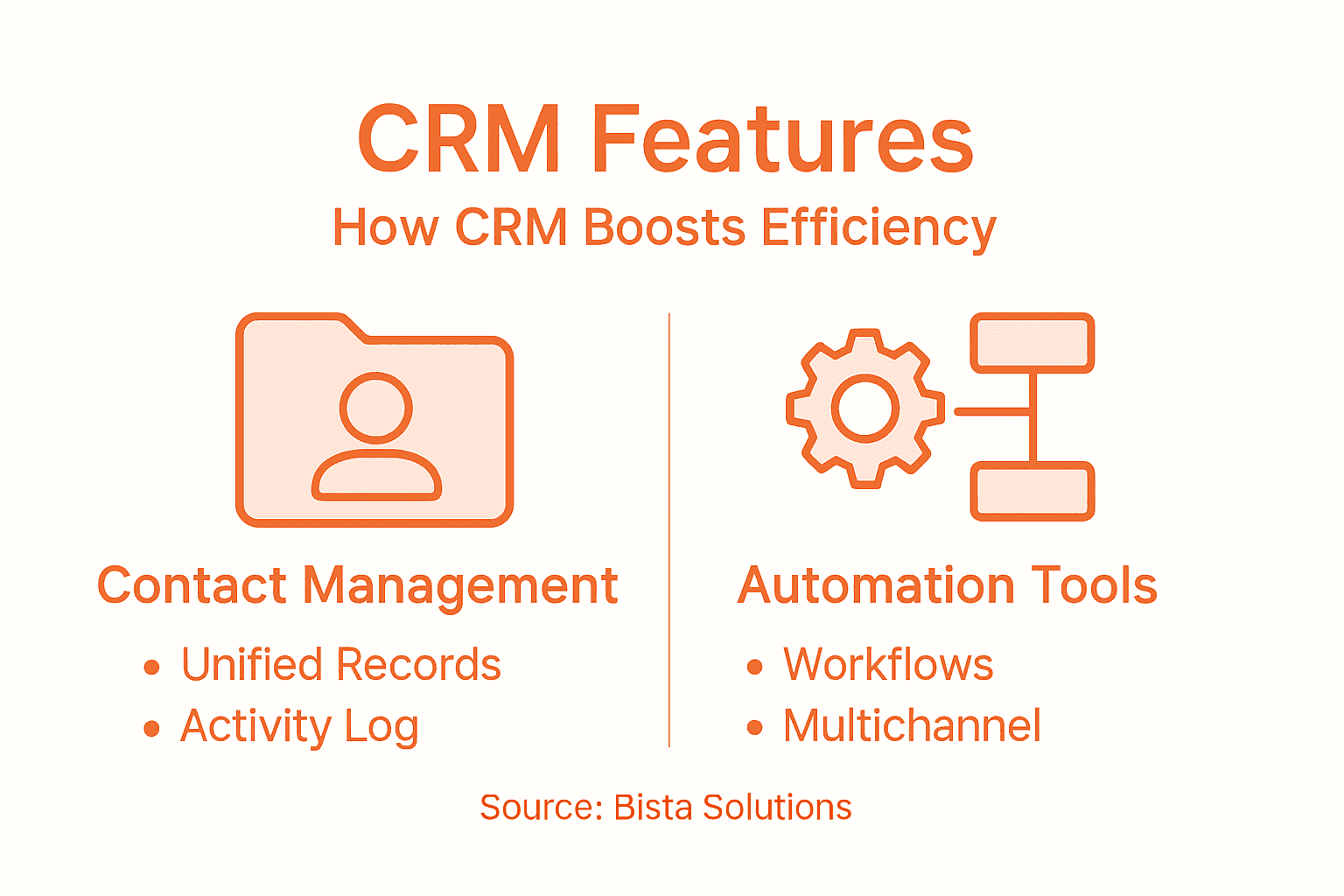
Unified Contact Records and Activity Tracking

Imagine every interaction your company has with a customer living in one place. Every email, phone call, meeting note, purchase history, and service request. That’s what unified contact records deliver. Your sales team sees that marketing sent an email three days ago. Your service team knows the customer is a high-value account before they call with a problem. No more playing detective to find out what happened last month. Combined with activity tracking, every team member logs interactions automatically. The system captures who contacted whom, when, what was discussed, and what happens next. This creates an audit trail that protects your business while keeping everyone accountable. For mid-sized Texas companies managing dozens of simultaneous customer relationships, this visibility is invaluable.

Automated Workflows and Multichannel Integration

Automated workflows eliminate repetitive manual tasks that drain your team’s productivity. When a sales opportunity reaches a certain value, automatically notify your manager. When a support ticket comes in, immediately route it to the right team member and set a follow-up reminder. When a customer reaches a milestone, trigger a thank you email. These automations sound simple, but they compound into massive time savings. Research shows that automated workflows reduce administrative burden significantly while improving follow-up speed across the organization. Multichannel integration means your customer data flows seamlessly whether customers contact you through email, phone, social media, or in person. Your team communicates through their preferred channels while the CRM captures everything in one place. At Bista Solutions, we’ve seen organizations using AI-powered automation capabilities dramatically reduce the time spent on routine administrative work, freeing up capacity for strategic customer conversations.

Information Management and Performance Measurement

Information management ensures your customer data stays clean, organized, and accessible to anyone who needs it. A CRM with proper information management prevents duplicate records, outdated contact information, and missing details that frustrate your team. Performance assessment built into your CRM lets you measure what actually matters. How fast are your sales moving through the pipeline? Which marketing campaigns generate the most sales opportunities? What’s your average customer service response time? What’s your repeat purchase rate? These metrics aren’t vanity numbers. They tell you whether your strategies are working and where you need to adjust. Strategic frameworks built into modern CRM systems integrate all five cross-functional processes: strategy development, value creation, multichannel coordination, information management, and performance assessment. When these work together, you’re not just managing customers better. You’re building a competitive advantage.
Infographic showing CRM benefits and features

Pro tip: Before implementing a CRM, map out your three biggest bottlenecks in customer handling. This could be slow follow-up times, lost customer information, or communication gaps between departments. Then configure your CRM’s automation features to directly address those specific pain points rather than automating everything at once.

Real-World Use Cases for Mid-Sized Businesses

CRM systems shine when they’re solving actual business problems that keep owners awake at night. The difference between a successful CRM implementation and a costly failure comes down to one thing: does it address your specific challenges? Let’s look at how mid-sized businesses across various industries are using CRM to transform their operations and accelerate growth.

Manufacturing and Distribution: Taming the Sales Pipeline

A mid-sized manufacturing company in Houston faced a classic problem. Their sales team was managing deals across multiple spreadsheets, emails, and handwritten notes. Customers would call asking about order status, and it took 20 minutes of searching through emails to find the answer. Pipeline visibility was nonexistent. Deal stages were unclear. The company couldn’t forecast revenue accurately for quarterly planning. After implementing a CRM system tailored to their sales process, everything changed. Sales reps now log every customer interaction in real time. Managers see the entire pipeline at a glance and can identify which deals need attention before they stall. Average deal cycle time decreased by 23 percent. More importantly, revenue predictability improved so much that the CFO could actually plan inventory and staffing with confidence. The company went from reactive firefighting to proactive pipeline management.

Professional Services: Managing Complex Client Relationships

A Texas consulting firm with 50 employees struggled with client communication chaos. Different team members were working on the same client account without knowing what others had already discussed. Proposals went out missing critical information. Follow-ups fell through the cracks. Client satisfaction scores reflected the disorganization. They needed a system that kept everyone on the same page. A CRM implementation with customized tracking for service engagements gave them unified client records where every project, communication, and deliverable lived in one place. Now, when a team member joins a client call, they know the full history. Proposals reference previous discussions. Nothing gets forgotten. Client retention improved by 34 percent because clients felt heard and understood. Project profitability increased because billable time wasn’t wasted searching for information or duplicating work.

Retail and E-commerce: Converting One-Time Buyers into Repeat Customers

A mid-sized retail chain with both physical stores and an online presence was losing track of customers across channels. Someone who bought in-store last month might receive irrelevant email promotions this month because their purchase history wasn’t visible to the marketing team. Loyalty felt non-existent. They implemented a CRM that unified customer data from all touchpoints. Now, every purchase, website visit, and store interaction feeds into one customer profile. Marketing sends targeted offers based on actual purchase behavior. The result: repeat purchase rate jumped 41 percent within six months. Customer lifetime value nearly doubled. They discovered that their highest-value customers were actually loyal, but the company had simply been invisible to them across channels.

The Common Success Factors

These cases reveal what research confirms: CRM success requires three critical components: proper system configuration tailored to your business, strong leadership commitment driving adoption, and comprehensive training so your team actually uses it correctly. Companies that skip any of these components struggle. Organizations that invest in all three see transformational results.

Pro tip: Before selecting a CRM system, interview 5-10 people across your sales, marketing, and service teams about their biggest daily frustrations. Use this list to evaluate whether a CRM solution actually addresses your real pain points rather than implementing generic features everyone says you need.

Costs, Risks, and Common Implementation Mistakes

CRM implementation isn’t cheap. Neither is doing it wrong. The financial investment ranges from modest for cloud-based solutions to substantial for enterprise systems with customization and integration. But the real cost isn’t the software license. It’s the hidden expenses that derail unprepared organizations: consulting and implementation services, data migration and cleanup, customization and integration with existing systems, staff training and change management, and ongoing support during the transition period. For a mid-sized Texas business, expect total implementation costs to span from $50,000 for a basic cloud CRM to $500,000 or more for a fully customized enterprise solution with complex integrations. Understanding how CRM implementation costs break down helps you budget accurately and avoid surprise expenses that blow your project over budget.

The table below summarizes CRM implementation cost factors and risks for mid-sized businesses:

Expense/Risk Factor Description Impact if Overlooked
Consulting & Setup Fees Fees for experts configuring CRM Higher overall project costs
Data Migration Quality Cleaning/importing customer data Analytics errors, confusion
Staff Training Needs Time/cost for onboarding users Low adoption, user frustration
System Integration Connecting CRM to other platforms Duplicate data, inefficiency
Change Management Guiding team through transition Resistance, project delays

The Real Risks: Why CRM Projects Fail

Three things kill CRM implementations before they generate any return. First, poor planning and unclear goals. Too many companies buy CRM software without defining what success actually looks like. What metrics will you measure? Which processes need improvement? What’s your timeline? Without clarity, your team wastes time configuring features that don’t matter while ignoring the ones that could transform your business. Second, a lack of team buy-in and low user adoption. Your sales reps won’t use a CRM they didn’t ask for if they perceive it as extra work. When managers don’t champion adoption and hold their teams accountable, the system becomes just another abandoned software license. Third, data quality disasters. If you migrate dirty data from your old system into your new CRM, you’ve simply modernized your problems. Duplicate records, incomplete information, and inconsistent formats create chaos that frustrates your team and corrupts your analytics.

Common Implementation Mistakes to Avoid

Mistake one: treating CRM as a technology project instead of a business transformation. The software is just the tool. The real work is redesigning how your sales and marketing teams collaborate. If you implement CRM without aligning it to how you actually want to work, your team resents it, and adoption fails. Mistake two: ignoring frontline user needs. Sales managers and reps live in the CRM daily. If you design the system without their input, you create friction they’ll resent. The best implementations involve your actual sales team in planning and testing before full rollout. Mistake three: implementing everything at once instead of phased adoption. Rolling out your entire CRM to 100 people simultaneously guarantees confusion and resistance. Phased rollouts, starting with a pilot group, refining based on feedback, then expanding prevents disaster. Mistake four: insufficient integration between your CRM and other systems. Your CRM exists in a business ecosystem with accounting software, marketing automation, e-commerce platforms, and other tools. If these systems don’t talk to each other, you create duplicate data entry and information silos that negate CRM benefits. At Bista Solutions, our implementation approach focuses on creating practical improvements in actual workflows rather than implementing features for their own sake. We’ve learned that success requires strategic planning, realistic timelines, comprehensive training, and ongoing optimization.

Pro tip: Designate a CRM champion within your organization before implementation begins. This person leads adoption, evangelizes usage, resolves frontline issues quickly, and serves as the voice of your team during configuration decisions. This single step dramatically improves adoption rates and project success.

Unlock Growth by Mastering Your Customer Relationships with Bista Solutions

If your business struggles with scattered customer data, poor sales pipeline visibility, or low team adoption of CRM tools, you are not alone. This article highlights common challenges like fragmented workflows, manual data entry, and a lack of actionable insights that hold mid-sized Texas companies back. At Bista Solutions, we specialize in turning these pain points into strengths by implementing tailored CRM solutions that unify customer records, automate workflows, and empower your teams with real-time collaboration across sales, marketing, and service.


Book A Free Odoo CRM Consultation


    Don’t let poor planning, data quality issues, or low user adoption stall your growth. As the largest Odoo ERP implementer in North America and a trusted Gold Partner, we bring proven expertise backed by over 350 successful implementations. Our team will guide you through strategic CRM deployment so your business can boost customer retention, improve operational efficiency, and gain clear pipeline visibility starting now. Connect with us today at Contact Bista Solutions and discover how managing sales with Odoo CRM can transform your customer management into a powerful growth engine.

    Frequently Asked Questions

    What is CRM software, and how does it benefit businesses?

    Customer Relationship Management (CRM) software is a system used to manage and analyze customer interactions throughout the customer journey. It centralizes customer data, enabling personalized service, improved communication among departments, and better decision-making based on real customer behavior, ultimately leading to increased sales and customer retention.

    What are the major types of CRM systems available?

    There are three main types of CRM systems: Operational CRM, which automates daily tasks; Analytical CRM, which analyzes customer data for strategic insights; and Collaborative CRM, which enhances teamwork by connecting departments and ensuring everyone has access to the same customer information. Many businesses use a combination of these CRM types to maximize customer value.

    How can CRM software improve operational efficiency?

    CRM software improves operational efficiency through features like unified contact records, automated workflows, and effective information management. These features streamline customer interactions, reduce administrative tasks, and provide performance metrics that help organizations make informed decisions.

    What should businesses consider when implementing CRM software?

    When implementing CRM software, businesses should ensure proper system configuration tailored to their needs, secure strong leadership support for adoption, and provide comprehensive training for users. Common mistakes, such as poor planning or treating CRM as just a technology project, can hinder successful implementation.


    How to Increase Profitability Through ERP Optimization

    Manager viewing ERP dashboard in corner office

    Facing delayed reporting and manual data entry can hold back even the best Texas manufacturing firms. For CFOs and financial managers striving for greater profitability, it is critical to get a complete view of existing financial workflows before investing in new technology. By focusing on a systematic financial process audit, you can uncover embedded inefficiencies and set the stage for precise ERP improvements that drive cost savings and operational excellence.

    Table of Contents

    Quick Summary

    Key Insight Explanation
    1. Conduct a thorough financial process audit Evaluating existing financial processes helps identify inefficiencies and areas for improvement essential for ERP optimization.
    2. Identify root causes of inefficiencies Use a comprehensive analysis to uncover underlying issues that affect financial performance, turning challenges into strategic opportunities.
    3. Tailor ERP solutions to specific gaps Implementing customized ERP solutions allows organizations to address identified weaknesses, streamlining operations for better efficiency.
    4. Leverage automation for efficiency Integrating automation can transform manual processes into intelligent workflows, reducing errors and increasing productivity.
    5. Establish dynamic performance metrics Creating a robust performance measurement system fosters continuous improvement by providing actionable insights into operational effectiveness.

    Step 1: Assess current financial processes and data

    In this critical first step of ERP optimization, you will thoroughly evaluate your organization’s existing financial infrastructure to identify inefficiencies and opportunities for improvement. The goal is to create a comprehensive snapshot of your current financial processes and data management strategies.

    Begin by conducting a systematic financial process audit which involves multiple key actions:

    • Review all existing financial management systems and tools
    • Analyze historical financial statements and performance metrics
    • Identify manual data entry points and potential automation opportunities
    • Document current workflow processes for accounting, reporting, and financial analysis
    • Evaluate data collection, storage, and reporting mechanisms

    While conducting your audit, pay special attention to critical performance indicators such as cash flow patterns, expense tracking accuracy, and reporting efficiency. Your Odoo accounting features can help streamline this assessment by providing comprehensive insights into your current financial ecosystem.

    A thorough financial process assessment is the foundation for transformative ERP optimization.

    To gather comprehensive data, collaborate with finance team members, review recent financial reports, and utilize diagnostic tools that can help map out your current processes. Focus on understanding not just the numbers, but the entire workflow that generates those numbers.

    Finance team collaborating on financial reports

    Professional tip: Create a detailed process map that highlights every step of your financial workflows, including potential bottlenecks and redundant procedures.

    Here is a comparison of traditional vs. optimized financial processes for ERP:

    Aspect Traditional Process Optimized ERP Process
    Data Entry Manual spreadsheets Automated data capture
    Reporting Speed Delayed, periodic Real-time dashboards
    Error Rate High due to manual steps Minimized through automation
    Collaboration Siloed departments Integrated workflows
    Compliance Inconsistent tracking Standardized procedures

    Step 2: Identify key inefficiencies and cost drivers

    In this crucial stage of ERP optimization, you will systematically uncover the hidden inefficiencies and cost drivers that are silently eroding your organization’s financial performance. The goal is to transform these challenges into opportunities for strategic improvement and operational excellence.

    To effectively identify inefficiencies, implement a comprehensive root cause analysis that targets multiple dimensions of your business processes:

    • Examine data integration and communication gaps between departments
    • Analyze manual workflow bottlenecks and redundant processes
    • Investigate potential technology limitations in current systems
    • Review transaction costs and resource allocation inefficiencies
    • Assess training and skill gaps that impact operational effectiveness

    Pay special attention to subtle performance disruption indicators such as frequent manual data reconciliation, inconsistent reporting, and time-consuming administrative tasks. These symptoms often point to deeper systemic inefficiencies that can be addressed through strategic Odoo ERP implementations.

    Identifying root causes of inefficiency is not about blame, but about creating pathways for transformative organizational improvement.

    Utilize diagnostic tools and cross-departmental interviews to gather comprehensive insights. Look beyond surface-level metrics to understand the underlying workflow dynamics that drive your operational costs and performance limitations.

    Professional tip: Develop a structured inefficiency scorecard that quantifies and prioritizes identified process bottlenecks to create a strategic roadmap for targeted improvements.

    Step 3: Implement targeted ERP solutions to address gaps

    In this critical stage of ERP optimization, you will strategically deploy tailored solutions that precisely address the inefficiencies identified in your previous analysis. Your goal is to transform potential weak points into streamlined, high-performance operational capabilities.

    Begin by conducting a comprehensive ERP fit gap analysis to map out specific implementation strategies:

    • Prioritize critical functionality gaps discovered during initial assessment
    • Select modular ERP solutions that align with your unique business requirements
    • Design customization strategies for addressing specific operational challenges
    • Develop a phased implementation approach to minimize disruption
    • Create detailed configuration plans for each targeted solution

    The implementation process requires careful consideration of technical and functional alignment. ERP implementation phases can provide a structured framework for executing your targeted solutions with minimal risk and maximum impact.

    Successful ERP implementation is not about perfect technology, but about perfectly matching technology to your business needs.

    Ensure cross-departmental collaboration throughout the implementation process. Engage key stakeholders from each affected department to validate solution designs, gather feedback, and create a sense of ownership in the transformation journey.

    Professional tip: Develop a robust change management strategy that includes comprehensive training and clear communication to ensure smooth adoption of new ERP solutions across your organization.

    Step 4: Integrate automation to streamline operations

    In this pivotal stage of ERP optimization, you will leverage advanced technologies to transform manual, time-consuming processes into efficient, intelligent workflows. Your mission is to unlock unprecedented operational efficiency by strategically implementing automation across critical business functions.

    Focus on key automation opportunities that can dramatically enhance your organizational productivity:

    • Identify repetitive, rules-based tasks suitable for automation
    • Implement AI-driven process workflows that reduce manual intervention
    • Integrate intelligent data capture and processing systems
    • Develop real-time reporting and analytics capabilities
    • Create automated approval and notification mechanisms

    The journey toward intelligent automation requires a comprehensive approach. AI-powered ERP solutions can provide the technological foundation for transforming your operational landscape, enabling smarter, faster decision-making.

    Automation is not about replacing human intelligence, but about amplifying human potential through strategic technological integration.

    Prioritize solutions that offer seamless workflow integration and demonstrate clear return on investment. Carefully evaluate each automation initiative for its potential to reduce operational costs, minimize errors, and accelerate business processes.

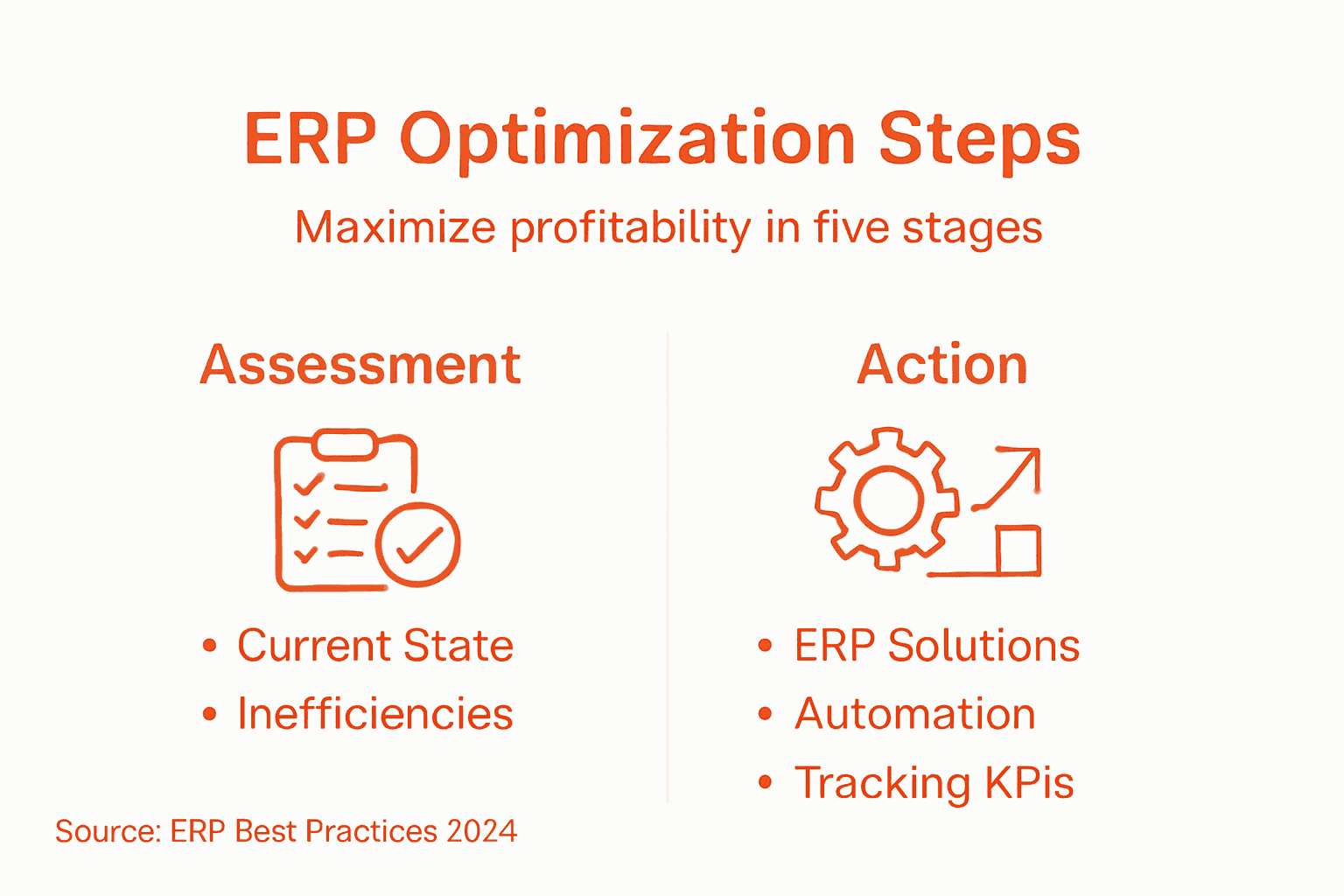
    Infographic with steps for ERP profitability

    Professional tip: Start with low-complexity automation processes to build organizational confidence and gradually expand to more sophisticated intelligent workflow solutions.

    Step 5: Monitor performance metrics and optimization results

    In this final stage of ERP optimization, you will establish a robust performance measurement system that provides continuous insights into the effectiveness of your implemented solutions. Your objective is to create a dynamic feedback loop that enables data-driven decision-making and ongoing organizational improvement.

    Develop a comprehensive performance tracking framework with these critical components:

    • Establish key performance indicators (KPIs) aligned with strategic objectives
    • Create real-time dashboards for immediate visibility into operational metrics
    • Implement automated reporting mechanisms
    • Design comparative analysis tools to track before-and-after optimization results
    • Set up periodic performance review cycles

    Utilize workflow management techniques to ensure systematic and consistent performance evaluation across your organization.

    Performance monitoring is not about collecting data, but about transforming data into actionable strategic insights.

    Ensure your performance measurement approach remains flexible and adaptive. Continuously refine your metrics to reflect evolving business goals and technological capabilities, maintaining a forward-looking perspective on organizational efficiency.

    Professional tip: Develop a standardized reporting template that allows for quick visual comprehension of performance trends, enabling faster strategic decision-making.

    Below is a summary of ERP optimization outcomes at each step:

    Step Primary Outcome Typical Business Benefit
    Assess Identified process gaps Clear targets for improvement
    Identify Defined root causes Prioritized problem-solving
    Implement Deployed tailored ERP features Streamlined workflows
    Automate Enabled smart processes Reduced manual work, faster tasks
    Monitor Measured impact Continuous improvement cycle

    Drive Profitability with Expert ERP Optimization from Bista Solutions

    Struggling to uncover hidden inefficiencies and streamline your financial workflows as detailed in “How to Increase Profitability Through ERP Optimization”? Bista Solutions understands the critical need for a tailored ERP implementation that aligns perfectly with your unique business challenges like manual data entry bottlenecks, lack of automation, and slow reporting. Our experience as North America’s largest Odoo ERP implementer empowers you to transform these pain points into measurable operational gains.

    Contact Us For A Free Demo


      Take the next step toward maximizing your business potential by partnering with a trusted leader recognized as Odoo Best Partner multiple times. Explore how our Odoo ERP implementations and proven strategies in automation can bring fast, sustainable results. Contact our expert team today at Bista Solutions to begin your journey toward smarter workflows, reduced costs, and higher profitability.

      Frequently Asked Questions

      How can I assess my current financial processes for ERP optimization?

      To assess your current financial processes, conduct a systematic financial process audit. Review existing financial management systems, analyze historical performance metrics, and document workflow processes to identify gaps and inefficiencies.

      What are common inefficiencies to look for in financial data management?

      Common inefficiencies include manual data entry points, outdated software tools, and communication gaps between departments. Address these issues by implementing automation and improving technology integration to enhance overall operational efficiency.

      How do I implement targeted ERP solutions effectively?

      To implement targeted ERP solutions, conduct a fit gap analysis to prioritize functionality gaps and select modular solutions. Develop a phased implementation plan to minimize disruptions and ensure that each departmental stakeholder is involved in the process for smoother adoption.

      What role does automation play in ERP optimization?

      Automation plays a crucial role by transforming manual processes into efficient workflows, reducing processing time and errors. Identify repetitive tasks suitable for automation, and implement intelligent solutions to enhance your organizational productivity, aiming for at least a 20% reduction in labor time.

      How can I monitor the performance of my ERP optimization efforts?

      Monitor your ERP optimization performance by establishing key performance indicators (KPIs) and using real-time dashboards to track operational metrics. Set up periodic review cycles to evaluate these metrics and make necessary adjustments for continuous improvement.

      What steps can I take to ensure long-term profitability through ERP optimization?

      To ensure long-term profitability, focus on continuous assessment and refinement of processes using the insights gained from your performance metrics. Regularly engage with key stakeholders for feedback and adapt strategies to accommodate evolving business needs.

      Traceability in Manufacturing: Boosting Supply Chain Efficiency

      Supervisor noting parts in busy factory

      Nearly 60% of American manufacturers cite traceability as a top priority for reducing costly product recalls and supply chain disruptions. For operations managers in Texas, finding the right traceability system is no longer just about compliance—it is key to staying competitive in an increasingly demanding market. This article offers clear guidance to help you evaluate, implement, and maximize modern traceability solutions that fit your specific industry needs.

      Table of Contents

      Key Takeaways

      Point Details
      Traceability is Essential for Transparency It enables manufacturers to track the entire supply chain journey, ensuring accountability and quick issue resolution.
      Variety of Technologies Enhance Tracking Implementing barcode, RFID, and blockchain technologies can provide greater visibility and security in traceability efforts.
      Compliance is Critical Across Industries Manufacturers must adhere to industry-specific regulatory standards to ensure product safety and quality.
      Holistic Implementation is Key A successful traceability system requires integration with existing processes, employee training, and ongoing audits to address potential gaps.

      What Traceability Means in Manufacturing

      Traceability in manufacturing represents a comprehensive system of tracking and documenting a product’s entire journey through the supply chain. At its core, traceability provides manufacturers with the ability to record, verify, and follow the complete history of a product from raw material procurement to final customer delivery.

      In practical terms, manufacturing traceability involves creating detailed documentation that records each stage of production. This documentation typically includes:

      • Specific batch or lot numbers
      • Raw material origins
      • Processing timestamps
      • Equipment used during production
      • Quality control checkpoint details
      • Personnel involved in manufacturing

      The primary goal of traceability is to establish a transparent and accountable production ecosystem. By maintaining granular records, manufacturers can quickly identify and address potential issues, such as product defects, contamination risks, or supply chain disruptions. This approach is particularly critical in highly regulated industries like food processing, pharmaceuticals, and automotive manufacturing, where precise tracking can prevent significant safety and compliance challenges.

      Manager checking production tracking dashboard

      Beyond risk management, traceability offers strategic business insights. Companies can analyze production data to optimize processes, reduce waste, and improve overall operational efficiency. For instance, if a specific batch shows recurring quality issues, manufacturers can trace back the problem to raw material sources, equipment settings, or specific production shifts.

      Pro tip: Invest in robust digital traceability systems that integrate seamlessly with your existing enterprise resource planning (ERP) software to maximize tracking accuracy and minimize manual documentation errors.

      Types of Traceability and Key Technologies

      Traceability encompasses several distinct approaches that help manufacturers track and manage product information throughout the supply chain. Understanding these different types of traceability is crucial for implementing comprehensive tracking systems that meet specific industry requirements.

      Three primary types of traceability emerge as critical for modern manufacturing:

      • Internal Traceability: Tracking products and materials within a single organization’s production environment
      • External Traceability: Monitoring product movements across different companies and supply chain partners
      • End-to-End Traceability: Comprehensive tracking from raw material sourcing through final product delivery

      Key technologies enabling these traceability approaches include advanced identification and data capture systems. Barcode technologies allow rapid scanning and recording of product information, while Radio Frequency Identification (RFID) provides real-time tracking capabilities. More sophisticated systems now integrate blockchain and Internet of Things (IoT) technologies to create more transparent and secure tracking mechanisms.

      The technological landscape for traceability continues to evolve, with emerging solutions offering increasingly granular tracking capabilities. Advanced manufacturers are now implementing integrated systems that combine multiple tracking technologies, enabling unprecedented visibility into production processes, material origins, and supply chain movements.

      Here is a summary of how key traceability technologies support manufacturing objectives:

      Technology Tracking Capability Security & Transparency Best Use Case
      Barcode Systems Discrete product labeling Basic data integrity Small batch tracking
      RFID Real-time location data Enhanced control over access High-volume, fast-moving goods
      Blockchain Immutable record keeping Maximum trace confidence Highly regulated industries
      IoT Sensors Continuous asset reporting Immediate condition alerts Environmental and process monitoring

      Pro tip: Select traceability technologies that seamlessly integrate with your existing enterprise resource planning (ERP) systems to maximize data accuracy and minimize implementation complexity.

      How Traceability Systems Work Step by Step

      Traceability systems operate through a complex but systematic approach designed to capture, record, and manage product information across every stage of the manufacturing and distribution process. Understanding the step-by-step implementation helps manufacturers create robust tracking mechanisms that provide comprehensive visibility into their supply chains.

      The implementation of a traceability system typically follows these key stages:

      1. Initial Planning and Assessment
        • Define specific traceability objectives
        • Identify critical tracking points in the production process
        • Evaluate existing documentation and technological infrastructure
      2. Data Capture and Identification
        • Assign unique identifiers to products, batches, and components
        • Implement data collection technologies like barcodes or RFID
        • Establish standardized data capture protocols
      3. Information Linking and Management
        • Create interconnected databases tracking product movements
        • Develop systems for real-time data recording and retrieval
        • Ensure compatibility between different technological platforms

      Advanced traceability systems leverage integrated software platforms that enable seamless data collection and analysis. These platforms connect multiple touchpoints across the supply chain, from raw material sourcing to final product delivery. By creating a digital thread of information, manufacturers can quickly trace the origin, processing, and movement of any product component.

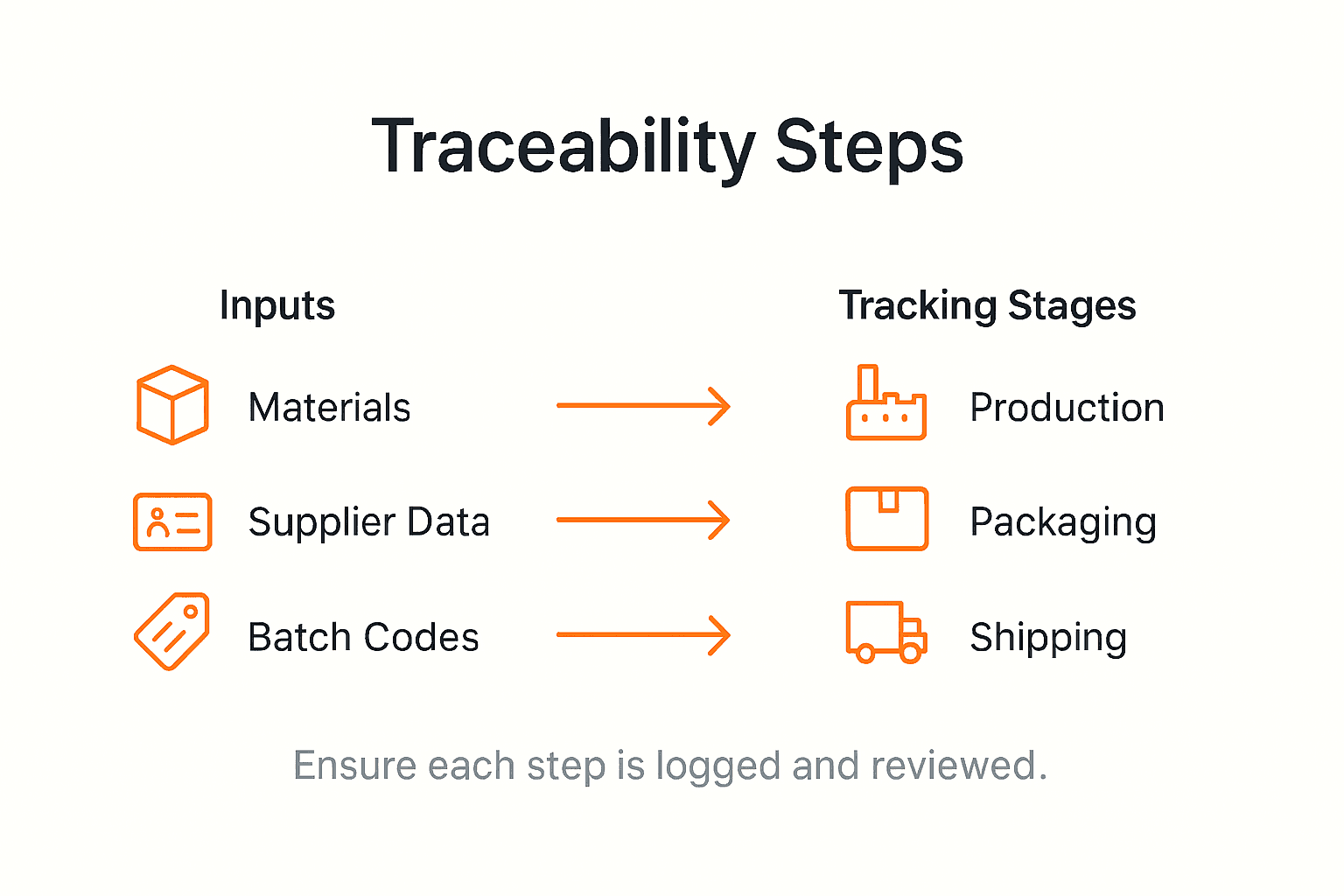
      Infographic outlining traceability system workflow

      The technical infrastructure supporting these systems involves complex interactions between hardware and software solutions. Manufacturers must carefully select technologies that not only capture data efficiently but also provide meaningful insights into production processes, quality control, and potential improvement areas.

      Pro tip: Conduct periodic audits of your traceability system to identify potential data gaps and ensure continuous improvement of tracking capabilities.

      Regulatory Standards and Compliance Requirements

      Regulatory standards in manufacturing traceability represent a complex framework of guidelines designed to ensure product safety, quality, and accountability across global supply chains. These standards vary significantly across industries, with each sector maintaining unique compliance requirements that manufacturers must carefully navigate.

      Key regulatory frameworks impacting traceability include:

      • Food and Beverage Industry: FDA Food Safety Modernization Act (FSMA)
      • Pharmaceutical Sector: Current Good Manufacturing Practices (cGMP)
      • Automotive Manufacturing: International Automotive Task Force (IATF) 16949
      • Medical Device Production: ISO 13485 Medical Devices Quality Management Systems

      These standards typically mandate comprehensive documentation processes that track product movements, ingredient sources, manufacturing conditions, and distribution channels. Manufacturers must implement robust systems that can quickly provide detailed information about any product’s complete history, enabling rapid response to potential quality issues or safety concerns.

      Compliance with these regulatory standards requires more than simple record-keeping. Organizations must develop sophisticated traceability infrastructures that integrate advanced technologies, including digital tracking systems, real-time data management platforms, and comprehensive reporting mechanisms. This approach ensures not just regulatory adherence but also provides strategic insights into production processes and supply chain dynamics.

      The complexity of modern regulatory requirements demands a proactive approach to compliance. Manufacturers must continuously update their traceability systems, invest in training personnel, and develop flexible technologies that can adapt to evolving regulatory landscapes across different international markets.

      The following table compares regulatory traceability standards across various manufacturing sectors:

      Industry Main Standard Key Compliance Requirement Enforcement Agency
      Food & Beverage FSMA (FDA) Full product recall capability U.S. FDA
      Pharmaceuticals cGMP Complete batch trace records FDA/EMA
      Automotive IATF 16949 Trace material origins IATF
      Medical Devices ISO 13485 Device life-cycle documentation ISO/IMDRF

      Pro tip: Develop a centralized compliance management system that automatically tracks and updates regulatory requirements across different industries and geographical regions.

      Risks, Benefits, and Common Pitfalls

      Traceability systems offer manufacturers a powerful strategic tool, but their implementation involves navigating a complex landscape of potential advantages and challenges. Understanding these nuanced dynamics is crucial for developing an effective and sustainable tracking approach that delivers tangible business value.

      Key benefits of robust traceability include:

      • Rapid Defect Identification: Quickly isolate and address product quality issues
      • Regulatory Compliance: Streamline adherence to industry-specific standards
      • Risk Mitigation: Reduce potential legal and financial exposure
      • Supply Chain Transparency: Enhance visibility across production networks
      • Continuous Improvement: Generate data-driven insights for process optimization

      However, manufacturers frequently encounter significant implementation challenges. Common pitfalls include underestimating the technological and cultural investments required to establish comprehensive traceability. Many organizations struggle with data integration, resistance to change from existing processes, and the substantial upfront costs associated with developing sophisticated tracking infrastructure.

      Successful traceability implementation demands a holistic approach that goes beyond technological solutions. Companies must cultivate a culture of accountability, invest in employee training, and develop flexible systems capable of adapting to evolving regulatory landscapes. This requires ongoing commitment, cross-departmental collaboration, and a strategic vision that views traceability as a competitive advantage rather than a compliance burden.

      The most effective traceability strategies balance technological sophistication with practical organizational capabilities. Manufacturers must carefully assess their unique operational context, selecting technologies and approaches that align with their specific industry requirements, existing infrastructure, and long-term business objectives.

      Pro tip: Conduct a comprehensive traceability maturity assessment before implementation to identify potential gaps and develop a targeted, phased approach to system development.

      Comparing Traceability Solutions in Manufacturing

      Manufacturing traceability solutions represent a diverse technological ecosystem with varying capabilities, complexities, and strategic implications for organizations seeking to enhance supply chain visibility. Understanding the nuanced differences between available technologies is crucial for selecting the most appropriate tracking approach for specific operational requirements.

      Key traceability solution categories include:

      1. Barcode-Based Systems
        • Low-cost implementation
        • Suitable for basic tracking needs
        • Limited data storage capabilities
      2. RFID (Radio Frequency Identification) Technologies
        • Real-time tracking capabilities
        • Higher initial investment
        • Supports complex data collection
      3. Blockchain-Enabled Traceability
        • Immutable record keeping
        • High security and transparency
        • Complex implementation requirements

      The selection of traceability technologies depends on multiple factors, including industry regulations, product complexity, budget constraints, and existing technological infrastructure. Manufacturers must carefully evaluate each solution’s strengths and limitations to develop a comprehensive tracking strategy that aligns with their specific operational context.

      Advanced traceability solutions increasingly integrate multiple technologies, creating hybrid systems that leverage the strengths of different tracking approaches. These integrated solutions offer unprecedented visibility, enabling manufacturers to not just track products but generate actionable insights that drive operational efficiency and strategic decision making.

      Pro tip: Conduct a comprehensive technology audit of your current tracking capabilities before investing in new traceability solutions to identify specific integration requirements and potential compatibility challenges.

      Unlock Full Supply Chain Visibility with Expert Traceability Solutions

      Implementing reliable and comprehensive traceability is no easy task. The challenges of integrating technologies like RFID, blockchain, and IoT while meeting stringent regulatory standards can leave many manufacturers overwhelmed. You need a partner who understands the critical importance of capturing detailed batch records, ensuring compliance with FSMA or cGMP, and enabling rapid defect identification that can save your business time and money.


      Request A Free Consultation


        At Bista Solutions, we specialize in tailoring Odoo ERP implementations to boost your manufacturing traceability capabilities. Our experience with over 350 successful deployments across North America ensures you benefit from scalable systems that reduce risks, increase transparency, and deliver actionable business insights. Don’t let fragmented data or outdated tracking methods hold you back. Take the first step towards transforming your supply chain right now by connecting with our team. Learn how we can help you overcome traceability complexities at Contact Bista Solutions. Explore how our ERP expertise supports your traceability needs, compliance mandates, and operational goals with advanced technology integration. Let’s build a more efficient future for your manufacturing business today.

        Frequently Asked Questions

        What is traceability in manufacturing?

        Traceability in manufacturing refers to the systematic tracking and documentation of a product’s journey through the supply chain, from raw material procurement to final delivery to customers.

        Why is traceability important for supply chain efficiency?

        Traceability enhances supply chain efficiency by providing manufacturers with visibility into every stage of production. It helps identify and address issues quickly, ensures compliance with regulations, and enables data-driven decisions for process optimization.

        What types of traceability systems are available?

        There are three primary types of traceability systems: internal traceability (tracking within a single organization), external traceability (monitoring across different companies), and end-to-end traceability (comprehensive tracking from sourcing to delivery).

        What technologies support traceability in manufacturing?

        Key technologies supporting traceability in manufacturing include barcode systems, Radio Frequency Identification (RFID), blockchain technology, and Internet of Things (IoT) sensors. Each technology offers unique capabilities for tracking and data management.

        Asset Management in Manufacturing: Boosting Efficiency and Cost Savings

        Manager inspecting machines in factory floor

        Every American manufacturing facility relies on a mix of machinery, equipment, and technology that keeps production moving, but managing these assets efficiently often becomes overwhelming as operations grow. With so many capital investments at stake, optimizing both tangible and intangible assets is now a key factor in controlling costs and meeting business goals. By embracing strategic asset management supported by Odoo ERP, your team can move from reactive fixes to proactive improvements that drive real savings and operational consistency.

        Table of Contents

        Key Takeaways

        Point Details
        Asset Management is Strategic Effective asset management is crucial for maximizing asset value throughout their lifecycle, aligning with operational objectives while managing risks and costs.
        Proactive Maintenance is Essential Investing in preventive maintenance reduces equipment downtime and extends asset lifecycles, proving to be more cost-effective than reactive approaches.
        Importance of ERP Integration Implementing an integrated ERP system, like Odoo, enhances visibility, automates maintenance scheduling, and aligns asset management with production needs.
        Documentation Supports Compliance Maintaining accurate records of asset management activities is vital for regulatory compliance and demonstrates a commitment to quality assurance.

        Defining Asset Management in Manufacturing

        Asset management in manufacturing is the coordinated set of activities an organization uses to realize maximum value from its assets throughout their entire lifecycle. Rather than viewing assets as static investments, modern asset management treats them as dynamic resources that need strategic oversight from the moment they’re acquired until they’re finally disposed of or replaced. The Global Forum on Maintenance and Asset Management (GFMAM) defines it as the strategic alignment of asset management policies, systems, and assurance processes that enable organizations to meet their operational objectives while managing risks, performance, and costs effectively.

        For manufacturing operations managers, this definition translates into a practical reality: asset management encompasses everything from purchasing decisions and preventive maintenance schedules to capacity planning and end-of-life management. Think of it this way—your production equipment, facilities, vehicles, tools, and technology infrastructure all represent capital invested in your business. Asset management ensures that capital works efficiently for you. It’s not just about keeping machines running; it’s about knowing which assets are performing optimally, which ones are becoming liabilities, and where you should invest next to maximize profitability. When you implement Odoo Equipment Manufacturing ERP tailored for your business, you gain visibility into these exact metrics across your entire asset portfolio.

        The scope of asset management in manufacturing includes several interconnected responsibilities:

        • Asset lifecycle management – Tracking assets from procurement through operational use and eventual retirement or resale
        • Maintenance planning – Scheduling preventive maintenance, repairs, and inspections to extend asset life and prevent costly breakdowns
        • Performance monitoring – Collecting data on asset utilization, efficiency, and condition to identify improvement opportunities
        • Risk management – Assessing asset-related risks such as equipment failure, safety hazards, and compliance issues
        • Cost optimization – Balancing maintenance investments against replacement costs to achieve the lowest total cost of ownership
        • Documentation and compliance – Maintaining accurate records for regulatory requirements, warranty tracking, and audit purposes

        What makes asset management particularly critical for mid-sized manufacturing operations is the intersection of scale and complexity. You likely have enough assets that manual spreadsheet tracking becomes unreliable, yet you may not have dedicated asset management personnel. You need systems that automatically alert you when maintenance is due, show you which equipment is underutilized, and help you make data-driven decisions about repair versus replacement. An integrated ERP system like Odoo provides this visibility and control, enabling your team to move from reactive firefighting (“The conveyor broke down again!”) to proactive management (“We know when that conveyor needs maintenance and have scheduled it during planned downtime”).

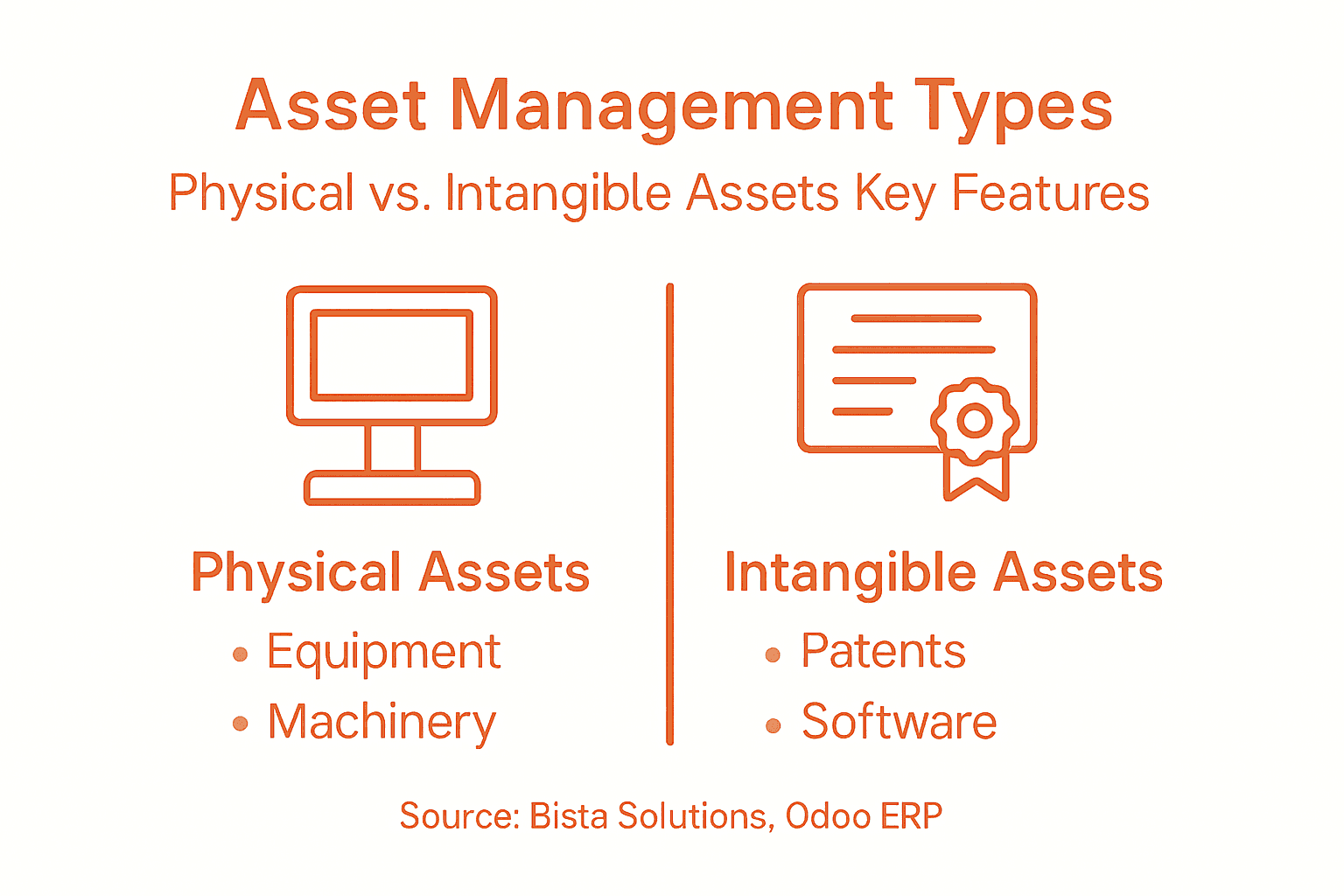
        Infographic showing asset types and features

        The business impact of effective asset management extends directly to your bottom line. Organizations that implement disciplined asset management practices typically see reduced equipment downtime, extended asset lifecycles, lower maintenance costs, improved safety outcomes, and better capital allocation decisions. Manufacturing managers who understand their asset inventory thoroughly can also respond faster to customer demands, optimize production scheduling, and make confident decisions about facility expansion or consolidation.

        Pro tip: Start by creating a comprehensive inventory of all assets currently in your facility, including purchase dates, original cost, maintenance history, and current condition. This foundation is essential before implementing any asset management system, including Odoo ERP, because the quality of your decisions depends entirely on the accuracy of your baseline data.

        Types of Assets in Manufacturing Operations

        Manufacturing operations depend on diverse asset categories, each serving distinct roles in your production process and requiring different management approaches. Understanding these asset types is fundamental because each one has unique characteristics, depreciation schedules, maintenance requirements, and strategic importance to your business. The U.S. Bureau of Economic Analysis categorizes manufacturing assets into fixed assets, including machinery, equipment, buildings, and software—items with useful lives exceeding one year that are essential for operational capability and value creation. Beyond these tangible resources, your manufacturing facility also relies on intangible assets that lack physical substance but deliver significant competitive advantages.

        Tangible assets form the backbone of any manufacturing operation. These are the physical items you can see and touch, and they typically represent the largest capital investments in your facility.

        • Production machinery and equipment – CNC machines, lathes, presses, assembly lines, and specialized manufacturing equipment that directly create products
        • Facility infrastructure – Buildings, warehouses, production floors, office spaces, and structural components that house operations
        • Material handling equipment – Forklifts, conveyor systems, cranes, and automated guided vehicles that move materials and finished goods
        • Vehicles and transportation – Company trucks, delivery vans, and logistics vehicles used for distribution and operations
        • Tools and smaller equipment – Hand tools, testing equipment, measuring instruments, and other items with lower individual values but higher aggregate worth
        • Technology infrastructure – Computers, servers, networking equipment, and production control systems that enable modern manufacturing

        Intangible assets represent the non-physical resources that provide long-term value through legal rights, competitive advantages, or operational capability. While they lack physical substance, they’re increasingly critical to manufacturing competitiveness. Patents protecting your proprietary manufacturing processes, software licenses that run your production systems, trademarks associated with your brand, and copyrights on manufacturing designs all fall into this category. Manufacturing software systems, especially enterprise resource planning (ERP) platforms, function as intangible assets that enable optimization across your entire operation. Bista Solutions helps manufacturing operations manage both tangible and intangible assets effectively through comprehensive Odoo ERP implementations that provide complete visibility across your asset portfolio.

        The distinction between these asset types matters significantly for asset management because they’re tracked, depreciated, maintained, and replaced according to different rules and schedules. Tangible assets like machinery typically follow standard depreciation schedules and require preventive maintenance planning based on manufacturer specifications and operating hours. Intangible assets like software require different management approaches focused on licensing compliance, version updates, and integration with other systems. A critical insight for mid-sized manufacturers is that many operations fail to manage intangible assets with the same rigor they apply to machinery. Your ERP system is an asset just as critical as your production equipment, yet many facilities don’t track software licenses, renewal dates, or integration dependencies with the same discipline they use for equipment maintenance schedules.

        Effective asset management requires recognizing that different asset categories serve different strategic purposes. Some assets, like core production machinery, directly generate revenue by creating products. Others, like facility infrastructure, provide the foundation but don’t directly participate in value creation. Still others, like your ERP system, enable optimization across all other assets. Manufacturing operations managers must categorize their assets by strategic importance, manage each category according to its characteristics, and ensure all asset types are tracked within a unified system. When assets exist in isolated spreadsheets or different management systems, you lose the ability to see how asset decisions in one category affect overall operational performance.

        Team reviewing asset records near workstation

        Here is a summary comparing tangible and intangible assets in manufacturing:

        Asset Type Key Characteristics Management Approach Example Items
        Tangible Assets Physical, depreciate over time Preventive maintenance, tracking CNC machines, buildings, vehicles
        Intangible Assets Non-physical, legal value focus License, version, compliance ERP software, patents, and trademarks

        Pro tip: Classify your assets using a simple matrix combining strategic importance (critical to production vs. supporting) with management complexity (simple vs. complex maintenance requirements). This helps you allocate management attention appropriately and ensures critical assets receive the oversight they deserve while supporting assets are managed efficiently without excessive overhead.

        Role of Odoo ERP in Asset Optimization

        Odoo ERP transforms how manufacturing operations manage assets by consolidating fragmented data into a single, unified system where managers can see the complete picture of their asset portfolio in real-time. Rather than juggling separate spreadsheets for maintenance schedules, depreciation tracking, inventory levels, and financial records, Odoo brings all this information together. This integration is what separates companies that merely track assets from companies that strategically optimize them. The Odoo Community Association highlights that Odoo’s asset management modules help organizations manage assets throughout their entire lifecycle by tracking depreciation, creating accounting entries, and enabling both manual and automated asset creation. This comprehensive approach enhances control and optimization of asset value and cost across manufacturing operations.

        At its core, Odoo ERP provides three critical capabilities that directly impact asset performance and manufacturing efficiency. First, it delivers real-time visibility into your complete asset inventory, showing acquisition costs, current depreciation status, maintenance history, and operational performance metrics all in one accessible location. Second, Odoo automates maintenance scheduling and tracking, preventing the reactive firefighting that characterizes facilities relying on manual scheduling. Preventive maintenance gets scheduled automatically based on equipment age, operating hours, or calendar intervals, and the system tracks completion and generates alerts before critical service dates arrive. Third, Odoo coordinates asset management with production planning and supply chain operations, ensuring that maintenance activities are scheduled during optimal windows and that replacement parts are ordered before equipment fails. When your warehouse management team knows equipment will require downtime on Thursday, your production scheduler can adjust customer orders accordingly, and your procurement team can ensure replacement parts arrive on schedule.

        Odoo’s modular architecture means you can start with basic asset tracking and depreciation accounting, then layer on more sophisticated capabilities as your needs evolve. The system handles automated depreciation calculations using multiple methods, generates the accounting entries required for financial reporting, and maintains the audit trail your auditors expect. Beyond accounting functions, Odoo tracks maintenance activities, creates work orders for repairs, monitors asset condition through sensor data integration, and forecasts replacement needs based on age and usage patterns. Manufacturing operations using Odoo gain the ability to answer critical questions: Which assets are underutilized and candidates for redeployment or sale? Which equipment is approaching the end of its useful life and needs replacement planning? What is the true total cost of ownership for each asset category? How do maintenance costs compare across similar equipment types? These answers drive better capital allocation decisions and operational efficiency.

        Bista Solutions specializes in implementing Odoo ERP for manufacturing operations across North America, configuring the system to match your specific asset management requirements and production workflows. Our team of experienced functional consultants ensures that Odoo’s asset modules integrate seamlessly with your production planning, inventory management, and financial accounting processes. Many manufacturers discover that implementing Odoo accounting capabilities alongside asset management modules creates unexpected efficiencies because depreciation calculations, asset purchase accounting, and maintenance cost tracking all feed directly into your financial statements without manual reconciliation. Similarly, integrating asset management with warehouse management system functionality ensures that equipment maintenance doesn’t disrupt material flow and that spare parts inventory is automatically coordinated with preventive maintenance schedules. For manufacturers with sophisticated production environments, integrating Odoo’s asset management with manufacturing execution system capabilities creates a fully coordinated ecosystem where asset condition directly influences production scheduling and quality control decisions.

        The practical impact of Odoo-based asset optimization extends to your bottom line through multiple channels. Preventive maintenance reduces unplanned downtime by 40 to 60 percent compared to reactive maintenance approaches. Real-time visibility into equipment condition allows you to extend asset lifecycles by catching problems early, potentially adding years of useful life to expensive machinery. Better data on asset performance enables smarter capital decisions, preventing purchases of unnecessary equipment while identifying where additional capacity would pay for itself quickly. Accurate depreciation tracking ensures you’re not overstating asset values on financial statements or missing opportunities to fully capitalize long-lived assets. Beyond these quantifiable benefits, Odoo gives your team the confidence that comes from knowing your asset situation thoroughly and the ability to respond quickly when production demands change.

        Pro tip: When implementing Odoo ERP, invest time upfront in properly classifying assets into logical categories and defining maintenance schedules before going live. Quality implementation data saves hundreds of hours in manual corrections later and ensures the system immediately provides value rather than requiring months of data cleanup before managers trust the reporting.

        Manufacturing operations exist within a complex web of regulatory requirements that directly impact how you must manage your assets, document your processes, and maintain your facilities. Ignoring these requirements doesn’t make them go away. Instead, regulatory violations can result in fines, production shutdowns, product recalls, and damage to your reputation that takes years to repair. The specific regulations you must follow depend on what you manufacture and who your customers are, but virtually every manufacturing operation in the United States must comply with multiple overlapping standards. The FDA enforces Current Good Manufacturing Practice (CGMP) regulations that specify minimum standards for manufacturing processes, facilities, and controls to ensure product safety and quality. These regulations require manufacturers, including those in pharmaceuticals and related manufacturing sectors, to establish systems that maintain compliance and allow for inspection and quality assurance to meet United States standards. Beyond FDA requirements, many manufacturers must also comply with industry-specific standards, environmental regulations, workplace safety rules, and customer-specific quality requirements.

        Asset management directly intersects with regulatory compliance in ways that many manufacturing managers don’t immediately recognize. When regulators inspect your facility, they’re not just looking at products and processes. They’re evaluating whether your equipment is properly maintained, whether you have documentation showing maintenance activities, whether calibration records are current for measuring instruments, and whether your facility infrastructure meets safety standards. CGMP regulations require that buildings and equipment be suitable for their intended purpose and properly maintained. This means you can’t simply run equipment until it breaks. You need documented evidence of preventive maintenance, calibration, and condition monitoring. Equipment failure that causes a quality problem or safety issue becomes exponentially worse if you can’t produce maintenance records showing you were performing proper preventive care. The Federal Trade Commission (FTC) also mandates compliance with Made in USA standards, which requires that claims of United States origin products must be all or virtually all made in the United States. This regulation affects asset management because you need to track where components come from and ensure your equipment procurement aligns with your product origin claims.

        Odoo ERP provides the documentation backbone that regulatory compliance requires. When Odoo tracks maintenance activities, creates work orders for repairs, and maintains complete historical records, you’re building the audit trail that regulators expect to see. The system automatically dates and records who performed maintenance, what was done, what parts were replaced, and what the results were. This creates an unbreakable chain of evidence showing your commitment to proper asset stewardship. For manufacturers subject to CGMP or similar regulations, this level of documentation isn’t optional. It’s the difference between passing an FDA inspection and facing warning letters. Odoo’s ability to integrate maintenance records with quality control data means you can tie equipment condition directly to product quality outcomes. If a particular machine is producing out-of-specification parts, your quality team can pull the maintenance history for that equipment to understand whether the problem is maintenance-related or something else entirely.

        The regulatory landscape extends beyond product manufacturing to include environmental compliance, workplace safety (OSHA), labor regulations, and industry-specific standards. Many manufacturing customers now require their suppliers to meet specific quality standards like ISO 9001 or AS9100, and these certifications depend heavily on asset management discipline. Your customers want to know that you maintain equipment properly, that your facilities are suitable for producing their products, and that you have the documentation to prove it. When you implement Odoo ERP with proper asset management configuration, you’re not just optimizing your own operations. You’re creating the documented evidence that customers, regulators, and auditors need to verify your manufacturing integrity. Bista Solutions helps manufacturing operations implement Odoo in ways that satisfy both operational efficiency and regulatory requirements, ensuring that your asset management system serves both your internal optimization goals and your external compliance obligations.

        Pro tip: Before implementing any asset management system, identify which regulatory bodies oversee your operation and what specific documentation they require. Build your Odoo configuration to automatically generate these records rather than requiring manual compilation, which reduces compliance risk and frees your team from paperwork while ensuring inspectors always find what they need.

        Cost Implications and Common Pitfalls

        Asset management costs money upfront, but the alternative costs far more. This is the fundamental tension every manufacturing manager faces when deciding whether to invest in proper asset management systems and practices. The Global Forum on Maintenance and Asset Management research shows that effective asset management can reduce total lifecycle costs by optimizing asset use, deferring replacement, and minimizing downtime. However, many manufacturers never experience these savings because they stumble into common pitfalls that undermine their efforts. Understanding these pitfalls before you implement Odoo ERP prevents expensive mistakes and ensures your investment delivers the returns you expect.

        The cost implications of poor asset management extend far beyond what most managers initially recognize. When equipment fails unexpectedly, you don’t just pay for the repair. You lose production capacity during the downtime, potentially missing customer deadlines and damaging relationships. You may incur emergency overtime costs to catch up on delayed orders. You might need to pay premium prices for expedited parts delivery. If the failure damages the product being manufactured, you face scrap costs and rework. A single unexpected equipment failure can easily cost 10 to 15 times what preventive maintenance would have cost. Yet many manufacturing operations stumble because they underestimate maintenance needs, fail to invest in proper preventive maintenance schedules, and then act shocked when equipment breaks down. Common pitfalls include treating maintenance as a cost center to be minimized rather than as an investment that prevents far higher costs. Another critical mistake is poor data management, where maintenance activities are documented inconsistently or not at all, making it impossible to understand whether your preventive maintenance is actually working. When you can’t analyze your maintenance data, you can’t optimize your schedules, improve your practices, or provide evidence of your due diligence to regulators and customers.

        Below is a comparison of the costs and risks between proactive and reactive asset management strategies:

        Approach Typical Costs Incurred Main Business Risks Long-Term Impact
        Proactive (Preventive) Scheduled maintenance fees Minimal unexpected downtime Extended asset lifespan
        Reactive (Run-to-failure) Emergency repair, lost production High unplanned outages, higher costs Shortened equipment lifespan

        Manufacturing cost reduction requires an integrated approach that goes far beyond simply cutting maintenance budgets. The National Institute of Industrial Research emphasizes that manufacturing cost reduction strategies must focus on waste elimination, process optimization, and efficient resource use. However, common pitfalls include ignoring employee engagement, poorly implementing lean practices, and overemphasizing short-term savings that harm quality and long-term competitiveness. Many manufacturers fall into the trap of deferring maintenance to save money in the current quarter, only to face massive emergency expenses in the next quarter. Others buy the cheapest replacement parts available, only to discover those parts fail prematurely, necessitating additional repairs and downtime. These false economies destroy profitability. Cost implications span materials, labor, overhead, and compliance across your entire operation, which is why a comprehensive approach using integrated systems like Odoo ERP outperforms piecemeal approaches. When maintenance, production, quality, and financial data are connected, you can see the true cost impact of every decision. You understand whether buying cheaper parts actually saves money or costs more through increased failures. You see whether aggressive preventive maintenance schedules reduce overall costs or represent wasteful over-maintenance. This visibility allows you to optimize toward your true business objectives rather than gaming individual metrics.

        Another critical cost consideration is the risk of misalignment between asset management activities and your actual business objectives. Some manufacturers maintain pristine equipment that sits idle because production demand doesn’t require full utilization. Others let critical equipment deteriorate because they’re chasing short-term profit targets. Odoo ERP helps you align asset management with strategic goals by making the connections visible. If you’re trying to reduce inventory carrying costs, Odoo shows you exactly how maintenance schedules affect spare parts inventory. If you’re trying to improve on-time delivery, the system reveals how equipment failures impact your production schedule. If you’re trying to maximize profitability, Odoo calculates the true total cost of ownership for each asset, accounting for acquisition, maintenance, energy consumption, and replacement. Bista Solutions implements Odoo in ways that connect these dots, ensuring your asset management system drives toward what actually matters for your business rather than creating an administrative burden.

        The biggest pitfall many manufacturers encounter is treating asset management as a cost management problem rather than as a value creation opportunity. When you view assets purely as costs to be minimized, you make poor decisions. When you view assets as resources that must deliver value, you make smarter choices about maintenance investment, replacement timing, and capacity planning. Odoo enables this value-oriented perspective by providing complete visibility into asset performance and contribution to business objectives. You can see which assets are profitable and which are marginal performers. You can make confident decisions about keeping, upgrading, or retiring equipment based on financial and operational data rather than gut feeling or spreadsheet guesses.

        Pro tip: Calculate the true cost of your last significant equipment failure, including downtime, emergency repairs, expedited parts, missed customer orders, and rework. Compare this to what preventive maintenance would have cost. Use this calculation to build a business case for proper asset management systems because the comparison almost always shows that prevention is dramatically cheaper than reaction.

        Elevate Your Manufacturing Asset Management with Expert Odoo ERP Solutions

        Manufacturing managers face the challenge of turning complex asset portfolios into streamlined, cost-effective operations. Your pain points include reducing unplanned downtime, optimizing maintenance schedules, ensuring regulatory compliance, and making data-driven decisions on asset utilization and replacement. This article highlights how effective asset management requires real-time visibility, automated preventive maintenance, and integrated financial tracking — key capabilities that are difficult to achieve without a tailored ERP system.

        Bista Solutions understands these critical challenges and delivers end-to-end Odoo ERP implementations customized to your manufacturing environment. Our proven expertise as the largest Odoo implementer in North America means we empower you to:

        • Gain unified control over tangible and intangible assets
        • Automate maintenance workflows for proactive asset care
        • Integrate asset management with production planning and accounting
        • Ensure comprehensive regulatory documentation effortlessly

        Transform your asset management strategy from costly reactive fixes to efficient, strategic operations now.


        Request A Free No-Obligation Consultation


          Unlock the full potential of your manufacturing assets and secure your competitive edge by partnering with Bista Solutions. Contact us today at Bista Solutions Contact to discover how our expert Odoo ERP implementations can maximize your asset value and slash operational costs. Don’t wait for another breakdown to take action. Visit our page to start your journey toward smarter asset management and operational excellence with Odoo accounting capabilities and Odoo warehouse management system functionality.

          Frequently Asked Questions

          What is asset management in manufacturing?

          Asset management in manufacturing refers to the coordinated activities organizations use to maximize the value of their assets throughout their lifecycle, from acquisition to disposal. It involves strategic oversight that encompasses purchasing decisions, maintenance scheduling, performance monitoring, and compliance with regulations.

          Why is asset management important for manufacturing operations?

          Effective asset management is crucial for manufacturing operations as it reduces equipment downtime, extends asset life, lowers maintenance costs, and improves overall profitability. It helps businesses optimize production schedules and respond quickly to customer demands by providing comprehensive visibility into asset performance.

          How does an ERP system like Odoo improve asset management?

          Odoo ERP enhances asset management by consolidating data into a single system, providing real-time visibility into asset inventory, automating maintenance scheduling, and coordinating asset management with production planning and supply chain operations. This integration allows for data-driven decision-making and proactive management of assets.

          What categories of assets are involved in manufacturing operations?

          Manufacturing operations typically involve both tangible and intangible assets. Tangible assets include production machinery, facilities, vehicles, and equipment, while intangible assets comprise software licenses, patents, and operational processes. Each category requires different management strategies to optimize their usage and value.

          How to Optimize Processes with Odoo ERP for Efficiency

          Office team reviewing Odoo ERP workflow
          • by Uzlifat Mir
          • Jan 28, 2026
          • 0
          • Category:

          Frustration grows when disconnected systems and manual tasks slow your Texas manufacturing operation. Every missed deadline or bottleneck traces back to outdated workflows and unclear processes. Assessing current practices sets the stage for transformative ERP adoption, revealing where technology can bring the most value. By focusing on a true understanding of current workflow pain points, you lay the groundwork for smarter configuration, better integration, and sustainable process improvements with Odoo ERP.

          Table of Contents

          Quick Summary

          Key Point Explanation
          1. Assess Workflow Pain Points Identify inefficiencies through detailed assessments of current workflows.
          2. Customize ERP Settings Align Odoo ERP configurations with your business’s unique processes.
          3. Implement Intelligent Automation Automate repetitive tasks to enhance productivity and reduce manual efforts.
          4. Monitor System Performance Use analytics to track performance metrics and identify areas for improvement.
          5. Conduct Regular Reviews Schedule quarterly reviews to ensure sustained optimization of ERP systems.

          Step 1: Assess current workflows and pain points

          Understanding your organization’s existing processes is a critical first step in implementing an Odoo ERP solution that truly transforms operational efficiency. By conducting a comprehensive workflow assessment, you can pinpoint specific areas where current workflow management practices create bottlenecks and inefficiencies.

          To effectively map your current workflows, start by gathering input from team members across different departments. Schedule individual and group interviews to understand how tasks are currently performed, identifying manual processes, communication gaps, and repetitive activities that consume unnecessary time and resources. Create detailed process maps that document each step of critical business operations like procurement, inventory management, sales, and customer service. Pay special attention to points where information gets stuck, handoffs become complicated, or data needs to be manually re-entered between systems.

          During this assessment, categorize pain points into distinct types: operational inefficiencies, communication breakdowns, data inconsistencies, and technological limitations. This systematic approach will help you prioritize improvements and demonstrate clear value potential for ERP implementation. Look for indicators like duplicate data entry, lack of real time reporting, delayed decision making, and inconsistent information across departments.

          Professional Tip: Use visual mapping tools and involve cross functional teams to ensure a comprehensive and accurate representation of your current business processes.

          Here is a summary of common workflow pain points and their potential impact:

          Pain Point Type Example Scenario Impact on Business
          Operational Inefficiency Manual inventory updates Increased labor costs
          Communication Breakdown Misrouted customer requests Delayed response times
          Data Inconsistency Duplicate data in sales and finance Poor decision-making
          Technological Limitation Legacy software lacks integration Stalled process improvements

          Step 2: Configure ERP settings for tailored solutions

          Configuring Odoo ERP settings requires a strategic approach to align the system precisely with your organization’s unique operational requirements. By carefully customizing your ERP implementation framework, you can create a powerful tool that directly supports your specific business processes and growth objectives.

          IT staff configuring Odoo ERP settings

          Begin by conducting a detailed review of each Odoo module relevant to your business functions. This means diving deep into settings for finance, human resources, inventory management, sales, and procurement. For each module, map out your current business rules and workflows, then configure the corresponding Odoo settings to mirror these processes. Pay close attention to user access levels, data fields, reporting requirements, and automation triggers that can streamline your specific operational needs. Consider factors like custom field creation, workflow rules, approval processes, and integration points between different modules.

          Remember that configuration is an iterative process. Start with core settings that are most critical to your business operations, and plan for incremental refinements as your team becomes more familiar with the system. Work closely with your implementation partner to ensure that each configuration decision supports your long-term strategic goals and provides maximum flexibility for future business evolution.

          Professional Tip: Document all configuration decisions and create a comprehensive configuration guide to ensure consistent system usage and facilitate future training efforts.

          Step 3: Implement automation to streamline operations

          Implementing intelligent automation across your Odoo ERP system represents a transformative strategy for enhancing operational efficiency and reducing manual workload. By leveraging AI-powered ERP solutions, you can create sophisticated workflows that dramatically improve productivity and accuracy.

          Start by identifying repetitive and rule-based tasks within your business processes that are prime candidates for automation. Focus on areas like financial reporting, inventory management, purchase order processing, and customer communication workflows. Configure Odoo’s automation features to establish triggers, rules, and automated actions that can execute complex sequences without human intervention. This might include automatic invoice generation, inventory reorder notifications, approval routing for expense reports, or scheduled data synchronization across different modules.

          Carefully design your automation strategy with a measured approach that balances technological capability with human oversight. While automation can significantly reduce manual effort, it requires ongoing monitoring and periodic refinement to ensure alignment with evolving business requirements. Develop clear performance metrics to track the effectiveness of automated processes, and maintain a feedback loop that allows continuous improvement and adjustment of your automation configurations.

          Professional Tip: Prioritize automation in processes with high transaction volumes and clear, consistent decision making rules to maximize your return on implementation efforts.

          This table outlines key Odoo ERP automation areas and expected business benefits:

          Automation Area Example Automated Task Business Benefit
          Financial Reporting Automatic invoice creation Reduced manual entry errors
          Inventory Management Stock level alerts Prevents stockouts and overstock
          Purchase Order Processing Approval workflow automation Faster procurement cycles
          Customer Communication Scheduled email updates Improved client engagement

          Step 4: Monitor performance and adjust processes

          Tracking and optimizing your Odoo ERP system’s performance is crucial for maintaining operational excellence and ensuring continuous improvement. By implementing robust Application Performance Management strategies, you can proactively identify and address potential inefficiencies before they impact your business operations.

          Infographic showing Odoo ERP optimization steps

          Utilize Odoo’s built-in reporting and analytics tools to establish comprehensive performance dashboards that provide real-time insights into key operational metrics. Focus on critical indicators such as process cycle times, resource utilization, transaction volumes, and system response times across different modules. Regularly schedule performance review meetings where key stakeholders can analyze these metrics, discuss bottlenecks, and collaboratively develop strategies for process optimization. Pay special attention to areas where automated workflows might require manual intervention or where system performance shows inconsistent patterns.

          Develop a systematic approach to continuous improvement by creating a feedback mechanism that allows employees to report system challenges or suggest process refinements. This involves not just technical performance monitoring but also gathering qualitative insights from team members who interact with the ERP system daily. Implement periodic system audits that assess both technological performance and alignment with evolving business strategies, ensuring your Odoo ERP remains a dynamic and responsive business tool.

          Professional Tip: Create a dedicated performance improvement team responsible for monthly system performance reviews and continuous optimization efforts.

          Step 5: Conduct reviews to verify sustained optimization

          Verifying sustained optimization requires a comprehensive and strategic approach to reviewing your Odoo ERP system’s performance and alignment with organizational goals. By implementing structured process improvement methodologies, you can ensure continuous enhancement of your operational efficiency and technological capabilities.

          Design a systematic review process that encompasses both quantitative performance metrics and qualitative organizational feedback. Schedule quarterly comprehensive reviews that involve cross-functional teams from different departments. During these reviews, analyze detailed performance reports that highlight key indicators such as process efficiency, system response times, user adoption rates, and direct business impact. Compare current performance against initial implementation benchmarks and established key performance indicators. Pay special attention to areas where automated processes might require recalibration or where emerging business needs demand system adaptations.

          Establish a formal documentation and tracking mechanism for all review findings and subsequent improvement recommendations. Create a centralized repository that captures insights, tracks implemented changes, and maintains a clear audit trail of system optimization efforts. Develop a governance framework that assigns clear responsibilities for reviewing, approving, and implementing recommended system enhancements. This approach ensures that your Odoo ERP remains a dynamic tool that continuously evolves alongside your business strategy and operational requirements.

          Professional Tip: Rotate review team members across departments to bring diverse perspectives and prevent siloed thinking during optimization assessments.

          Unlock Process Efficiency with Expert Odoo ERP Implementation

          Optimizing processes with Odoo ERP requires more than just software installation. It demands a strategic partner who understands how to navigate operational inefficiencies, communication breakdowns, and technological limitations as outlined in the article. Bista Solutions specializes in tailoring Odoo ERP configurations that directly address these challenges while maximizing automation and continuous performance monitoring. Our proven track record in over 350 successful ERP implementations equips us to transform your workflows into seamless, highly efficient operations.


          Request A Free Demo


            Take control of your business growth today by partnering with the largest Odoo ERP implementer in North America. Discover how we integrate intelligent automation, customized workflows, and ongoing optimization to deliver measurable efficiency gains for your organization. Reach out to Bista Solutions now and let our experts craft the solution your business deserves. Your path to operational excellence is just a conversation away.

            Frequently Asked Questions

            How can I assess current workflows before implementing Odoo ERP?

            To assess current workflows effectively, gather input from team members across departments through individual and group interviews. Map out existing processes to identify bottlenecks, communication gaps, and repeated tasks, ultimately creating detailed process maps for critical business operations.

            What are the key steps to configure Odoo ERP settings for my organization?

            Begin by reviewing each relevant Odoo module and mapping out your current business rules. Customize settings for user access levels, data fields, and automation triggers to align the system with your unique operational requirements, starting with the most critical settings.

            How can automation improve efficiency within Odoo ERP?

            Automation can streamline repetitive tasks and enhance productivity by establishing triggers and automated actions within your workflows. Identify areas that benefit most, like financial reporting or inventory management, and implement automated processes to reduce manual workload, aiming for noticeable efficiency gains within the first few months.

            What performance metrics should I monitor in Odoo ERP?

            Focus on key performance metrics, including process cycle times, resource utilization, and transaction volumes. Regularly review these metrics to identify inefficiencies and areas for improvement, adjusting your processes as necessary for ongoing optimization and greater operational efficiency.

            How often should I conduct reviews to ensure sustained optimization of Odoo ERP?

            Schedule quarterly comprehensive reviews that involve cross-functional teams to analyze performance metrics and gather qualitative feedback. Use these regular assessments to track improvements and make necessary adjustments to keep the system aligned with your evolving business needs.

            ERP Cost Breakdown – Building a Solid Business Case

            CFO presenting ERP cost breakdown in office meeting

            Facing a complex mix of direct labor, materials, and technology investments is familiar territory for Texas manufacturers. Untangling the true cost of ERP goes far beyond just software licensing and impacts ongoing compliance, operational efficiency, and competitiveness throughout the United States. For CFOs aiming to build a credible business case, understanding every category that drives ERP cost clarifies budgeting, cash flow projections, and long-term financial returns.

            Table of Contents

            Key Takeaways

            Point Details
            Understanding ERP Costs ERP costs encompass more than software licensing, including implementation, training, customization, and ongoing support. An accurate cost breakdown is crucial for building a credible business case.
            Choosing Pricing Models Evaluate pricing models carefully as they significantly impact the total cost of ownership and cash flow. Consider SaaS for flexibility or perpetual licensing for predictability.
            Anticipating Hidden Fees Plan for potential hidden costs such as data migration, integrations, and additional training to avoid budget overruns. A contingency reserve is advisable.
            Calculating ROI Effectively Establish baseline metrics pre-implementation to accurately measure improvements in productivity and cost savings, ensuring realistic ROI projections for decision-making.

            Defining ERP Costs for Manufacturers

            When manufacturing leaders talk about ERP costs, they’re often looking at a price tag that seems impossibly large. But here’s the reality: that number represents far more than just software licensing. For manufacturers in Texas and across the United States, understanding what actually goes into an ERP cost breakdown is the foundation of building a credible business case that executives will actually approve. The Manufacturing Institute reports that manufacturers must carefully manage multiple cost categories to maintain competitiveness, and ERP implementation falls squarely into that strategic investment category alongside direct labor costs and materials management.

            Let’s break down what actually comprises your ERP costs. Most manufacturers think ERP means only the software license, but that’s like thinking a car’s cost is just the engine. The real expense includes several interconnected pieces:

            • Software licensing fees: Your annual or multi-year subscription costs for the ERP platform (in Odoo’s case, these are typically module-based rather than all-or-nothing enterprise licensing)
            • Implementation and consulting: The professional services required to configure the system, migrate your data, and customize workflows to match your manufacturing processes
            • Training and change management: Getting your team comfortable with new systems, including initial training and ongoing support during the transition
            • Infrastructure and IT resources: Cloud hosting fees, security upgrades, network modifications, and IT staff hours dedicated to the implementation
            • Customization and integration: Connecting your ERP to existing systems like your quality management software, supply chain tools, or accounting platforms
            • Ongoing support and maintenance: Post-implementation support contracts, bug fixes, and regular system updates
            • Hidden costs that catch people off guard: Data cleanup before migration, business process redesign, temporary staffing during transition periods, and unexpected system downtime

            The challenge for most Texas manufacturers is that these costs don’t arrive all at once. You’ll see large expenses upfront during implementation, then ongoing costs that continue indefinitely. Understanding this timing matters because it affects your cash flow projections and ROI calculations.

            One critical insight: the way you structure your ERP implementation dramatically affects your total cost. A phased rollout costs differently than a big bang approach. A highly customized solution costs differently than adopting standard configurations. This is where proper ERP implementation guidance becomes invaluable for manufacturers planning their deployment strategy. At Bista Solutions, we’ve guided more than 350 successful ERP implementations globally, and our team consistently finds that manufacturers who understand these cost categories upfront avoid the painful surprises that derail budgets by 20 to 40 percent.

            Infographic showing ERP cost factors and structure

            When you’re evaluating different ERP platforms, your costs will also depend on whether you choose a solution that’s already optimized for manufacturing workflows. Some platforms require extensive customization to handle your bill of materials, production scheduling, and inventory management. Others, like Odoo ERP with its dedicated manufacturing module, come with these capabilities built in, which often reduces your implementation complexity and cost.

            Pro tip: Start by calculating your current pain costs, meaning what you’re spending on workarounds, manual processes, and inefficiencies in your existing system. When this number is higher than your projected ERP cost, your business case becomes self-evident, and justifying the investment to leadership becomes significantly easier.

            ERP Pricing Models and Cost Factors

            ERP pricing models have evolved dramatically over the past decade, and understanding which model fits your manufacturing operation is critical to building an accurate financial forecast. The days of massive upfront license purchases are fading, replaced by more flexible arrangements that can actually work with your cash flow instead of against it. For Texas manufacturers evaluating their options, knowing the differences between these models determines not just what you’ll spend, but when you’ll spend it and how predictable those costs become.

            The primary pricing models you’ll encounter break down into three main categories that fundamentally change your financial picture:

            Perpetual Licensing Model

            This is the traditional approach where you purchase the software once and own it indefinitely. You pay a large upfront fee, then annual maintenance costs (typically 15 to 20 percent of the original license cost) keep the software updated and supported. Sounds simple, but here’s the catch: that massive initial investment hits your balance sheet immediately. For a mid-sized manufacturer, perpetual licenses might run $150,000 to $500,000 upfront, depending on modules and users. The advantage is predictability after year one. The disadvantage is that your IT infrastructure becomes your responsibility, and upgrades require separate purchases.

            Manager reviewing ERP perpetual licensing fees

            Software-as-a-Service (SaaS) Model

            This is where most modern manufacturers are gravitating, and for good reason. You pay monthly or annual subscription fees based on the number of users, modules, or transactions. Odoo ERP operates on this model, allowing you to pay only for what you actually use. Instead of $300,000 upfront, you might pay $1,500 to $3,000 per month, depending on your module selection and user count. The beauty here is cash flow flexibility. The software provider handles all updates, security patches, and infrastructure. You don’t need a large IT department managing servers. The trade-off is that costs continue indefinitely, and you never own the software outright.

            Hybrid Models

            Some vendors offer a combination where you pay upfront for certain modules but subscribe to others. This gives you flexibility to commit to core functionality while staying agile on less critical systems.

            Here is a comparison of the most common ERP pricing models for manufacturers:

            Pricing Model Upfront Costs Ongoing Costs Infrastructure Responsibility
            Perpetual Licensing High, one-time Annual maintenance required Manufacturer-owned
            SaaS Subscription Low to moderate Monthly/annual subscriptions Vendor-managed (cloud)
            Hybrid Mixed upfront Combination of subscriptions Shared between vendor/client

            Beyond which pricing model you choose, several cost factors directly influence your total investment. User count matters significantly because most ERP systems charge per user. A manufacturing operation with 50 users versus 200 users will see dramatically different costs. Module selection is equally important. If you need advanced supply chain planning, it costs more than basic inventory management. Customization requirements can multiply your costs rapidly. A manufacturer with highly specialized workflows may need extensive custom development, while another manufacturer using standard configurations might implement it at half the cost.

            Company size and complexity shape your costs too. A 75-person job shop manufacturer faces different pricing than a 500-person operation with multiple facilities. The implementation timeline affects your consulting costs. A phased rollout across six months costs differently than a compressed three-month implementation that requires premium consulting rates. Integration requirements with existing systems like your accounting software, warehouse management system, or quality management platform add professional services hours and specialized expertise.

            Here’s what catches many manufacturers off guard: the pricing model itself often obscures hidden flexibility. With SaaS models like Odoo, you can add modules as you mature your processes, scale user counts up or down seasonally, and avoid being locked into annual commitments that don’t match your actual growth. This contrasts sharply with perpetual licensing, where adding a module means another major purchase.

            The cost factor that matters most to your CFO is the total cost of ownership over a defined period, typically five years. A SaaS solution might cost $36,000 per year, totaling $180,000 over five years, while a perpetual model costs $250,000 upfront plus $50,000 in ongoing maintenance, totaling $300,000 over the same period. But if you factor in infrastructure costs you avoid with SaaS, the comparison shifts again. Understanding how different ERP modules like sales management integrate helps you make accurate module selections that directly impact your pricing.

            Key factors impacting ERP total cost of ownership over five years:

            Cost Factor Description Potential Impact on Budget Important for Texas Manufacturers
            User Count Number of active system users Directly increases subscription Essential for scaling teams
            Module Selection Features and capabilities chosen Advanced modules cost more Aligns with production needs
            Customization Adapting ERP to unique workflows Can multiply costs Critical for competitiveness
            Integration Needs Connecting with existing systems Professional services required Ensures seamless operations
            Implementation Timeline Duration and approach (phased/big bang) Impacts consulting rates Affects risk and cash flow

            At Bista Solutions, we help manufacturers compare these models against their specific operational realities rather than relying on vendor quotes alone. Our experience across 350 implementations shows that the right pricing model for one manufacturer is often wrong for another. The key is matching the model to your growth trajectory, cash flow situation, and technology maturity level.

            Pro tip: Request pricing from vendors based on your actual user count and required modules for years one through five, then calculate the total cost of ownership, including infrastructure, training, and ongoing support, before comparing models. This prevents the sticker shock of discovering hidden costs after you’ve already committed.

            Hidden Fees and Budget Busters

            Every manufacturing CFO has experienced that moment. You approved an ERP budget based on a vendor quote, felt confident about the numbers, and then six months into implementation, your project manager dropped a bomb: the budget needs another $75,000 because of integration work nobody mentioned. Or the training took twice as long as planned. Or the data migration revealed quality issues that required professional cleanup before you could even load the system. These aren’t surprises in the sense that they’re unusual. They’re surprises because most manufacturers don’t plan for them. Hidden fees and budget busters are predictable once you know where to look.

            Let’s talk about the fees that consistently blindside manufacturers. Data migration and cleanup top the list of overlooked costs. Your current system has been running for 15 years, accumulating duplicate records, incomplete information, obsolete customers, and inconsistent formatting. Before Odoo ERP can process this data effectively, it needs to be cleaned, deduplicated, and standardized. A manufacturer with 50,000 customer records might need 200 to 400 hours of specialized data work just to get to a usable starting point. That’s $15,000 to $40,000 in professional services right there, and most budgets don’t account for it.

            Integration and API work is another category where costs multiply quickly. You have an existing accounting system, a warehouse management system, perhaps a quality management platform, and maybe a custom spreadsheet tool that somehow became critical to operations. Connecting these systems to your new ERP requires technical expertise that extends beyond standard implementation work. Each integration is custom work. Each API connection requires testing. A manufacturer with four to five major system integrations should budget an additional $20,000 to $60,000 beyond the base implementation cost.

            Here’s where many manufacturers get caught off guard: infrastructure costs. If you choose a perpetual licensing model with on-premise deployment, you need servers, network security upgrades, backup systems, and potentially additional IT staffing. A small manufacturing operation might need a $30,000 to $50,000 infrastructure investment that doesn’t appear on the ERP vendor’s quote. Cloud based solutions like Odoo reduce this burden significantly, but if you’re migrating from an on-premise legacy system, your IT team might still want redundancy and security enhancements that add costs.

            Training and change management costs escalate faster than anyone predicts. You plan for two days of training per department. Turns out your manufacturing floor team needs more hands-on practice because they’re not comfortable with computer-based processes. Your accounting department needs extended training on the new financial workflows. Your quality team needs specialized training on the inspection module. Your sales team discovers the system works differently from their old tools and needs additional support. Suddenly, you’ve gone from 40 hours of training to 120 hours. That’s $6,000 to $15,000 in additional training costs, plus lost productivity while people are away from their normal work.

            Then there’s custom development and configuration. You have a specific manufacturing process that’s core to your competitive advantage. The standard Odoo ERP manufacturing module doesn’t handle your bill of materials structure exactly the way you need it. Your production scheduling has unique requirements. Your quality checks follow a process nobody else uses. These aren’t insurmountable problems, but they require custom development work. Budget 80 to 200 hours of custom development at $100 to $200 per hour. That’s $8,000 to $40,000 in costs that might not show up in the initial quote.

            Contingency and scope creep deserve their own mention. Implementation rarely follows the plan exactly. A consultant discovers a business process that nobody documented. You realize you need a report that wasn’t originally planned. A team member suggests a feature that would save two hours per week across the department. Each of these represents scope creep, and each costs money. The manufacturers who stay on budget build in a 15 to 20 percent contingency reserve from the start.

            One cost that often gets completely overlooked is temporary staffing during transition. When you’re implementing an ERP, your key people are tied up in implementation activities. Someone still needs to run the manufacturing operation. Many manufacturers hire temporary staff or pull existing employees into double duty during the transition period. A six-month implementation might require one temporary person at $25 per hour for the entire duration, which adds $13,000 to your costs.

            Pro tip: Build a detailed budget that includes a line item for each major cost category we discussed, then add a 20 percent contingency reserve labeled as “Implementation Contingency.” When Bista Solutions helps you scope your project, we account for these hidden costs upfront so your actual spend matches your forecast rather than exceeding it by surprise.

            ROI Essentials and Financial Justification

            Your CFO is sitting across from you, asking the question that makes or breaks your ERP project: “What’s the return on investment?” This isn’t a rhetorical question. It’s the gatekeeper question that determines whether your budget gets approved or gets shelved. Building a solid ROI case requires more than optimistic projections. You need concrete metrics, realistic timelines, and a clear understanding of which operational improvements actually translate into financial gains. According to research on ERP implementations, ROI is achieved through improved operational efficiency, reduced manual workloads, enhanced data accuracy, and better decision-making capabilities. The manufacturers who articulate these benefits with specific numbers are the ones who get their projects approved.

            Let’s start with the core ROI calculation. Return on investment is calculated as (Total Benefits minus Total Costs) divided by Total Costs, then multiplied by 100 to get a percentage. Sounds straightforward, but here’s where most manufacturers stumble: quantifying the benefits. A cost is easy to calculate because someone writes a check. A benefit is harder because it’s often indirect and requires you to make assumptions. Here’s where you need to focus your analysis:

            Labor productivity gains represent the largest ROI component for most manufacturers. When your team spends less time on manual data entry, report generation, and process workarounds, they spend more time on value-added activities. For example, if your accounting team currently spends 15 hours per week on month-end close procedures and Odoo ERP reduces that to 8 hours per week, you’ve freed up 7 hours of labor per week. At a fully loaded labor cost of $45 per hour, that’s $16,380 annually from one department. Multiply this across all departments that benefit from automation, and you’re looking at $60,000 to $150,000 per year in labor productivity gains, depending on your organization’s size.

            Inventory cost reduction directly impacts your bottom line. Better visibility into inventory levels means you can reduce safety stock. More accurate demand forecasting means fewer rush orders and expedited shipments. Obsolete inventory gets identified faster and written off before it becomes a larger problem. For a mid-sized manufacturer with $2 million in average inventory value, reducing inventory by just 10 percent through better management frees up $200,000 in working capital. Across a five-year implementation payback period, that’s $40,000 per year in value.

            Reduced downtime and expediting costs matter more in manufacturing than in most industries. When your production schedule is optimized, and your supply chain visibility improves, you experience fewer rush orders, emergency shipments, and production delays. These disruptions typically cost 15 to 25 percent premiums over standard operations. If you currently experience $300,000 annually in expediting and rush fees, reducing that by 40 percent through better planning saves $120,000 per year.

            Improved order accuracy and reduced rework costs cascade through your operation. When your manufacturing orders are clearer, your quality improves. When your invoicing is accurate the first time, you spend less time on customer disputes and payment delays. These indirect benefits might represent $20,000 to $50,000 annually, depending on your current error rates.

            Here’s the critical part: establish baseline metrics before implementation. You can’t calculate your ROI improvement if you don’t know where you started. Track these key performance indicators for at least three months before your ERP goes live. Measure your current month-end close time. Measure your current inventory turns. Measure your current scrap and rework rates. Measure your current order fill rate. Document your average days’ sales outstanding (DSO) for accounts receivable. These become your baseline.

            Then track the same metrics monthly for 12 months after implementation. Most manufacturers see significant improvements in months 3 through 6 as the team becomes proficient with the system. Expect an uptick in months 1 and 2 as people adjust to new processes. By month 12, you should be able to point to concrete improvements in each metric and quantify them in financial terms.

            The financial justification requires honesty about timing. Your initial costs hit immediately. A $250,000 implementation cost appears in year one. Your benefits accrue gradually and build over time. Year one might show only 40 percent of your projected annual benefits as the team ramps up. Year two typically shows 80 to 90 percent of benefits. Year three and beyond show full realization. This means your payback period is typically 18 to 30 months for most manufacturers, not 12 months. Build this timeline into your business case rather than misrepresenting it.

            With Odoo ERP, there’s an additional financial benefit that often gets overlooked: scalability. As your manufacturing operation grows, your system grows with you. Adding 10 new users to a perpetual licensed legacy system might cost $50,000 in new licensing. Adding 10 users to Odoo costs the incremental monthly subscription fees. This flexibility matters for manufacturers planning growth.

            When building your financial justification, consider how better financial visibility through Odoo accounting enables faster and more accurate financial reporting. Faster reporting means faster decision-making. Better visibility means fewer surprises at month. These operational improvements support your ROI calculation by reducing the time your finance team spends on reconciliation and analysis.

            Bista Solutions helps manufacturers quantify these ROI components by comparing your current state metrics against industry benchmarks for your company size and product type. This gives your CFO confidence that your projected benefits are realistic rather than optimistic. We’ve guided 350 implementations, and we know which benefit categories typically deliver results and which ones require more cautious assumptions.

            Pro tip: Create a conservative ROI model that assumes you’ll realize only 70 percent of your projected benefits in year one and 90 percent in year two, then build in a 12-month payback expectation rather than claiming 12-month payback in reality. When you exceed these conservative projections, you look like a hero. When you hit them exactly, you still look credible. When actual benefits exceed projections, you’ve created organizational momentum for continuous improvement.

            Building Your Case with Bista Solutions

            You’ve done the research. You understand your ERP costs. You know where the hidden fees hide. You’ve calculated your ROI projections. Now comes the part that separates successful implementations from stalled projects: actually building the business case that convinces your executive team to move forward. This is where having the right partner matters enormously. Bista Solutions isn’t just a software vendor throwing a quote over the fence and walking away. We’re a strategic partner who helps you build an airtight financial and operational justification that gets approvals and delivers results.

            Here’s what happens when a manufacturer tries to build their ERP business case alone. They assemble their costs based on vendor quotes. They project their benefits based on what the ERP vendor claims is possible. They build a timeline based on what sounds reasonable. Then they present this to their CFO, and the CFO picks it apart because it lacks the specificity that comes from real-world implementation experience. When we build a business case with you, we’re bringing 350 successful implementations into that conversation. We know what costs actually materialize versus what remains theoretical. We know which benefits typically deliver value and which ones require more cautious assumptions. We know which timelines are realistic for manufacturers of your size and complexity.

            Our approach starts with a comprehensive discovery process. We spend time understanding your current operations, your pain points, your growth trajectory, and your financial constraints. We don’t just ask “What do you want from an ERP?” We ask the harder questions: “What’s costing you money right now that you’re not measuring?” “Where are your processes so manual that they’re creating errors?” “Where do you have visibility gaps that are leading to bad decisions?” This discovery becomes the foundation of your business case because it transforms vague operational complaints into quantified financial problems that an ERP solves.

            We then conduct a detailed cost analysis specific to your situation. Rather than using industry average costs, we look at the actual complexity of your manufacturing operation. We count your users. We map your system integrations. We identify your customization needs. We assess your data quality. We evaluate your current IT infrastructure. Based on this analysis, we provide a cost estimate that reflects your reality, not a generic template. This specificity gives your CFO confidence because the costs match your actual situation rather than representing some theoretical company.

            The ROI component is where our experience really differentiates the business case. We help you identify which productivity gains apply to your operation and which ones don’t. We help you calculate the financial impact of reducing downtime in your specific production environment. We quantify what reduced expediting costs mean for your company based on your current expediting spend. We model your inventory reduction potential based on your current inventory turns and safety stock levels. When you present these ROI projections to your CFO, they’re not generic industry benchmarks. They’re specific calculations tied to your operation.

            We also help you structure your implementation timeline and phasing strategy in a way that optimizes costs and manages risk. A phased implementation costs differently than a big bang approach. Sometimes a phased approach makes financial sense because it spreads costs and risk. Sometimes a big bang approach is more cost-effective because it eliminates the transition period costs. We model both scenarios so you understand the financial implications of your chosen approach. Understanding common ERP myths versus reality helps us avoid building business cases based on incorrect assumptions about what ERP implementations require or deliver.

            One critical advantage we bring is our understanding of Odoo ERP’s cost structure versus traditional enterprise ERP platforms. Many Texas manufacturers compare Odoo against expensive enterprise solutions and conclude that ERP is unaffordable. When we build your business case, we show you specifically how Odoo’s module-based pricing, cloud infrastructure approach, and lower customization requirements translate into a significantly lower total cost of ownership compared to traditional ERP platforms. This cost advantage becomes a major component of your ROI justification.

            We don’t just hand you a business case document and disappear. We help you present it to your executive team. We provide the technical credibility that answers the tough questions. We help you anticipate the objections your CFO will raise and build responses into your presentation. We’ve done this hundreds of times, and we know which concerns are legitimate and which ones are based on outdated perceptions about ERP implementations.

            Most importantly, we take accountability for the numbers. If we help you build a business case that projects $100,000 in annual labor productivity gains, we track whether you actually achieve those gains post implementation. We help you measure the metrics that matter. We adjust your processes if the gains aren’t materializing. We identify new opportunities if you’re exceeding projections. This accountability extends beyond the implementation into the ongoing optimization phase, where the real value compounds.

            Pro tip: Before you meet with your CFO to discuss an ERP business case, have Bista Solutions conduct a preliminary cost and ROI assessment specific to your operation. Bringing a credible third-party perspective to your meeting, rather than relying solely on vendor quotes, dramatically increases the likelihood your executive team approves the investment with confidence.

            Secure Your ERP Investment with Bista Solutions

            Understanding the full scope of ERP costs and building a strong business case is essential for manufacturers aiming to streamline operations and improve financial outcomes. If you are facing challenges such as hidden fees, complex pricing models, or uncertain ROI calculations, Bista Solutions offers the expertise you need. Our seasoned team specializes in guiding manufacturers through cost analysis, implementation strategies, and tailored Odoo ERP configurations that align with your unique workflows and growth plans.


            Request A Free Demo


              Take control of your ERP journey today with a partner who has delivered over 350 successful implementations. Connect with us to get a detailed cost and ROI assessment designed specifically for your operation. Learn how to avoid budget surprises and build a compelling business case that convinces leadership. Contact Bista Solutions now to start your path toward a scalable, cost-effective ERP solution that drives real business value. Reach out through our contact page and explore more about the benefits of Odoo sales management integration and sound ERP implementation practices. Your ERP success begins with informed decisions and trusted guidance.

              Frequently Asked Questions

              What are the main components of ERP costs for manufacturers?

              The main components of ERP costs for manufacturers include software licensing fees, implementation and consulting services, training and change management, infrastructure and IT resources, customization and integration, ongoing support and maintenance, as well as hidden costs like data cleanup and business process redesign.

              How do different ERP pricing models affect total cost?

              Different ERP pricing models, such as perpetual licensing, Software-as-a-Service (SaaS), and hybrid models, affect total costs by influencing upfront fees, ongoing expenses, and infrastructure responsibilities. SaaS models offer flexibility with lower upfront costs but ongoing subscription fees, while perpetual licensing requires a significant upfront investment with annual maintenance fees.

              What should I consider to avoid hidden costs during ERP implementation?

              To avoid hidden costs during ERP implementation, you should account for data migration and cleanup, integration work, infrastructure expenses, and additional training requirements. It’s wise to build a contingency reserve of 15-20% in your budget to manage scope creep and unexpected expenses.

              How can I measure the ROI of an ERP investment?

              To measure the ROI of an ERP investment, calculate the return on investment as (Total Benefits minus Total Costs) divided by Total Costs, then multiply by 100 for a percentage. Key areas to assess include labor productivity gains, inventory cost reductions, reduced downtimes, and improved order accuracy. Establish baseline metrics before implementation for accurate comparisons.

              Automated Compliance Reporting: Reducing Errors for Texas Manufacturers

              Plant manager reviews compliance documents in office

              Managing compliance across multiple Texas regulations often means long hours spent tracking reports, searching for data, and worrying about errors that could lead to costly penalties. For compliance officers in mid-sized manufacturing firms, the pressure to keep up with complex reporting demands is relentless. Automated compliance reporting transforms this struggle into a system of accurate, efficient oversight that cuts down on manual work and costly mistakes. Discover how modern solutions help you reduce risk and gain more control over your compliance responsibilities.

              Table of Contents

              Key Takeaways

              Point Details
              Automated Compliance Reporting Technology streamlines the collection and submission of regulatory data, enhancing accuracy and reducing manual effort.
              AI Integration AI-driven compliance systems provide oversight that adapts to regulatory changes, predicting risks, and minimizing human errors.
              Tool Types A combination of RPA, Intelligent Automation, Integrated ERP, and Policy Enforcement tools maximizes compliance efficiency for manufacturers.
              Implementation Best Practices Successful automation requires strong leadership commitment, structured training, and risk-based prioritization of compliance requirements.

              Automated Compliance Reporting Explained

              Automated compliance reporting uses technology to collect, organize, and submit regulatory data with minimal manual intervention. Instead of compliance officers spending weeks pulling data from different systems, reconciling spreadsheets, and manually preparing reports, automation handles these repetitive tasks instantly and with measurable accuracy improvements. According to research from the International Journal of Science and Advanced Technology, enterprises implementing AI-driven compliance solutions report significant reductions in compliance incidents and operational costs while enhancing accuracy and operational efficiency. The goal is straightforward: reduce human error, save time, and ensure your company stays compliant without the chaos.

              At its core, automated compliance reporting works through three key mechanisms:

              • Data Integration: The system automatically pulls information from your existing databases, manufacturing systems, and operational tools in real time
              • Intelligent Processing: Built-in rules and logic verify data accuracy, flag discrepancies, and organize information according to regulatory requirements
              • Scheduled Delivery: Reports are generated and submitted automatically on required schedules, eliminating missed deadlines and late submissions

              For Texas manufacturers specifically, this matters because compliance requirements span multiple areas. You’re managing environmental regulations (Texas Commission on Environmental Quality standards), workplace safety reporting (OSHA requirements), and industry-specific guidelines simultaneously. Manual reporting creates bottlenecks where one person manages dozens of compliance obligations across different systems. A missed field here, an outdated number there, and suddenly you’re facing penalties or audit complications.

              Artificial intelligence amplifies these benefits by adding a governance layer on top of automation. The U.S. Government Accountability Office developed frameworks demonstrating that AI-powered compliance systems require proper oversight of governance, data quality, performance monitoring, and continuous adjustment. This means the system doesn’t just automate tasks blindly. It learns from your specific regulatory environment, flags unusual patterns that might indicate compliance risks, and adapts as regulations change. When Texas manufacturing regulations update or when federal standards shift, the system adjusts your reporting criteria automatically rather than requiring manual reconfiguration.

              Odoo ERP, combined with Bista Solutions’ implementation expertise, integrates automated compliance reporting directly into your operational systems. Instead of managing compliance as a separate function, it becomes embedded in how you operate. When production data flows into Odoo, compliance checks happen simultaneously. When inventory moves, regulatory tracking occurs in real time. Your compliance officers shift from data collection and manual compilation to strategic oversight and risk management. This transformation reduces errors by eliminating transcription mistakes, calculation errors, and missed regulatory updates that plague manual processes.

              Many mid-sized manufacturers underestimate how much time and budget compliance consumes when managed manually. Bista Solutions has implemented Odoo ERP for manufacturing facilities across North America, and the pattern is consistent: automated compliance reporting cuts compliance overhead by 40-60% while improving accuracy rates above 99%. You’re not just reducing errors. You’re freeing your compliance team to focus on understanding regulations, managing relationships with auditors, and planning for future compliance requirements rather than drowning in spreadsheet work.

              Pro tip: Start by identifying your top three compliance pain points (most time-consuming reports, most error-prone processes, or most frequently audited areas), then prioritize automating those first to demonstrate clear ROI and build organizational support for broader automation.

              Types of Compliance Automation Tools

              Compliance automation isn’t a one-size-fits-all solution. Different tools handle different aspects of your regulatory obligations, and understanding each type helps you build the right compliance stack for your Texas manufacturing operation. The market offers several distinct categories, each designed to tackle specific compliance challenges that plague manufacturers managing complex regulatory environments.

              Robotic Process Automation (RPA) handles repetitive manual tasks that consume your compliance team’s time. According to research from the Brookings Institution, RPA is widely used to automate routine processes like invoice processing, claims handling, and administrative compliance tasks, reducing errors and improving efficiency substantially. In a manufacturing context, RPA excels at pulling data from legacy systems that don’t integrate well, reformatting information for regulatory submissions, and flagging discrepancies before they become compliance issues. RPA works like a digital employee that never gets tired, never makes transcription errors, and never misses a deadline. It’s particularly valuable when you’re managing multiple disconnected systems.

              Intelligent Automation takes RPA further by adding AI and machine learning capabilities. Rather than just following programmed rules, intelligent automation learns from your compliance patterns and adapts to changes. The International Journal of Science and Advanced Technology identifies intelligent automation as a core component of modern compliance solutions, noting that these tools enforce policies automatically and manage data sovereignty effectively across complex environments. For manufacturers, this means the system recognizes when regulatory requirements shift and adjusts your reporting automatically. It identifies unusual patterns that might signal compliance risks before auditors catch them.

              Integrated ERP Systems like Odoo ERP embed compliance automation directly into your operational workflow rather than treating it as a separate function. Think of this as the difference between bolting on a compliance solution versus building compliance into your foundation. When you process a production order, record inventory movement, or issue a shipment in Odoo, compliance tracking happens simultaneously. Bista Solutions implements Odoo ERP for manufacturers across North America, and this integrated approach eliminates the data silos that create compliance bottlenecks. Your environmental compliance, safety reporting, and regulatory documentation all flow from the same source of truth.

              Policy Enforcement and Monitoring Systems continuously watch your operations against regulatory requirements. These tools establish guardrails that prevent non-compliant actions from occurring in the first place. Rather than catching compliance violations after the fact, they stop problems before they start. A policy enforcement system might block a shipment that violates environmental regulations or flag a production process that doesn’t meet safety standards.

              Here’s a comparison of core compliance automation tool types and their unique advantages for manufacturers:

              Tool Type Main Strength Best Use Case
              RPA (Robotic Process Automation) Streamlining repetitive tasks Integrating legacy system data
              Intelligent Automation Adapting to changing regulations Predicting and mitigating risks
              Integrated ERP Systems Centralizing compliance workflows Real-time compliance during operations
              Policy/Monitoring Systems Preventing violations proactively Blocking non-compliant actions

              Here’s how these tools typically work together:

              1. RPA handles data extraction from legacy or disconnected systems
              2. Intelligent automation processes that data and apply regulatory rules
              3. Your integrated ERP system (Odoo) becomes the central hub where compliance data flows
              4. Policy enforcement systems prevent non-compliant actions in real time
              5. Monitoring systems continuously track regulatory adherence

              The most effective compliance strategies combine multiple tool types. Manufacturers that rely on a single tool often find gaps when regulations change or new reporting requirements emerge. Bista Solutions builds comprehensive compliance ecosystems by starting with Odoo ERP as your core system, then layering in specific automation tools based on your unique regulatory environment. Environmental regulations require different monitoring than safety compliance, and safety compliance tracking differs from quality management documentation.

              Most mid-sized Texas manufacturers benefit from starting with an integrated ERP system that handles baseline compliance tracking, then adding specialized automation tools for complex areas where you’ve experienced the most errors or spent the most time. This phased approach lets you build business cases as you expand automation, rather than overwhelming your team with simultaneous changes.

              Pro tip: Map your current compliance processes before selecting tools, identifying which tasks consume the most time and which generate the most errors, then prioritize automating those first to build momentum and demonstrate ROI to leadership.

              Core Features and Workflow Integration

              The power of automated compliance reporting lies not just in what it does, but how it integrates into your existing manufacturing workflow. A compliance system that sits disconnected from your daily operations becomes another tool your team ignores. Effective automation embeds compliance into the processes you’re already running, making regulatory adherence invisible and automatic.

              Advanced monitoring capabilities form the foundation of modern compliance automation. According to the International Journal of Science and Advanced Technology, core features include advanced monitoring, automated policy enforcement, data analytics, and deep enterprise workflow integration that reduces manual audit processes and improves violation detection rates. In practical terms, this means your system continuously watches production data, environmental tracking, safety metrics, and quality records as they flow through your operations. The moment something deviates from regulatory standards, the system flags it instantly rather than waiting for a quarterly audit to discover the problem months later.

              Automated policy enforcement acts as a digital safety net, preventing non-compliant actions before they occur. Your compliance rules live directly in your workflows. When a production supervisor tries to schedule a shift that violates safety rest requirements, the system blocks it and suggests compliant alternatives. When environmental data indicates emissions approaching regulatory limits, the system alerts your operations team before violations happen. This prevention-first approach transforms compliance from a reactive audit function into a proactive operational safeguard. Harvard Law School’s recent analysis of DOJ corporate compliance program evaluations emphasizes that organizations with integrated technology and data access for compliance functions detect and respond to risks far more rapidly than those relying on manual processes.

              Compliance analyst updates tracking software in operations room

              The integration piece is what sets modern solutions apart. Odoo ERP connects compliance directly to your manufacturing operations. When you receive raw materials, environmental compliance tracking begins automatically. When you process an order, labor law compliance rules engage. When you ship a product, regulatory documentation is generated simultaneously. Your compliance officers no longer hunt through email attachments and spreadsheets. They access real-time dashboards showing regulatory status across your entire operation. Bista Solutions builds this integration specifically for how your manufacturing business actually works, not forcing your operations to fit generic compliance software.

              Data analytics and reporting transform raw compliance data into actionable intelligence. The system doesn’t just collect information; it analyzes patterns, predicts compliance risks before they materialize, and identifies which areas of your operation need attention. When regulations change, analytics show which products, processes, or facilities face new requirements. This intelligence lets your compliance team shift from data collection to strategic planning.

              Key features that matter for Texas manufacturers:

              • Real-time data capture from production, environmental, and safety systems
              • Automated rule enforcement that prevents violations during normal operations
              • Intelligent alerting that notifies relevant staff when attention is needed
              • Audit trail documentation that automatically records every compliance action for inspectors
              • Regulatory intelligence that tracks changing requirements and updates your system automatically
              • Dashboard visibility showing compliance status at a glance for leadership decision-making

              The workflow integration transforms how your team works. Rather than your operations team operating independently and your compliance team auditing afterward, they work together within the same system. Getting the most from your workflow management system requires this kind of seamless integration, where compliance considerations flow naturally through daily operations rather than existing as separate processes.

              Pro tip: Begin your integration by mapping how compliance data currently flows through your operation, then identify the 2-3 points where manual handoffs create delays or errors, and prioritize automating those critical junctures first for fastest payback.

              Regulatory Demands Facing Texas Manufacturers

              Texas manufacturers operate in one of the most heavily regulated industrial environments in the United States. Unlike companies in states with lighter regulatory touch, Texas facilities face a complex web of federal, state, and local requirements that touch nearly every aspect of operations. Understanding these demands is the first step toward building an effective compliance strategy that doesn’t paralyze your business.

              Environmental compliance represents perhaps the most demanding regulatory area for Texas manufacturers. The Texas Commission on Environmental Quality (TCEQ) administers air quality, water use, and waste management permits that manufacturers must obtain and maintain. These aren’t simple one-time approvals. They require ongoing monitoring, periodic reporting, and continuous adherence to evolving standards. Air quality permits demand regular emissions monitoring and detailed records. Water permits specify exactly how much water you can use and how you must treat discharge. Waste management permits dictate how hazardous materials must be handled, stored, and disposed of. A single violation in any of these areas can trigger substantial fines, operational shutdowns, or legal action. For manufacturers in industrialized areas like the Houston Ship Channel region or the Dallas Fort Worth corridor, environmental compliance complexity multiplies because federal standards often exceed state requirements.

              Infographic comparing manual compliance and automation tools

              Industry-specific regulations layer additional requirements on top of baseline environmental rules. Food processing manufacturers must comply with food safety standards, including HACCP (Hazard Analysis and Critical Control Points) and obtain Department of State Health Services licenses covering manufacturing, wholesaling, and distribution. Chemical manufacturers face EPA regulations under the Clean Air Act and Clean Water Act. Metal fabrication shops must navigate OSHA safety standards and potentially hazardous waste classifications. Pharmaceutical manufacturers dealing with controlled substances face DEA oversight. Each sector carries its own documentation, testing, and reporting requirements that can’t be ignored or consolidated.

              Workplace safety and labor compliance create another significant burden. OSHA standards require specific training documentation, equipment maintenance records, incident reporting, and worker safety protocols. Texas-specific rules around workplace safety, wage and hour compliance, and worker classification add layers that many manufacturers underestimate. Many mid-sized manufacturers manage these requirements through scattered spreadsheets, email chains, and individual manager memory. This fragmented approach inevitably leads to gaps.

              Reporting deadlines create constant pressure. Environmental permits require quarterly or annual reports. OSHA requires incident reporting within specific timeframes. Tax obligations demand monthly, quarterly, and annual submissions. Food safety documentation needs real-time availability for inspector access. Missing a single deadline triggers penalties, additional scrutiny, or permit revocation. Here’s what manufacturers commonly face:

              The following table summarizes common regulatory reporting challenges and how automation addresses them:

              Compliance Challenge Manual Outcome Automated Outcome
              Missed reporting deadlines Fines and permit risks Automatic deadline tracking
              Data errors in submissions Audit flags, regulatory scrutiny Real-time validation and alerts
              Changing regulations Slow manual updates, confusion Automatic rule updates
              Disconnected data sources Duplicate data entry, silos Centralized real-time integration
              • Air quality reports due to TCEQ on quarterly or annual schedules
              • Water discharge monitoring requires weekly or monthly submissions
              • Waste manifests documenting hazardous material movement
              • Safety incident reports requiring documentation within 24 hours
              • Labor compliance tracking, including hours worked, classifications, and wage records
              • Product quality and safety documentation are stored for years in case of recalls

              The complexity intensifies when you operate multiple facilities or produce different product lines. A manufacturer with plants in Houston, San Antonio, and Austin faces different TCEQ air quality standards in each location. A company producing both food-grade and industrial products must maintain separate compliance frameworks. Different customer contracts impose additional requirements on top of regulatory minimums.

              Bista Solutions works with Texas manufacturers managing this exact complexity. Odoo ERP handles the operational and reporting backbone that prevents compliance from becoming overwhelming. Rather than manual processes that miss deadlines and create audit nightmares, automated systems ensure nothing falls through the cracks while your leadership team focuses on business growth.

              Pro tip: Audit your current compliance responsibilities by listing every permit, license, and regulatory reporting obligation you hold, then map the deadline for each one plus the data source required, which typically reveals that 30-40% of your compliance burden could be automated.

              Risks, Liabilities, and Error Prevention

              Compliance failures don’t just create regulatory headaches. They expose your company to financial penalties, operational disruptions, reputational damage, and personal liability for leadership. Understanding what’s actually at stake helps justify investment in automated compliance systems that prevent errors before they become crises.

              Financial penalties and operational shutdowns represent the most immediate risk. When TCEQ discovers air quality violations, fines start at thousands of dollars per day. Food safety violations trigger product recalls that cost hundreds of thousands in lost inventory and remediation. OSHA citations for safety violations average $10,000 to $156,000, depending on severity. But penalties are only the surface problem. A significant compliance violation often triggers operational shutdowns while regulators investigate. For a manufacturing facility, even a week of downtime from an environmental violation investigation can eliminate quarterly profits. Worse, some violations result in permit revocation, meaning your operation stops entirely until you remediate and reapply. Environmental compliance researchers and Harvard Law School’s analysis of corporate compliance programs emphasize that well-resourced compliance functions that appropriately leverage technology reduce operational risks and prevent costly errors through accurate monitoring and swift issue resolution.

              Liability exposure extends to the company leadership personally. Compliance officers and executives can face personal liability when their companies knowingly violate regulations or demonstrate gross negligence in compliance oversight. When a manufacturing facility operates under a permit that has lapsed, or when leadership ignores reported safety hazards, regulators may pursue personal prosecution rather than just corporate penalties. This transforms compliance from a corporate issue into a personal financial and legal threat for decision-makers. Directors and officers liability insurance covers some exposure, but exclusions for willful violations often leave individuals personally exposed.

              Error patterns multiply risk exponentially. Texas manufacturers face unique environmental risks from extreme weather, flooding, and cybersecurity threats that can disrupt operations and compromise compliance documentation. When compliance is managed manually through spreadsheets, a single error often compounds. One transcription mistake in environmental data reporting might violate permit conditions. An outdated list of safety equipment leads to non-compliant operations. A missed deadline for required training documentation means workers operate without proper certification. These individual errors might seem minor, but regulators interpret patterns of errors as evidence of inadequate compliance culture. A single violation might result in a warning. Three violations in the same area within two years trigger increased scrutiny, unannounced inspections, and elevated penalty levels.

              Error prevention through automation directly reduces these cascading risks:

              1. Real-time validation prevents non-compliant data from entering your systems in the first place
              2. Automated deadline tracking eliminates missed reporting requirements
              3. Continuous monitoring catches compliance drift before violations occur
              4. Audit trail documentation demonstrates to regulators that you maintain rigorous controls
              5. Exception reporting surfaces unusual patterns that might indicate systemic problems

              Bista Solutions implements Odoo ERP specifically to build this error prevention into your manufacturing operations. Rather than discovering compliance problems during audits, automated systems flag issues as they develop. Your compliance team responds before violations occur rather than managing crises after the fact. This proactive posture dramatically reduces financial exposure, protects leadership from personal liability, and demonstrates regulatory commitment that influences inspector and prosecutor discretion when problems do surface.

              The cost of a single significant compliance violation typically exceeds the annual cost of implementing comprehensive automated compliance reporting by a factor of five to ten. Most manufacturers find that automation pays for itself through error prevention alone within the first year.

              Pro tip: Document your highest risk compliance areas by reviewing the last three years of audit findings, inspector comments, and near-misses, then prioritize automating the areas where you’ve experienced repeat issues or where regulatory penalties are steepest.

              Best Practices for Successful Implementation

              Implementing automated compliance reporting isn’t about installing software and hoping your team figures it out. Successful deployments follow a structured approach that builds organizational buy-in, ensures data accuracy from day one, and creates sustainable compliance practices. Organizations that rush implementation typically face resistance, data quality issues, and abandoned systems within months. Those who follow best practices achieve measurable compliance improvements within the first quarter.

              Strong leadership commitment forms the foundation of every successful implementation. Compliance automation requires investment in training, process redesign, and system configuration. If leadership treats it as an IT project rather than a business transformation, your team will sense that lack of commitment and resist adoption. ISO 37301 compliance management standards emphasize that effective compliance systems require sustained leadership commitment integrated throughout organizational culture. This means your executive team must visibly endorse automated compliance, allocate budget, provide time for staff training, and demonstrate that compliance improvement is a strategic priority. When compliance officers see their CEO publicly supporting the initiative and asking for progress updates, adoption rates skyrocket. When leadership treats automation as another initiative that will fade after a few months, staff will maintain their old manual processes in parallel.

              Written policies and procedures must precede system implementation, not follow it. Many organizations skip this step and try to capture compliance requirements inside software configuration. This creates fragile systems where business logic lives in databases rather than documented procedures. The SRA International research on compliance program foundations identifies written policies and procedures as foundational to program success. Before Bista Solutions configures Odoo ERP for your compliance workflows, document exactly how compliance should work. What triggers environmental reporting? Who approves submissions? What happens when data doesn’t pass validation? What corrective actions follow violations? Written procedures ensure that your system enforces intentional rules rather than whatever someone configured in the database.

              Risk-based prioritization focuses implementation on your highest impact areas. You cannot automate everything simultaneously. Organizations with 50 different compliance requirements benefit more from automating the 5 that generate the most violations, create the most confusion, or carry the highest penalties. Start where you have clear data about current problems. If your audit findings consistently flag environmental reporting errors, automate that first. If safety incident reporting is chaotic and slow, prioritize that. The phases of ERP implementation require disciplined sequencing that addresses your most critical compliance gaps first, building organizational confidence and demonstrating ROI before tackling secondary compliance areas.

              Targeted training and continuous communication prevent adoption failure. Many implementations stumble because staff didn’t understand how to use new systems or why compliance automation matters. Effective implementation includes role-specific training for compliance officers, operations managers, data entry staff, and executives. Communication must continue throughout implementation, not just at kickoff. Regular updates about progress, results achieved, and upcoming changes maintain engagement. The SRA framework identifies targeted training and effective communication channels as critical elements that actually determine program success.

              Key implementation priorities:

              • Data audit and cleansing before system deployment ensures your baseline is accurate
              • Pilot deployment with one department or facility proves the approach works before scaling
              • Phased rollout rather than big bang implementation reduces disruption and allows adjustment
              • Success metrics definition at the start, so you can measure actual improvements
              • Integration planning with existing systems prevents compliance data silos
              • Documentation and knowledge transfer ensure the system survives staff turnover

              Bista Solutions manages this complexity through proven implementation methodology. Your dedicated consulting team brings experience from hundreds of manufacturing deployments across North America. Rather than treating your company as a generic implementation, we tailor the approach to your specific regulatory environment, operational structure, and maturity level. Implementation typically takes 3 to 6 months, depending on complexity, and most manufacturers see measurable compliance improvement and reduced reporting time within the first 90 days.

              The difference between successful and failed implementations often comes down to this: successful projects treat automation as a business transformation requiring change management, not just a software installation. Failed projects treat it as pure technology. Choose your approach accordingly.

              Pro tip: Before selecting implementation partners or starting configuration, create a detailed current state map of your compliance processes, including data sources, processing steps, decision points, and handoffs, which gives your implementation team clarity about what needs to change and where automation creates the most value.

              Streamline Your Compliance Reporting with Bista Solutions

              Automated compliance reporting offers Texas manufacturers a vital way to reduce errors, meet tight deadlines, and eliminate costly manual processes. If your team struggles with disconnected data sources, changing regulations, or compliance risks, you are not alone. Bista Solutions specializes in implementing Odoo ERP systems that integrate compliance directly into your daily operations for real-time monitoring, intelligent rule enforcement, and continuous regulatory updates. We understand the critical need to shift from error-prone manual workflows to reliable automation that safeguards your business and leadership from penalties and operational disruptions.

              Request A Free No-Obligation Consultation


                Take control of your compliance challenges today by partnering with the largest Odoo ERP implementer in North America. Our experienced consultants tailor solutions to your unique manufacturing environment to cut compliance overhead by up to 60 percent and boost data accuracy to over 99 percent. Don’t wait for the next audit or deadline to catch you off guard. Visit our Contact Us page now to schedule a consultation. Discover how combining intelligent automation, integrated ERP workflows, and expert implementation creates a compliance system designed to protect and empower your Texas manufacturing business.

                Frequently Asked Questions

                What is automated compliance reporting?

                Automated compliance reporting uses technology to collect, organize, and submit regulatory data with minimal manual intervention, enhancing accuracy and reducing human error.

                How does automated compliance reporting benefit Texas manufacturers?

                It reduces compliance overhead by 40-60%, improves accuracy rates above 99%, and allows compliance teams to focus on strategic oversight and risk management rather than manual data collection.

                What are the main components of automated compliance reporting systems?

                The main components include data integration, intelligent processing with built-in rules to verify data accuracy, and scheduled delivery of reports to ensure timely compliance.

                What types of automation tools are available for compliance reporting?

                Key automation tools include Robotic Process Automation (RPA) for repetitive tasks, Intelligent Automation for adapting to regulatory changes, Integrated ERP Systems for centralizing workflows, and Policy Enforcement Systems that prevent compliance violations proactively.

                Data Migration Strategies: Streamlining ERP Moves

                ERP migration lead reviewing spreadsheet in office

                System upgrades and changing business needs often leave IT managers making tough decisions about legacy data. For Texas manufacturing companies moving to Odoo ERP, having a clear strategy for data migration is not just a technical task, but the foundation for future operational efficiency. Getting this process right means your crucial production schedules, inventory records, and customer orders make a clean, reliable transition—setting you up for success with the new platform.

                Table of Contents

                Key Takeaways

                Point Details
                Data Migration is Critical Data migration involves meticulous processes to ensure accurate transfer of information without data loss or corruption, which is essential for successful ERP implementation.
                Choose the Right Migration Strategy Opting for either Big Bang or phased migration impacts risk and complexity, with phased migration typically offering higher success rates for mid-sized manufacturers.
                Follow a Structured Transition Process A defined eight-stage approach to transitioning to Odoo ERP enhances data integrity and staff preparedness, ensuring smoother operations during the change.
                Proactive Risk Management is Essential Identifying potential risks related to data integrity, compliance, and security during migration is crucial to maintaining operational stability and legal compliance.

                Defining Data Migration for ERP Systems

                Data migration is the process of moving data from one system to another. At its core, it involves selecting, preparing, extracting, and transforming data, then transferring it from your current storage system to a new one. For manufacturing companies in Texas planning a transition to Odoo ERP, this concept becomes more than just a technical definition. It’s the bridge between your legacy systems and the streamlined operations you’re trying to achieve.

                When you move to Odoo ERP, data migration isn’t simply about copying information from point A to point B. The process requires assessment of your current data landscape, clear objective definition, careful data mapping, validation checks, and comprehensive testing before anything goes live. Consider your manufacturing environment: you have years of production schedules, inventory counts, customer orders, and financial records scattered across multiple systems. All of that needs to move accurately into Odoo without losing critical information or corrupting existing relationships between datasets. This is why exploring comprehensive ERP migration strategies becomes essential when planning your transition.

                The key phases of any data migration include planning, execution, and post-migration validation. During planning, you analyze dependencies between systems and identify what data actually needs to move versus what can be archived. Execution involves the actual transfer of data with real-time monitoring for errors. Post-migration includes thorough verification that all data arrived intact, that business logic remains intact, and that your team can access what they need in the new system. For mid-sized manufacturing operations, this typically spans weeks rather than days, with careful attention paid to production data integrity and historical records that inform forecasting.

                The reason data migration matters so much for your ERP implementation is simple: bad data going into Odoo means bad decisions coming out. You might have inventory quantities that don’t reconcile, customer records with duplicate information, or financial data that doesn’t balance. Bista Solutions brings over 350 successful ERP implementations to the table, which means our team has seen every type of data quality issue and knows how to resolve it before it becomes a problem in your live system. We handle the assessment, transformation, validation, and post-migration support that keeps your operations running smoothly during the transition.

                Pro tip: Audit your current data quality at least three months before your planned migration date. Identifying and cleaning up duplicates, incorrect entries, and incomplete records now saves you from painful corrections after Odoo goes live.

                Comparing Big Bang and Phased Migration

                When you’re planning your move to Odoo ERP, one of the biggest decisions you’ll make is whether to go all-in at once or roll out gradually. These two approaches, called Big Bang and phased migration, represent fundamentally different philosophies about managing risk and operational continuity. Understanding the differences between them is critical because this choice will shape your entire implementation timeline, budget, and resource allocation.

                A Big Bang migration means cutting over from your legacy systems to Odoo on a single date with no transition period. Everything goes live at once across all modules and all locations. Your manufacturing plant stops using the old system on Friday afternoon and starts using Odoo on Monday morning. The upside is straightforward: you avoid the complexity of running parallel systems, you get immediate full access to all Odoo functionality, and your team doesn’t get stranded in a hybrid environment. But the downside carries real weight. If something goes wrong, you don’t have a fallback. Your production scheduling might fail, inventory counts could be inaccurate, or financial records might not reconcile. For a manufacturing operation that needs to keep running, this creates serious operational risk.

                IT team working during ERP migration cutover

                Phased migration takes the opposite approach. You implement Odoo module by module, location by location, or department by department over weeks or months. Maybe you start with inventory management in your main warehouse, then add production scheduling once the team knows the system, then layer in accounting. This gradual approach gives your team time to learn, gives you chances to catch issues before they cascade through your entire operation, and lets you adjust your implementation based on real-world feedback. The trade-off is longer complexity. You’re managing two systems simultaneously during the transition period, which requires more staffing, more training, and more careful coordination.

                For most mid-sized Texas manufacturers, phased migration works better. Your operation can’t afford significant downtime, your team needs time to adapt to new workflows, and production data integrity matters too much to risk in a single cutover event. Bista Solutions has successfully managed both approaches across 350+ implementations, and our experience shows that phased migrations have higher success rates with manufacturing clients. You maintain operational continuity, reduce risk, and give your people breathing room to master Odoo before moving to the next phase. You can also validate data quality at each stage before proceeding further.

                Here’s a quick visual comparison of Big Bang and Phased migration approaches for ERP projects:

                Factor Big Bang Migration Phased Migration
                Cutover Timing Single-Event Switch Gradual, Over Weeks or Months
                Operational Risk High; No Fallback Lower; Staged Rollout
                Team Learning Curve Intense, Compressed Steady, Incremental
                System Complexity Simpler After Cutover More Complex During Transition
                Downtime Impact Potentially Significant Minimized and Controlled
                Data Validation Opportunities Few, All-at-Once Multiple, Throughout Transition

                Pro tip: Start with your least critical but data-heavy process first, such as inventory management. This lets your team learn Odoo workflows with lower operational risk while you validate your data migration approach before moving to core production systems.

                Key Steps in Odoo ERP Transition

                Moving to Odoo ERP isn’t something that happens overnight, and successful transitions follow a structured approach that minimizes disruption to your manufacturing operations. The process involves eight critical stages that work together to ensure your data moves cleanly, your team gets prepared, and your business keeps running smoothly during the changeover. Understanding these steps upfront helps you manage expectations, allocate resources properly, and avoid the costly mistakes that derail implementations.

                The journey starts with assembling the right project team. This isn’t just your IT department. You need people from production, accounting, inventory management, and quality control who understand how your manufacturing business actually works day to day. Next comes discovery and planning, where you map out your current processes, identify gaps between how you work now and how Odoo works, and define what customization or configuration you’ll actually need. Then comes system design and customization, where Bista Solutions works with your team to configure Odoo modules and build any custom solutions that fit your specific workflows. This stage is where you’re building the bridge that takes your legacy processes into Odoo.

                Data migration and cleanup is where the rubber meets the road. You’re extracting data from your old systems, validating it for completeness and accuracy, transforming it into Odoo-compatible formats, and loading it into your new environment. This step demands extreme care because bad data here cascades into every report and decision you make in Odoo. The 9 phases of ERP implementation outline how data migration fits into the broader timeline. After data loads, you run comprehensive testing to verify everything works as expected, production schedules run correctly, inventory counts are accurate, and financial records reconcile. Then comes deployment and go-live, where you actually switch from your old systems to Odoo, either through Big Bang or phased cutover depending on your strategy. The final stages involve staff training and support to help your team use Odoo effectively, followed by ongoing maintenance to keep the system running smoothly and handle any issues that emerge.

                For Texas manufacturers, this eight-stage process typically takes three to six months depending on complexity and whether you choose phased or Big Bang migration. Bista Solutions brings proven methodologies and experienced team members who have guided companies through every stage successfully. Your project team stays focused on business continuity while our experts handle the technical heavy lifting of configuration, data transformation, and system validation.

                To help manage a successful Odoo ERP transition, here are the eight key steps summarized:

                Stage Description Key Outcome
                Team Assembly Build a cross-functional project team Diverse expertise mobilized
                Discovery & Planning Map processes, define requirements Clear migration blueprint
                System Design Configure modules, develop customizations Tailored ERP setup
                Data Cleanup & Migration Extract, validate, transform, load data Clean, reliable data in Odoo
                Testing Simulate real operations in Odoo Confidence in new system
                Deployment Switch over fully or by phase Odoo goes live for users
                Training & Support Educate staff, provide helpdesk Team ready for new workflows
                Ongoing Maintenance Regular updates and troubleshooting Long-term ERP performance

                Pro tip: Schedule your comprehensive testing phase to include at least two full weeks of production runs using actual data and real-world scenarios, not just test cases. This catches integration issues and process problems before your team depends on Odoo for daily operations.

                Data migration carries real risks that go beyond simple technical failures. When you move from your legacy system to Odoo ERP, you’re handling sensitive information: customer data, financial records, production details, and employee information. If this data gets corrupted, lost, or exposed during migration, you face operational chaos, regulatory penalties, and damage to customer trust. The stakes are high enough that skipping proper risk management isn’t an option. Manufacturing companies in Texas operate in an environment where data integrity directly affects compliance, liability, and operational credibility.

                The primary risks during migration fall into three categories. Data integrity risks include data loss, transformation errors where information gets corrupted during conversion, and mapping inaccuracies where fields don’t translate correctly between systems. A production schedule that disappears or an inventory count that becomes inaccurate can halt operations. Compliance and legal risks stem from regulatory requirements around data handling, record retention, and reporting accuracy. If you’re subject to industry standards or regulations, your migration must preserve audit trails and maintain data quality to meet those requirements. Security risks involve protecting data during the transition when systems are open for migration activities. Sensitive customer information, financial data, and proprietary manufacturing processes need protection against unauthorized access or breach.

                Infographic comparing data migration risks and solutions

                Mitigation starts with proper data governance frameworks that define how data moves, who has access at each stage, and how validation happens. Automated validation tools catch transformation errors before they propagate through your system. You need cross functional collaboration between your IT team, business stakeholders, and security experts to identify what data actually needs to move versus what can be archived. Bista Solutions implements security controls aligned with standards like ISO/IEC 27002 and NIST Cybersecurity Framework to protect confidentiality, integrity, and availability of your data throughout the migration process. We conduct thorough testing to verify that all data arrives complete and accurate, and we maintain detailed audit documentation of every step for compliance purposes.

                For Texas manufacturers, staying compliant with industry regulations while protecting operational data isn’t optional. Our team of 300+ ERP resources brings experience managing sensitive manufacturing data across hundreds of implementations. We understand the specific compliance requirements your industry faces and build those protections directly into your migration strategy from day one.

                Pro tip: Create a detailed data inventory before migration starts, documenting what data exists, where it lives, why you need it, and what legal or regulatory requirements apply to it. This prevents surprise discoveries of critical data midway through migration.

                Mistakes to Avoid and Managing Costs

                ERP migration projects fail more often because of preventable mistakes than because of technical problems. You can have the best technology and the most skilled team, but if you skip critical planning steps or underestimate the scope of work ahead, your project spirals into delays, budget overruns, and operational disruption. The good news is that these mistakes are predictable, and knowing about them upfront lets you avoid the costly lessons other companies have learned the hard way.

                The biggest mistake is inadequate documentation of your current state. You need to thoroughly understand how your existing systems work, what data they contain, and how your business processes actually operate day to day. Many manufacturers skip this step because it feels tedious, then discover halfway through migration that critical processes aren’t documented and data mappings are incomplete. This leads to scope creep, timeline delays, and budget increases. Another common mistake is underestimating the actual scope of migration. You think you’re moving three modules and discover you have dependencies, customizations, and workarounds built into your legacy system that nobody documented. Suddenly the project is 40 percent larger than expected. Ignoring risk management is equally dangerous. You need proactive identification of what could go wrong, clear contingency plans, and realistic timelines that account for testing and validation. The gap between your current “AS IS” state and your future “TO BE” state determines your migration complexity far more than system features do.

                Cost control requires honest scope definition and experienced personnel who understand both your business and ERP systems. Bista Solutions brings data from 350+ implementations that shows how similar manufacturing operations typically scope their migrations, which helps you budget realistically. We align project goals with your actual business processes rather than forcing your operations to fit generic ERP workflows. We also ensure sufficient stakeholder buy-in by involving people from production, accounting, and quality control in planning. When key stakeholders understand why decisions were made, they support the implementation rather than resist it.

                For mid-sized Texas manufacturers, the difference between a well-planned migration and a chaotic one often comes down to 15 to 20 percent of total project cost. That’s your investment in proper assessment, documentation, and planning upfront. Skip it and you’ll spend three times that amount fixing problems during and after go-live. Our experienced team structures implementations to catch issues early when they’re inexpensive to fix, not after they’ve cascaded through your operation.

                Pro tip: Build a 20 percent contingency buffer into your project timeline and budget from the start, then track what actually consumes that buffer as the project progresses. This prevents false economy decisions that cause delays later.

                Master Your ERP Data Migration with Expert Guidance from Bista Solutions

                Data migration challenges can turn even the most promising ERP implementation into a costly ordeal. If your manufacturing business in Texas is facing the critical task of streamlining data migration strategies while minimizing operational risks and ensuring data integrity, you are not alone. This process requires thorough planning, expert data mapping, and continuous validation to avoid pitfalls like data loss, incorrect transformations, or system downtime. Our experienced team understands the unique complexities involved in migrating to Odoo ERP, from choosing between Big Bang and phased migration approaches to managing compliance and security concerns.

                Contact Us For A Free Demo

                  Do not let data migration risks stall your digital transformation. Partner with Bista Solutions, the largest Odoo ERP implementer in North America, with over 350 successful implementations and a dedicated team of 300+ ERP professionals. We provide tailored solutions designed to maintain business continuity while delivering a seamless transition. Discover how our proven methodologies and comprehensive support can safeguard your data and empower your team to master Odoo ERP with confidence. Start your smooth ERP journey today by reaching out to our experts via Contact Us. Explore our insights on ERP Migrations, Data Migration Strategy, and 9 ERP Implementation Phases to learn more about how Bista Solutions supports your success.

                  Frequently Asked Questions

                  What is data migration for ERP systems?

                  Data migration for ERP systems involves transferring data from one system to another, ensuring accurate selection, preparation, extraction, and transformation of data before its transfer to a new ERP environment like Odoo.

                  Why is data migration important when transitioning to Odoo ERP?

                  Data migration is crucial because bad data can lead to inaccurate decision-making and operational issues. Ensuring high data quality during migration helps maintain data integrity and supports smooth business operations within Odoo.

                  What are the key phases of data migration?

                  The key phases of data migration include planning, execution, and post-migration validation. This involves analyzing dependencies, transferring data, and verifying accuracy to ensure successful implementation in the new system.

                  What are the common migration strategies: Big Bang vs. Phased?

                  Big Bang migration involves a single, immediate cutover from existing systems to Odoo, while Phased migration implements the new system incrementally over time. Phased migration reduces risk and allows for adjustments, making it preferable for most mid-sized manufacturers.

                  Why Odoo Is Transforming Discrete Manufacturing ERP

                  Engineers reviewing Odoo ERP in conference room

                  Managing multiple production orders, inventory stacks, and quality checks can quickly become complicated for mid-sized manufacturing teams in Texas. The need for unified control grows as product lines diversify and customer demands evolve. Odoo ERP’s modular approach brings together essential elements like manufacturing management, inventory, and quality in a single adaptable solution, giving operations managers a practical way to maintain order and efficiency in discrete manufacturing environments.

                  Table of Contents

                  Key Takeaways

                  Point Details
                  Discrete Manufacturing Focus Odoo ERP is tailored for discrete manufacturing, enabling detailed tracking of individual product lifecycles and appropriate customization based on unique production needs.
                  Modular Architecture The platform’s modular design allows seamless integration across various business functions, enhancing operational efficiency and reducing information silos.
                  Real-Time Data Insights Odoo provides real-time visibility into production workflows, enabling informed decision-making and quick responses to market changes.
                  Cost-Effective Implementation Odoo’s open-source framework allows for reduced implementation costs and flexibility, making it an attractive option for mid-sized manufacturers.

                  Odoo ERP for Discrete Manufacturing Defined

                  Discrete manufacturing represents a specialized production approach focused on creating distinct, countable products like automobiles, furniture, electronics, and machinery. Unlike process manufacturing, which produces goods in bulk or continuous quantities, discrete manufacturing involves assembling unique items with a specific bill of materials and precise production sequences. Odoo ERP provides comprehensive software solutions uniquely tailored to manage these complex manufacturing workflows.

                  At its core, Odoo enables discrete manufacturers to track individual product lifecycles through advanced management capabilities. Manufacturers can leverage the Odoo Manufacturing ERP Solution to manage critical operational components like production orders, work center scheduling, inventory control, and quality management. The platform’s modular architecture allows businesses to customize workflows that match their specific production requirements, providing unprecedented operational flexibility.

                  Key features of Odoo for discrete manufacturing include:

                  • Detailed bill of materials (BOM) management
                  • Real-time production tracking
                  • Inventory optimization
                  • Integrated quality control processes
                  • Comprehensive reporting and analytics

                  Pro tip: When implementing Odoo for discrete manufacturing, conduct a thorough workflow mapping exercise to ensure the ERP configuration precisely matches your unique production processes and operational requirements.

                  Core Modules and How They Work Together

                  Odoo’s ecosystem for discrete manufacturing is built around a sophisticated modular architecture that enables seamless integration across business functions. The platform’s core modules are strategically designed to communicate and share data in real-time, creating a unified operational environment that eliminates traditional information silos. Production Planning & Scheduling ERP demonstrates how these interconnected modules transform manufacturing workflows.

                  The primary core modules in Odoo’s discrete manufacturing suite include Manufacturing, Inventory, Purchase, Sales, Accounting, and Quality Management. Each module plays a critical role in the production ecosystem:

                  • Manufacturing Module: Manages production orders, work centers, and bill of materials
                  • Inventory Module: Tracks raw materials, finished goods, and stock movements
                  • Purchase Module: Handles supplier interactions, procurement, and material requisitions
                  • Sales Module: Manages customer orders, quotations, and sales forecasting
                  • Accounting Module: Provides financial tracking, cost analysis, and reporting
                  • Quality Management Module: Ensures product compliance and tracks quality control processes

                  These modules interact through intelligent data synchronization, enabling manufacturers to track a product’s entire lifecycle from initial order to final delivery. When a production order is created, the system automatically updates inventory levels, triggers purchase requisitions for needed materials, and generates corresponding accounting entries. This holistic approach reduces manual data entry, minimizes errors, and provides unprecedented operational transparency.

                  Supervisor using Odoo ERP at factory workstation

                  Here’s how the core Odoo modules specifically benefit discrete manufacturing processes:

                  Module Main Function Example Benefit for Discrete Manufacturing
                  Manufacturing Manages production orders and work centers Enables precise assembly line coordination
                  Inventory Tracks components and stock levels Reduces material shortages and excess stock
                  Purchase Manages supplier procurement Ensures timely material replenishment
                  Quality Management Monitors compliance and inspections Improves product consistency and traceability
                  Accounting Provides production cost analysis Supports margin tracking for each product batch

                  Pro tip: Before implementing Odoo, conduct a comprehensive mapping of your current business processes to ensure each module is configured to match your specific operational workflows and reporting requirements.

                  Key Benefits for Mid-Sized Manufacturers

                  Mid-sized manufacturers face unique operational challenges that demand flexible, cost-effective technological solutions. Odoo ERP emerges as a transformative platform specifically designed to address these complex requirements, offering unprecedented operational agility and strategic advantages. Odoo Manufacturing Module provides mid-sized manufacturers with a comprehensive toolkit to optimize their production ecosystems and compete more effectively in dynamic market environments.

                  The key benefits for mid-sized manufacturers implementing Odoo ERP include:

                  • Cost Optimization: Reduced implementation and maintenance expenses
                  • Scalable Architecture: Modular design that grows with business needs
                  • Operational Visibility: Real-time insights across production workflows
                  • Compliance Management: Built-in tools for regulatory adherence
                  • Resource Efficiency: Streamlined processes that minimize waste and maximize productivity

                  Odoo’s open-source framework enables mid-sized manufacturers to customize their enterprise resource planning without incurring prohibitive expenses typical of traditional ERP systems. The platform’s intelligent modules communicate seamlessly, creating an integrated environment that supports everything from inventory management to quality control. By eliminating information silos and providing comprehensive data analytics, manufacturers can make more informed strategic decisions, respond quickly to market changes, and maintain a competitive edge.

                  Pro tip: Conduct a thorough internal assessment of your current manufacturing processes before implementing Odoo to ensure maximum alignment between your operational workflows and the ERP configuration.

                  Common Implementation Challenges and Solutions

                  Implementing an Enterprise Resource Planning (ERP) system like Odoo in a discrete manufacturing environment presents complex challenges that require strategic planning and nuanced approaches. 7 Steps to Implement Odoo ERP in Manufacturing Plant highlights the critical considerations manufacturers must navigate during digital transformation. The most prevalent challenges cluster around three primary domains: technological integration, organizational change management, and skills adaptation.

                  The key implementation challenges for discrete manufacturers include:

                  • Data Migration Complexity: Transferring historical data from legacy systems
                  • Process Redesign: Aligning existing workflows with new ERP capabilities
                  • User Resistance: Overcoming organizational inertia and cultural barriers
                  • Skills Gap: Developing technical proficiency across different organizational levels
                  • Customization Limitations: Balancing standard ERP features with unique manufacturing requirements

                  Successful Odoo implementation demands a holistic approach that transcends technological deployment. Manufacturers must develop comprehensive change management strategies that prioritize stakeholder engagement, continuous training, and incremental system rollout. This means creating cross-functional implementation teams, conducting thorough process mapping exercises, and establishing clear communication channels to manage expectations and address concerns proactively. By treating ERP implementation as a collaborative organizational journey rather than a purely technical initiative, manufacturers can dramatically improve adoption rates and realize the full potential of their digital transformation efforts.

                  Infographic comparing Odoo and traditional ERP at a glance

                  Pro tip: Develop a phased implementation roadmap with clear milestones, allocating sufficient time for user training, system testing, and iterative refinement to ensure smooth technological transition.

                  Comparing Odoo With Other ERP Systems

                  Discrete manufacturers seeking robust enterprise resource planning solutions face a complex landscape of competing technologies. Odoo vs Sage provides critical insights into the evolving ERP marketplace, highlighting Odoo’s unique positioning among traditional enterprise software platforms. While legacy systems like SAP and Oracle have dominated manufacturing technology for decades, Odoo represents a transformative approach that challenges established enterprise software paradigms.

                  Key comparative advantages of Odoo over traditional ERP systems include:

                  • Cost Structure: Significantly lower implementation and licensing expenses
                  • Flexibility: Highly customizable and adaptable modular architecture
                  • Integration: Seamless cross-module communication
                  • Scalability: Easy expansion from small to enterprise-level configurations
                  • Community Support: Active open-source development ecosystem

                  Traditional ERP systems typically require substantial upfront investments and complex implementation processes, often creating technological barriers for mid-sized manufacturers. Odoo disrupts this model by offering a more accessible, user-friendly platform that maintains enterprise-grade functionality. Its open-source framework allows unprecedented customization, enabling manufacturers to tailor the system precisely to their unique operational requirements without incurring prohibitive development costs. The platform’s modular design means businesses can start with core functionalities and incrementally expand their technological capabilities as they grow.

                  This comparison highlights key differences between Odoo and traditional ERP systems for manufacturers:

                  Aspect Odoo ERP Traditional ERP (e.g., SAP, Oracle)
                  Cost Structure Lower initial costs, open source High upfront investment, costly licensing
                  Customization Highly flexible, modular Often requires expensive development
                  Implementation Faster, phased deployment Prolonged, complex rollout
                  Scalability Grows with business, easy modules Scaling may require additional infrastructure
                  Community Support Active global open-source forum Vendor-driven, limited to paid support options

                  Pro tip: Conduct a comprehensive total cost of ownership analysis comparing Odoo with traditional ERP systems, considering not just initial implementation expenses but long-term scalability and customization potential.

                  Unlock the Full Potential of Odoo ERP for Discrete Manufacturing

                  Navigating the complexities of discrete manufacturing demands an ERP solution that aligns perfectly with your unique production workflows. If you are facing challenges like data migration complexity, process redesign, or user resistance, Odoo’s modular approach offers real-time operational visibility, precise bill of materials management, and seamless integration across manufacturing, inventory, purchase, sales, and quality management functions. These features directly address the pain points highlighted in “Why Odoo Is Transforming Discrete Manufacturing ERP” and empower mid-sized manufacturers to optimize costs and boost efficiency.

                  Request A Free Demo


                    Take the next step in transforming your manufacturing operations with the largest Odoo ERP implementer in North America. Bista Solutions, a trusted Odoo Gold Partner recognized consistently for excellence, delivers tailored, scalable ERP solutions designed to meet your exact needs. Don’t let common implementation challenges hold your business back. Reach out to our expert team today to schedule a consultation and experience unmatched support at every step.

                    Connect with us now through our contact page and discover how our Odoo Manufacturing ERP Solution and Production Planning & Scheduling ERP services can revolutionize your discrete manufacturing processes.

                    Frequently Asked Questions

                    What is Odoo ERP and how does it support discrete manufacturing?

                    Odoo ERP is a comprehensive software solution designed to manage various aspects of discrete manufacturing, including production orders, inventory control, quality management, and financial tracking. Its modular architecture allows manufacturers to customize workflows according to their specific operational needs.

                    What are the key features of Odoo for discrete manufacturing?

                    Key features include detailed bill of materials (BOM) management, real-time production tracking, inventory optimization, integrated quality control processes, and comprehensive reporting and analytics, all aimed at enhancing manufacturing efficiency.

                    How can Odoo ERP benefit mid-sized manufacturers?

                    Odoo ERP offers mid-sized manufacturers cost optimization, scalability, operational visibility, compliance management, and resource efficiency. It provides tools to streamline processes, reduce expenses, and enhance competitive agility in the market.

                    What challenges might manufacturers face when implementing Odoo ERP?

                    Common implementation challenges include data migration complexity, process redesign to align with the new system, user resistance to change, bridging skills gaps, and finding the right balance between standard features and unique manufacturing requirements.

                    ERP Success Starts With Bista Solutions Expertise

                    Executive standing in ERP project workspace

                    Operational complexity continues to rise for Texas manufacturers, stretching resources and challenging traditional systems. Choosing the right Enterprise Resource Planning solution has become essential for those dealing with geographic spread, regulatory requirements, and diverse supply chains across industries like aerospace, semiconductors, and petrochemicals. This guide explains how specialised ERP systems tailored for Texas manufacturing can drive efficiency and support long-term growth while helping you navigate sector-specific challenges.

                    Table of Contents

                    Key Takeaways

                    Point Details
                    Importance of ERP in Manufacturing ERP systems provide essential management capabilities to help Texas manufacturers navigate complex operational challenges.
                    Bista Solutions’ Implementation Strategy Bista Solutions offers a tailored, comprehensive approach to Odoo ERP implementation, focusing on deep industry customization and ongoing support.
                    Cost Management Considerations Successful ERP deployment requires a clear understanding of total costs, including customization and maintenance, to maximize investment returns.
                    Long-Term Support Necessity Long-term technical support and optimization are crucial for maintaining an advanced ERP ecosystem as businesses evolve and market conditions change.

                    ERP for Texas Manufacturers Explained

                    Texas manufacturers face increasingly complex operational challenges that demand sophisticated technological solutions. Enterprise Resource Planning (ERP) systems have emerged as critical tools for navigating these intricate business landscapes, offering comprehensive management capabilities tailored to the unique needs of manufacturing enterprises across the Lone Star State.

                    The manufacturing sector in Texas spans diverse industries, from aerospace and semiconductors to petrochemicals, each requiring specialized technological infrastructure. Modern ERP solutions like Odoo Manufacturing ERP Solution provide integrated platforms that address complex operational requirements. These systems enable manufacturers to streamline production processes, track inventory in real-time, manage supply chains, and ensure regulatory compliance across multiple geographic regions.

                    Implementing an effective ERP strategy involves understanding industry-specific challenges. Texas manufacturers must select solutions that can handle complex regulatory environments, manage geographically dispersed operations, and integrate emerging Industry 4.0 technologies. Key considerations include scalability, customization potential, and robust reporting capabilities that support data-driven decision making. Advanced ERP systems now incorporate artificial intelligence and machine learning algorithms, allowing companies to predict maintenance needs, optimize production schedules, and reduce operational inefficiencies.

                    Pro tip: When evaluating ERP solutions for your Texas manufacturing operation, prioritise systems that offer industry-specific modules and demonstrate proven implementation success in your specific manufacturing vertical.

                    Odoo ERP Implementation Process With Bista

                    Navigating the complex landscape of Enterprise Resource Planning (ERP) implementation requires strategic expertise, and Bista Solutions brings a comprehensive approach to deploying Odoo ERP systems for businesses seeking transformative technological solutions. As the largest Odoo ERP implementer in North America, Bista Solutions has developed a methodical process that ensures smooth digital transformation for organisations across various industries.

                    The Odoo ERP implementation journey with Bista Solutions follows a structured methodology designed to minimize disruption and maximize organizational efficiency. By understanding the critical implementation phases, businesses can anticipate each stage of their digital transformation. Typical implementation stages include comprehensive discovery, system design, configuration, data migration, testing, training, and go-live support. Bista’s team of 300+ ERP resources ensures that each phase is executed with precision and tailored to the specific needs of the client.

                    Bista team planning Odoo ERP steps

                    What sets Bista Solutions apart is its holistic approach to ERP implementation. Unlike generic implementation strategies, they provide end-to-end solutions that consider the unique workflow and technological ecosystem of each organisation. This means conducting deep-dive analyses of existing business processes, identifying optimisation opportunities, and designing a customized Odoo ERP solution that aligns perfectly with the client’s operational goals. Their implementation process incorporates best practices from multiple industries, ensuring scalability, flexibility, and long-term technological adaptability.

                    Here’s a comparison of key ERP implementation stages and their business value:

                    Implementation Stage Purpose Business Impact
                    Discovery Assess needs and objectives Uncovers specific customisation paths
                    System Design Architect solution blueprint Ensures process alignment
                    Configuration Set system parameters Adapts ERP to business workflows
                    Data Migration Transfer legacy data Preserves business continuity
                    Testing & Training Validate and educate users Reduces errors and adoption issues
                    Go-Live Support Launch and offer assistance Minimises disruption and downtime

                    Pro tip: Before initiating your Odoo ERP implementation, conduct a thorough internal audit of your current business processes to identify precise customisation requirements and potential integration challenges.

                    Tailored Solutions for Mid-Sized Enterprises

                    Mid-sized enterprises face unique technological challenges that demand sophisticated yet flexible Enterprise Resource Planning (ERP) solutions. Bista Solutions understands these complex requirements, offering targeted ERP solutions specifically designed to address the nuanced operational needs of growing businesses. Unlike one-size-fits-all approaches, their customised Odoo ERP implementations provide mid-sized companies with the technological agility required to compete in today’s dynamic business landscape.

                    The core strength of Bista Solutions lies in its ability to deliver highly adaptable ERP systems that scale seamlessly with organisational growth. Mid-sized enterprises typically require solutions that can integrate multiple business functions, provide real-time insights, and support rapid decision-making. Odoo ERP, implemented through Bista’s expert approach, offers modular capabilities that allow businesses to add or modify functionalities as their operational requirements evolve. This flexibility ensures that technological investments remain relevant and continue driving operational efficiency throughout different stages of business development.

                    Bista’s implementation strategy for mid-sized enterprises goes beyond standard software deployment. Their approach involves comprehensive business process analysis, identifying potential optimisation opportunities, and designing a customised ERP ecosystem that aligns precisely with each organisation’s unique workflow. By leveraging Odoo’s robust platform, they create integrated solutions that address critical business needs across finance, human resources, inventory management, sales, and customer relationship management. The result is a seamless technological infrastructure that empowers mid-sized businesses to operate with the sophistication of larger enterprises while maintaining the agility that defines their competitive advantage.

                    Pro tip: Conduct a thorough internal audit of your current technological infrastructure and business processes before implementing an ERP system to ensure maximum customisation and alignment with your strategic objectives.

                    Comparing Bista Solutions to Other Partners

                    In the competitive landscape of Odoo ERP implementation, Bista Solutions stands distinctly apart from other partners through its comprehensive, results-driven approach. With a proven track record of being recognised as the Best Odoo Partner across North America, Bista Solutions demonstrates unparalleled expertise that sets them apart from conventional ERP implementation providers. Their commitment extends beyond mere software installation, focusing instead on creating transformative technological ecosystems tailored to each client’s unique operational requirements.

                    Unlike many Odoo partners who offer generic implementation strategies, Bista Solutions distinguishes itself through deep technical expertise and a holistic service model. With a team of over 300 ERP resources, including developers, functional consultants, and technical specialists, they bring a level of comprehensive support that most competitors cannot match. Their implementation methodology involves intricate business process analysis, custom solution design, and ongoing support that ensures clients receive not just a software solution, but a strategic technological partnership designed to drive long-term business growth and operational efficiency.

                    The differentiating factors of Bista Solutions become even more pronounced when examining their implementation approach. While many partners provide standard deployment services, Bista offers end-to-end solutions that incorporate advanced customization, industry-specific modules, and continuous optimization strategies. Their global presence, with successful implementations across multiple continents, demonstrates a depth of understanding that transcends typical regional limitations. This global perspective, combined with their deep technical knowledge of the Odoo platform, enables them to design solutions that are simultaneously sophisticated and adaptable to the unique challenges of diverse business environments.

                    Infographic comparing ERP partner strengths

                    For quick reference, here are the unique advantages Bista Solutions offers compared to other partners:

                    Bista Solutions Advantage Typical Partner Limitation
                    Deep industry customization Generic, one-size-fits-all service
                    300+ dedicated ERP experts Smaller, less specialised teams
                    End-to-end long-term support Limited post-launch involvement
                    Proven expertise across continents Regional or single-industry focus

                    Pro tip: When evaluating ERP implementation partners, assess their track record of successful deployments, technical expertise, and ability to provide ongoing strategic support beyond initial implementation.

                    Risks, Costs, and Long-Term Support

                    Navigating the complex landscape of Enterprise Resource Planning (ERP) implementation requires a sophisticated understanding of potential risks, comprehensive cost management, and strategic long-term support. Bista Solutions approaches ERP deployment with a methodical risk mitigation strategy that addresses the critical challenges businesses face when undertaking technological transformation. Understanding the nuanced risks associated with ERP implementation is fundamental to developing a resilient and adaptable technological infrastructure.

                    The financial dimensions of ERP implementation extend far beyond initial software licensing costs. Businesses must consider comprehensive expenses, including customisation, data migration, training, and ongoing maintenance. Bista Solutions provides transparent cost structures that eliminate hidden expenses, offering modular implementation approaches that allow organizations to scale their investment strategically. Their pricing model incorporates detailed assessments of organizational needs, ensuring that clients invest precisely in the functionalities most critical to their operational efficiency, thereby minimizing unnecessary expenditures and maximizing return on technological investment.

                    Long-term support represents the cornerstone of successful ERP implementation, and this is where Bista Solutions distinctly differentiates itself from traditional implementation partners. Their commitment extends well beyond initial deployment, providing continuous technological support, regular system updates, and proactive optimization strategies. With a dedicated team of 300+ ERP resources, they offer 24/7 technical assistance, ensuring that businesses can rapidly address potential challenges, integrate emerging technologies, and maintain a cutting-edge technological ecosystem that evolves alongside their organizational growth and changing market dynamics.

                    Pro tip: Develop a comprehensive risk management framework that includes detailed contingency planning, regular system audits, and ongoing staff training to maximise the long-term effectiveness of your ERP implementation.
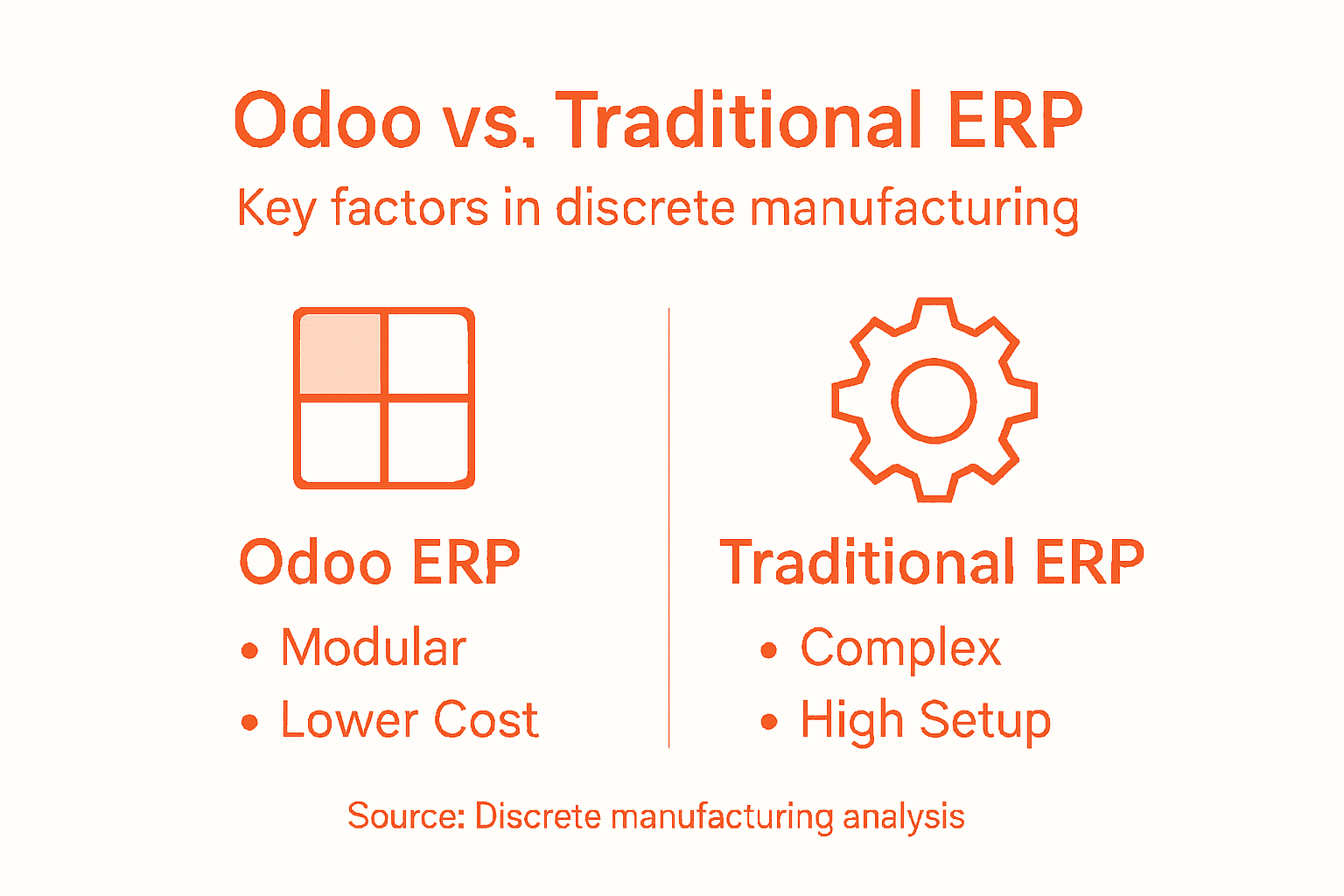
                    Unlock ERP Success with Bista Solutions Expertise

                    Texas manufacturers and mid-sized enterprises face complex challenges like managing regulatory compliance, optimizing operations, and scaling growth. The article highlights the importance of tailored ERP strategies that address these specific needs through customization, real-time insights, and long-term support. If you want to eliminate inefficiencies and ensure a smooth digital transformation with an expert team by your side, Bista Solutions stands ready to guide you.

                    With over 350 successful implementations, a specialized team of 300+ ERP experts, and recognition as the Best Odoo Partner across North America, Bista Solutions offers industry-leading, scalable Odoo ERP systems customized for your unique business workflows. Experience end-to-end support from strategic planning to post-launch optimisation, designed to minimise risk and maximise your return on investment.

                    Take the first step toward transforming your business today

                    Request A Free Demo


                      Discover how Bista Solutions can power your ERP journey with proven expertise and personalised service. Contact us now to build a customized solution that drives growth and operational excellence at Contact Us. Explore more about our Odoo Manufacturing ERP Solution and learn the 9 ERP Implementation Phases to prepare your business for success.


                      Frequently Asked Questions

                      What is ERP, and how can it benefit my business?

                      Enterprise Resource Planning (ERP) is a set of software solutions that help businesses manage and integrate various core functions, such as finance, human resources, and supply chain operations. Implementing an ERP system can streamline processes, improve data accuracy, enhance decision-making, and ultimately drive operational efficiency.

                      Why should I choose Bista Solutions for ERP implementation?

                      Bista Solutions offers a comprehensive approach to ERP implementation, focusing on customized solutions that align with your unique business needs. With a large team of experts and a proven track record, they ensure smooth integration and continuous support throughout the implementation process.

                      How does the Odoo ERP implementation process work with Bista Solutions?

                      The Odoo ERP implementation process with Bista Solutions typically includes stages such as discovery, system design, configuration, data migration, testing, training, and go-live support. Each phase is tailored to the specific requirements of your organisation, ensuring a seamless digital transformation.

                      What long-term support does Bista Solutions provide after ERP implementation?

                      Bista Solutions offers continuous support after ERP implementation, which includes regular system updates, technical assistance, and optimization strategies. This ongoing support helps ensure that your ERP system evolves with changing business needs and market dynamics.